Introduction to MCP Servers
Introduction to MCP Servers
📌 TL;DR:
MCP Servers are emerging as a flexible alternative to traditional API gateways, designed to orchestrate AI tools, prompts, and contextual logic in cybersecurity workflows.
MCP (Model Context Protocol) is a standardized JSON-based protocol that lets AI agents interact with tools and services in a consistent way.
In complex workflows like threat lookups, malware scans, or log analysis, each tool usually requires its own custom integration. MCP fixes this by acting as a universal “order slip.” You tell the agent what to do, and MCP handles how, across all tools.
Analogy: If APIs are faucets, MCP is the plumbing plan. You don’t twist every tap, you just say “make coffee,” and the system knows what to do.
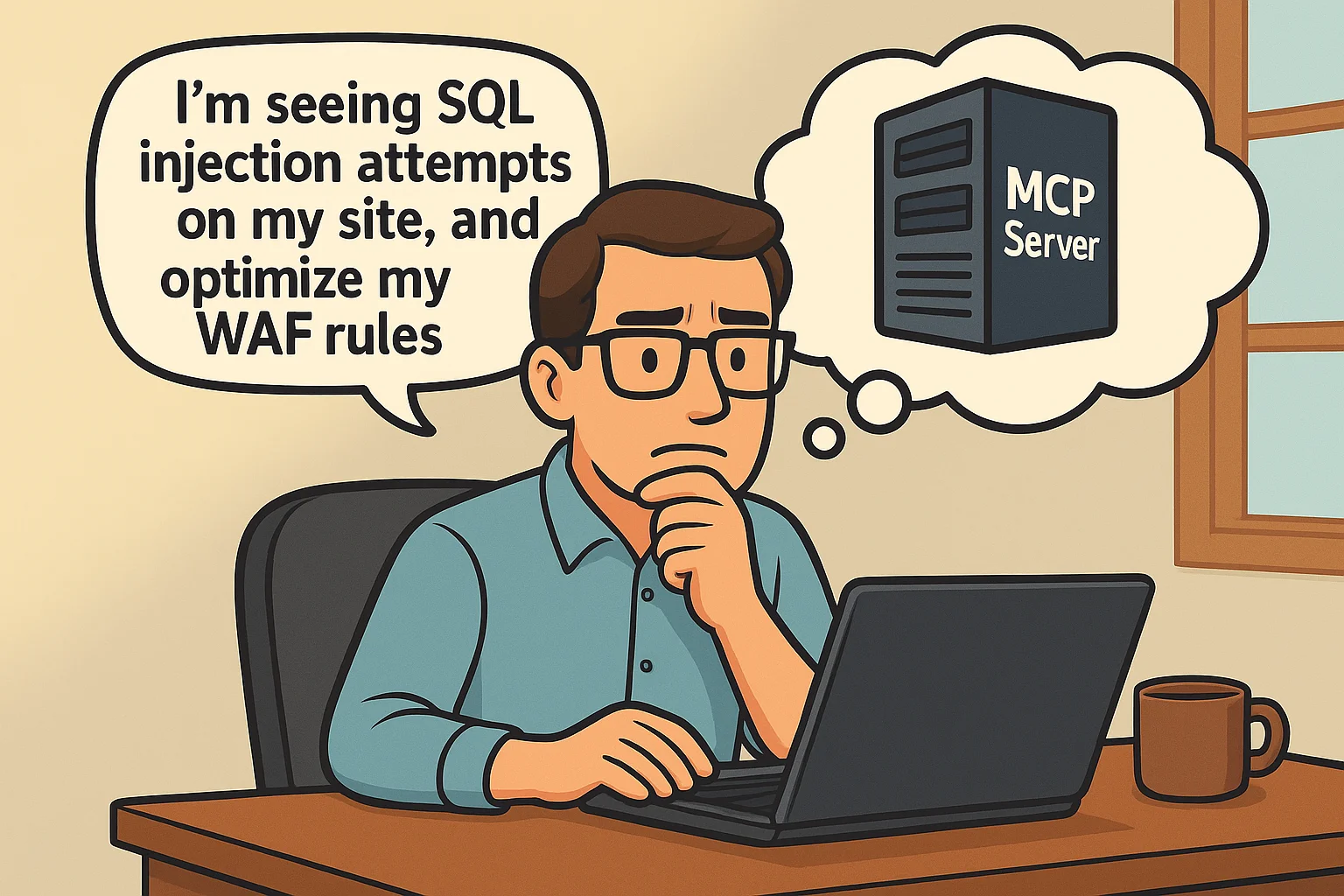
Take Cloudflare’s security platform as an example: Without MCP, you would log into your dashboard, check WAF logs, analyze attack patterns, and configure rules manually. With MCP integration, you simply tell your agent “I’m seeing SQL injection attempts on my site, analyze the traffic and optimize my WAF rules” and it automatically pulls analytics data, identifies attack patterns, suggests rule improvements, and implements the changes through Cloudflare’s API.
The same principle applies to threat hunting. Instead of running separate queries across your security stack, you ask “what’s happening with IP 45.XX.22.XX” and MCP coordinates threat intelligence lookups, log searches, network scans, and vulnerability assessments – then delivers a comprehensive report.
How MCP works technically?
The Model Context Protocol operates on a client-server architecture that solves the “M×N integration problem” in AI applications. Instead of every AI tool needing custom integrations with every data source, MCP creates a standardized interface that acts like “USB for AI.”
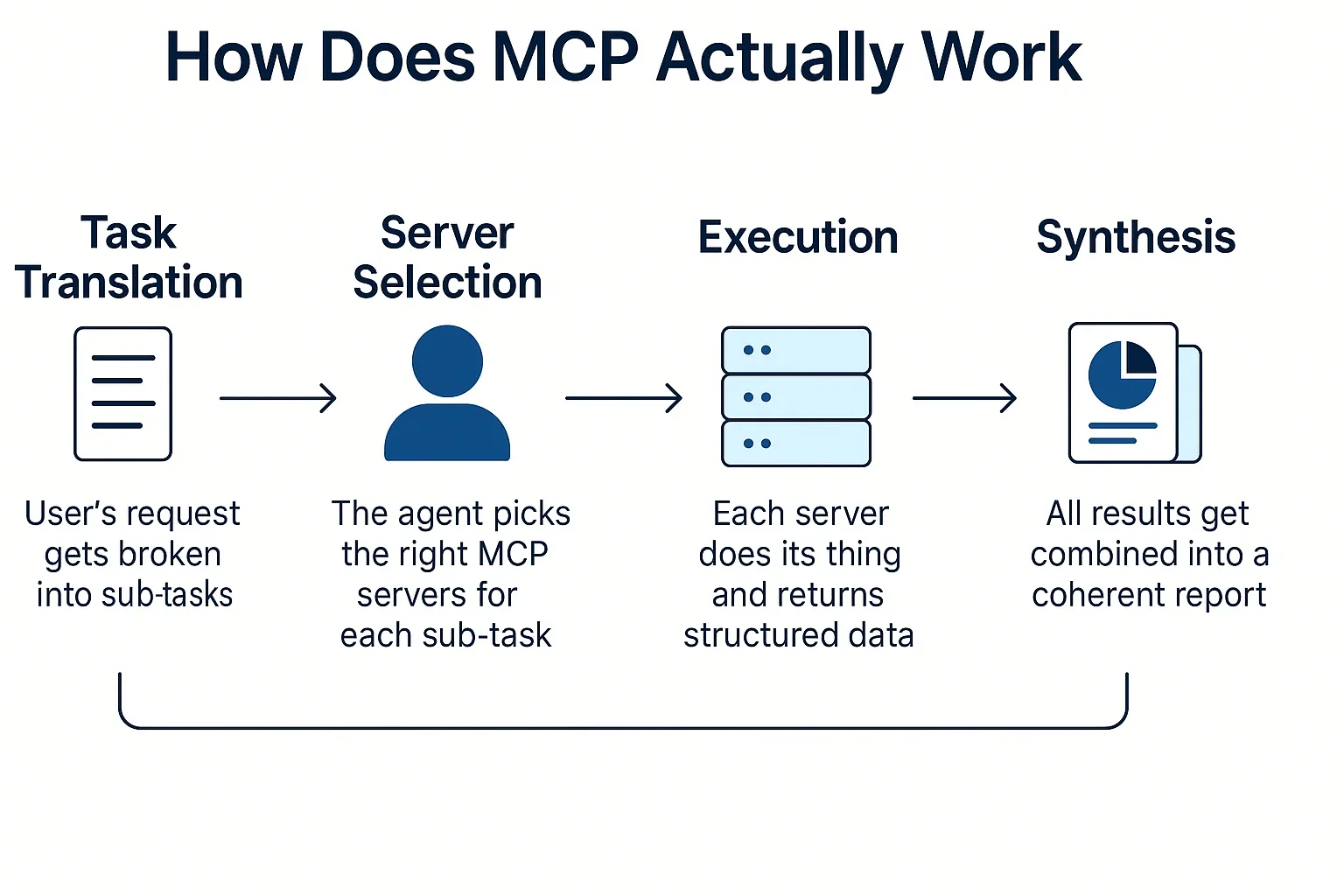
The Three-Layer Architecture
The Host Layer: Central Command
The MCP Host serves as the orchestrator for applications like Claude Desktop or IDEs that need external data access. The host creates and manages multiple client instances while enforcing security policies, controlling connection permissions, and handling user authorization decisions.
The host coordinates AI integration and aggregates context from multiple sources to provide users with a unified experience. When you ask Claude Desktop to analyze local files while querying a remote database, the host layer makes this seamless interaction possible.
Client Management: Protocol Handlers
MCP Clients maintain a strict 1:1 relationship with specific servers, ensuring isolation for security and reliability. Clients handle the technical communication: protocol negotiation, capability exchange, bidirectional message routing, and subscription management.
This architecture creates clear security boundaries between servers while enabling the host to coordinate multiple simultaneous connections. Built on JSON-RPC, this focuses specifically on context exchange and sampling coordination.
Servers: Specialized Capability Providers
MCP Servers are lightweight, specialized programs that expose specific capabilities through the standardized protocol. They can be local processes accessing your computer’s files and databases, or they can connect to remote services and external APIs.
Servers operate independently with focused responsibilities, providing access to resources, tools, and prompts while respecting security constraints imposed by the client-host relationship.
How It All Works Together
When you interact with an MCP-enabled AI application, the host receives your request and coordinates with appropriate clients, each maintaining isolated connections to relevant servers. Servers provide the requested data through their clients, the host aggregates the information and maintains context across sources, then presents a unified response.
This architecture transforms complex custom integrations into a standardized, scalable system that makes AI applications powerful while keeping them secure and maintainable.
How is an MCP Server different from a traditional API gateway?
While traditional API gateways expose specific, callable endpoints, an MCP Server orchestrates sequences of tasks and decision logic, allowing AI agents to complete entire workflows dynamically.
| Comparison | API Gateway | MCP Server |
| Target | Developers | AI Agents |
| Granularity | Single API functions | Complex workflows/tasks |
| Input | Fixed parameters | Flexible task schema (JSON) |
| Control Flow | Client-controlled | Agent-controlled |
| Example | GET /scan-result?id=123 | {“task”: “analyze_suspicious_email”, “email_id”: “123”} |
In essence, APIs tell the system what to do, whereas MCP lets agents decide how to do it.
Who typically uses MCP Servers in cybersecurity workflows?
MCP Servers are rapidly becoming essential infrastructure for AI-powered cybersecurity operations. Key users include:
- Security product teams developing modular AI agents.
- Red and Blue Teams needing dynamic automation in attack/defense simulations.
- SOC teams executing repetitive investigative tasks (e.g., port scans, IOC lookups).
- CISOs building secure, multi-agent systems that enforce policy-aware decision-making.
- Agent orchestration platforms like CrewAI, LangGraph, AutoGen.
By using MCP Servers, these roles benefit from faster task execution, higher modularity, and reduced integration complexity.
Here are a couple of MCP server use-case scenarios.
How Can a CISO Use MCP Server for Dark Web Threat Intelligence?
Scenario: You’re a CISO at a North American financial services firm who needs to understand the latest dark web threat landscape targeting your industry over the past 6 months, but manually monitoring underground forums and marketplaces is time-consuming and resource-intensive.
The Ask: “Generate a comprehensive dark web threat intelligence report covering: recent ransomware groups targeting financial institutions in North America, stolen credentials and data breaches affecting our sector, emerging fraud schemes, threat actor discussions about banking malware, and strategic recommendations for strengthening our defenses.”
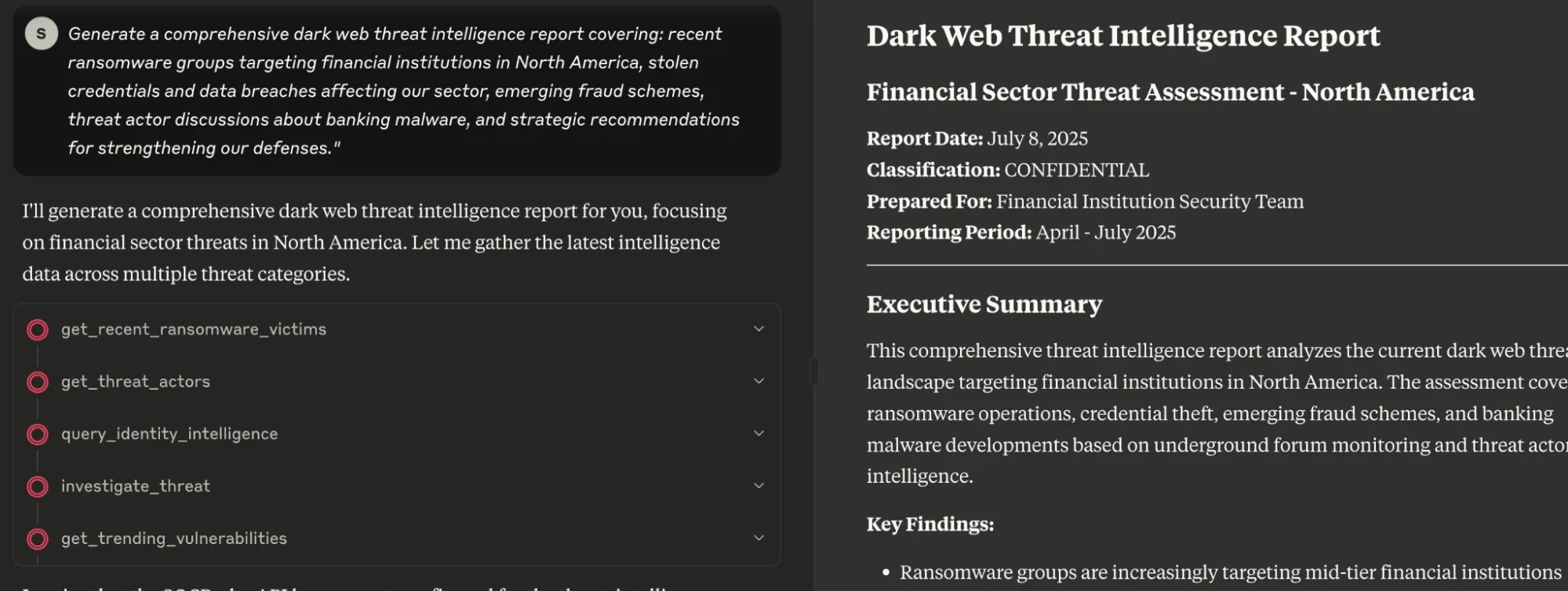
What Happens:
- SOCRadar MCP leverages its dark web intelligence capabilities to scan underground forums and marketplaces for financial sector threats
- Monitors for compromised banking credentials and employee accounts through credential intelligence
- Analyzes ransomware groups specifically targeting North American financial institutions
- Detects new attack vectors and social engineering tactics via fraud intelligence
- Maps APT groups and cybercriminal organizations focusing on banking sector through threat actor profiling
How Can a Pentester Use MCP Server for External Attack Surface Mapping?
Scenario: You’re a penetration tester conducting an authorized internal network assessment for a financial services company. You need to systematically discover live hosts, identify running services, detect vulnerabilities, and attempt exploitation across their internal subnet range 192.168.10.0/24.
The Ask: “Perform a comprehensive penetration test on subnet 192.168.10.0/24, starting with host discovery, then service enumeration, vulnerability assessment, and attempt exploitation on any high-risk findings.”
What Happens:
The MCP Pentest Server receives your request and initiates a multi-phase automated assessment workflow
- Phase 1 – Host Discovery: Executes nmap ping sweeps and ARP scans to identify live hosts, returning IP addresses with MAC vendors and response times
- Phase 2 – Port Scanning: Performs comprehensive TCP/UDP port scans on discovered hosts, identifying open ports and basic service banners
- Phase 3 – Service Fingerprinting: Conducts deep service enumeration using nmap scripts, banner grabbing, and version detection to identify exact software versions
- Phase 4 – Vulnerability Correlation: Cross-references discovered services against CVE databases and exploit frameworks to identify known vulnerabilities
- Phase 5 – Exploitation Attempts: Automatically launches targeted exploits using Metasploit modules, custom scripts, or proof-of-concept code against high-confidence vulnerabilities
- Phase 6 – Post-Exploitation: On successful compromise, performs basic privilege escalation checks, credential harvesting, and lateral movement reconnaissance
Example MCP Interaction Flow:
Pentester: “Scan 192.168.10.0/24 for exploitation opportunities”
MCP Server Response:
“🔍 Discovering hosts on 192.168.10.0/24…
✅ Found 12 live hosts
🔎 Scanning ports on discovered hosts…
✅ Identified 45 open services across targets
🎯 Fingerprinting services…
⚠️ High-risk findings:
– 192.168.10.15:445 – SMBv1 enabled (MS17-010 EternalBlue)
– 192.168.10.23:80 – Apache 2.2.8 (CVE-2017-7679)
– 192.168.10.31:3389 – RDP with weak encryption
💥 Attempting exploitation…
🚨 COMPROMISED: 192.168.10.15 via EternalBlue – SYSTEM access gained
📊 Generating comprehensive pentest report…”
This MCP server streamlines the entire penetration testing kill chain, automatically progressing from reconnaissance through exploitation while maintaining detailed logging for compliance and reporting requirements.
How Can a SOC Analyst Use MCP Server for Real-Time Threat Detection?
Scenario:
You’re a SOC analyst at a mid-sized healthcare company. You’re getting overwhelmed by false positives and alert fatigue, and need real-time, actionable intelligence to help prioritize and contextualize alerts — especially related to ransomware, credential leaks, and healthcare-specific threats.
The Ask:
“Enrich my SIEM alerts with current threat actor TTPs, active malware campaigns, and context around IOCs targeting the healthcare industry — especially ransomware families, credential phishing, and known C2 infrastructure.”
What Happens:
- The MCP server you use connects to your SIEM and enriches alerts with threat intelligence context
- Flags IOCs related to ransomware campaigns and healthcare-specific malware
- Maps observed activity to MITRE ATT&CK techniques and known threat actor profiles
- Monitors dark web, Telegram, and stealer logs for leaked employee or patient data
- Prioritizes alerts based on real-time threat scoring and sector-specific risk levels
- Reduces triage time by linking alerts to known threat campaigns and attack patterns
What types of LLMs and AI tools do MCP Servers integrate with?
MCP Servers are model-agnostic and support a wide range of tools and LLMs out-of-the-box. These include:
- LLMs: OpenAI GPT models, Claude (Anthropic), Google Gemini, Meta LLaMA, etc.
- Security Tools: Nmap, VirusTotal, Shodan, Elasticsearch, Jira, SOCRadar®, and more.
- OSINT Utilities: Hunter.io, DNS Twister, WHOIS services.
- Workflow Engines: LangGraph, CrewAI, AutoGen.
As long as a tool can interpret or generate structured JSON, it can be wrapped with an MCP-compatible server. This opens the door for both proprietary tools and open-source utilities to join the ecosystem, bringing LLM-powered automation to traditional cybersecurity tasks.