Adobe Acrobat WhatsApp Flaw “HermeticReader”
Adobe and WhatsApp have rolled out a new way to handle PDF files without ever leaving a chat, and the timing puts a spotlight on a vulnerability that Adobe patched only weeks earlier in that same integration. The flaw, called HermeticReader, let a malicious webpage quietly pull WhatsApp Web data out of the Adobe Acrobat Chrome extension used on hundreds of millions of browsers.
Here is what launched, what went wrong before it did, and what it means for anyone running the extension today.
What Is Adobe Acrobat’s New WhatsApp Integration?
Adobe and WhatsApp are now offering Acrobat powered PDF tools directly inside WhatsApp Web and Windows chats. The rollout is live globally, and it lets people preview, mark up, and edit PDF files without leaving a conversation.
When someone shares a PDF in a chat, it now opens instantly inside the thread. People can scroll, zoom, and read the whole document, including password protected files, without downloading anything or switching apps. Acrobat renders the file, so layout and formatting stay intact, and shared documents remain end to end encrypted like any other message, meaning only the people in that chat can read them.
Built in markup tools let people highlight, underline, and strike through text without leaving WhatsApp. For deeper changes, an Edit in Acrobat button opens the full toolset, including organizing pages, adding a password, and signing. Advanced editing and the Acrobat AI Assistant, which can summarize a document or answer questions about it, need an Acrobat subscription. Once the file is updated, it can go straight back into the same chat, so everyone stays aligned on the latest version.
Adobe senior vice president Abhigyan Modi framed the update as an extension of Acrobat’s broader goal, supporting document work wherever people already gather, with WhatsApp now one of the largest places that happens.
What Is the HermeticReader Vulnerability in Adobe Acrobat?
The WhatsApp feature runs on an internal Acrobat component called Hermes, the part of the extension that talks to WhatsApp Web. In June, researchers found a chain of flaws inside Hermes and reported them to Adobe.
Designated as CVE-2026-48294 (CVSS 7.4), the HermeticReader vulnerability is a universal cross-site scripting (UXSS) flaw. This specific security gap enables a deceptive site to bypass standard browser security boundaries, granting it the ability to access sensitive session data from an entirely different tab.
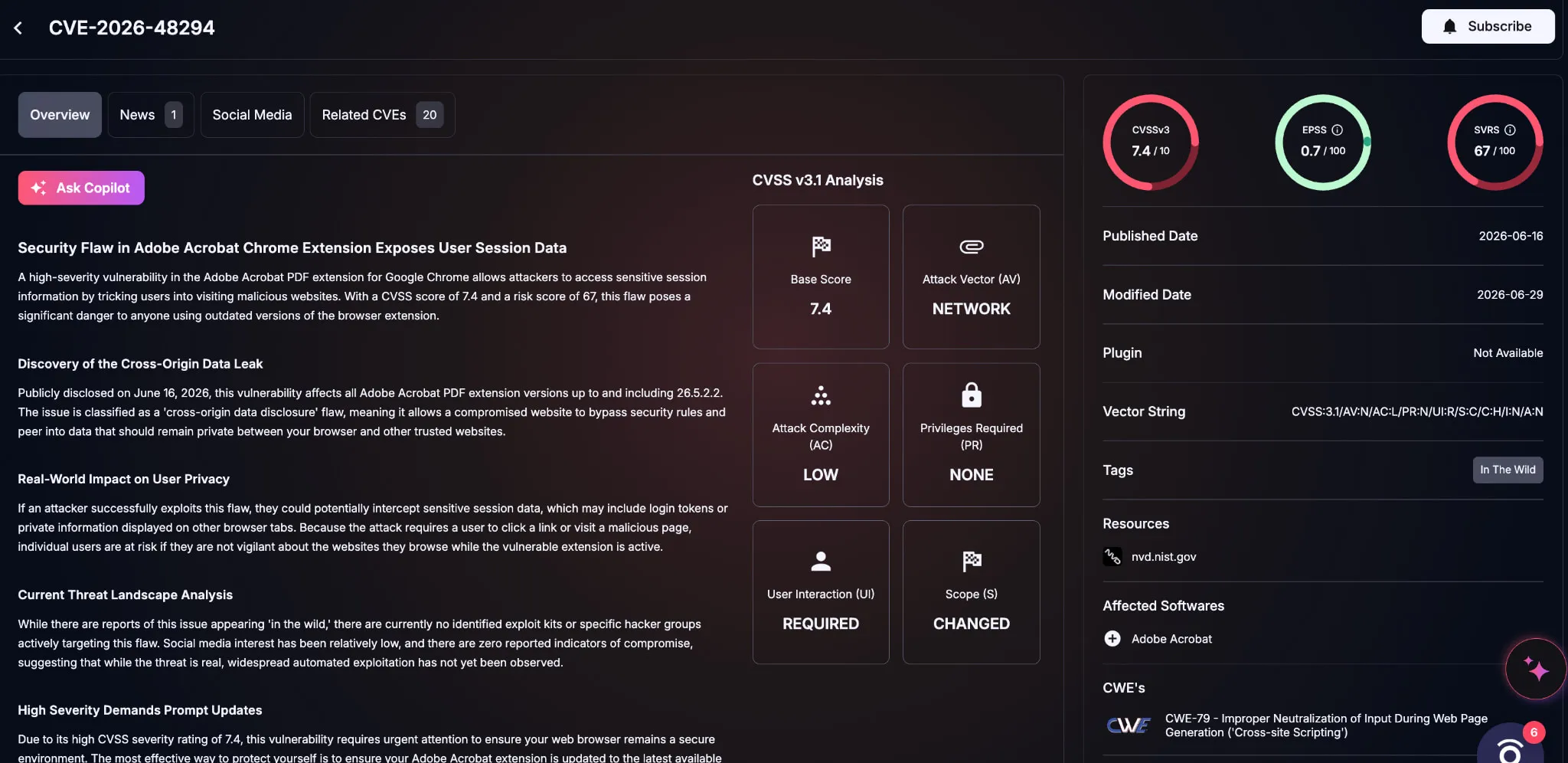
Details of CVE-2026-48294 (SOCRadar Vulnerability Intelligence)
No malware, phished password, or stolen session cookie was needed. A victim only had to visit an ordinary looking, attacker-controlled page while already having the extension installed.
How Does the HermeticReader Exploit Chain Work?
Once a victim landed on the malicious page, it could quietly write to the extension’s local storage to switch Hermes on, then predict the numeric tab identifier Chrome would assign to a freshly opened WhatsApp Web tab and send disguised commands straight into it.
From there, the attacker could plant a hidden form inside the WhatsApp Web page and submit it, pulling the visible contents of that session out to a server the attacker controlled: the contact list, message previews, the account name, and whatever conversation happened to be open. No single step in the chain was severe on its own. Combined, they reached deep into a person’s WhatsApp data.
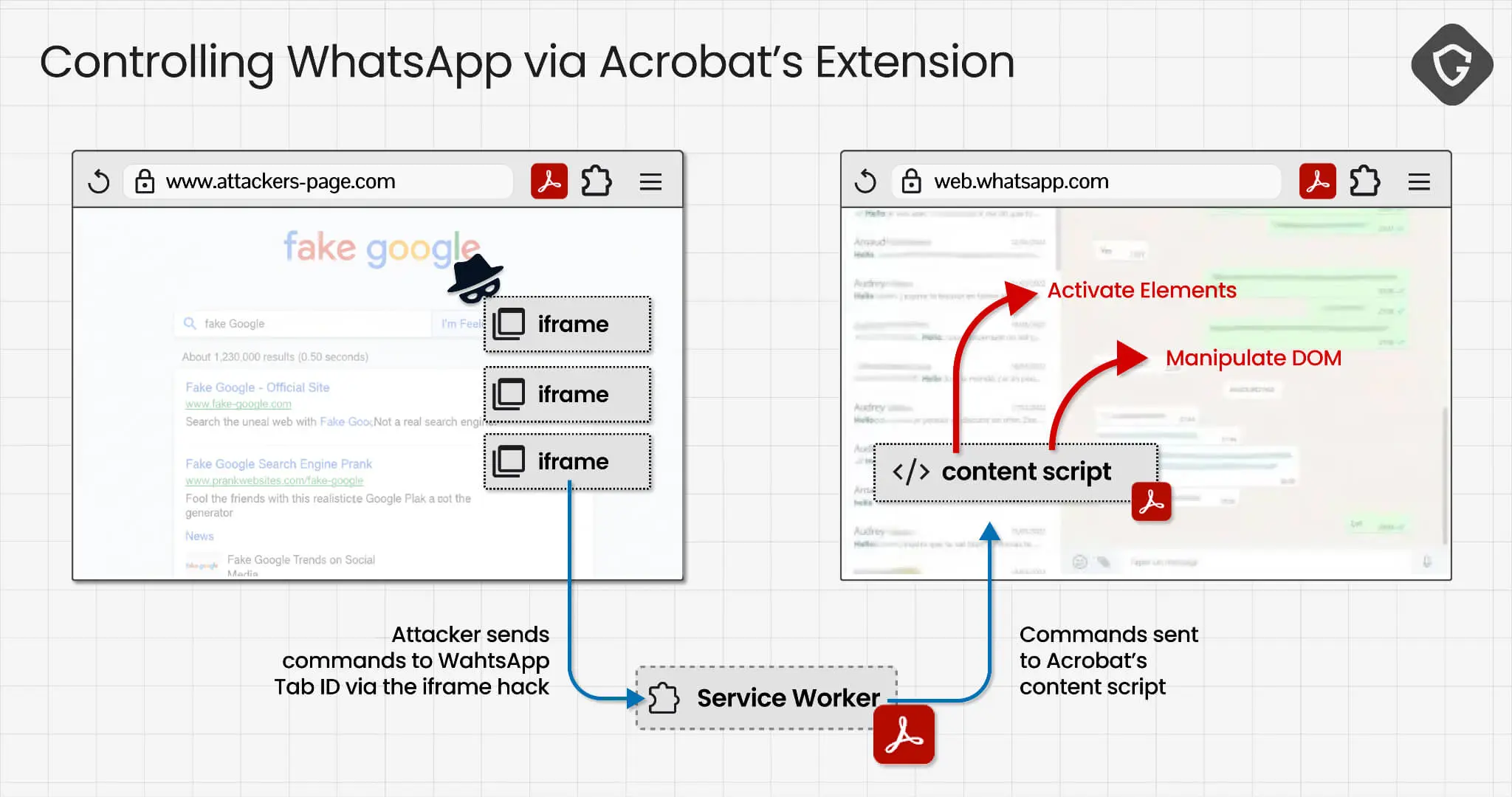
HermeticReader (CVE-2026-48294) exploit chain (Guardio)
How Many Users Were Affected by CVE-2026-48294?
The flaw affected every version of the extension up to and including 26.5.2.2, installed on an estimated 329 million browsers.
Adobe fixed it in version 26.5.2.3, which rolled out automatically through the Chrome Web Store, shipping that patch within the same weekend it received the report. The CVE was assigned a few days later, and no active exploitation was found before the fix went out.
Who Should Check Their Environment?
A patch being available is not the same as a patch reaching every device. The highest priority is any organization that allows the Adobe Acrobat Chrome extension and uses WhatsApp Web for business communication, customer support, sales workflows, document exchange, or informal approval processes.
Admins should review:
- Installed Acrobat Chrome extension versions
- Chrome extension update policies
- Managed browser profiles where extension updates may be pinned or delayed
- WhatsApp Web usage in business workflows
- Users who handle sensitive documents, invoices, contracts, or customer conversations through WhatsApp
This is also a good moment to review whether high-install browser extensions are being monitored as part of endpoint and SaaS risk management.
What Should Security Teams Do About This Adobe Acrobat Flaw?
Browser extensions like Adobe’s carry broad permissions and touch nearly every tab a person opens, which makes them a significant and often overlooked part of an organization’s attack surface, especially as vendors keep adding new integrations to software that is already installed everywhere.
Adobe’s security acknowledgements page credits Guardio Labs for the report that led to the fix, and the turnaround from disclosure to patch took only days for an extension used on hundreds of millions of browsers.
The practical steps for security teams stay simple: keep extensions updated, remove the ones no longer needed, and pay attention to any extension with broad, cross-site permissions.
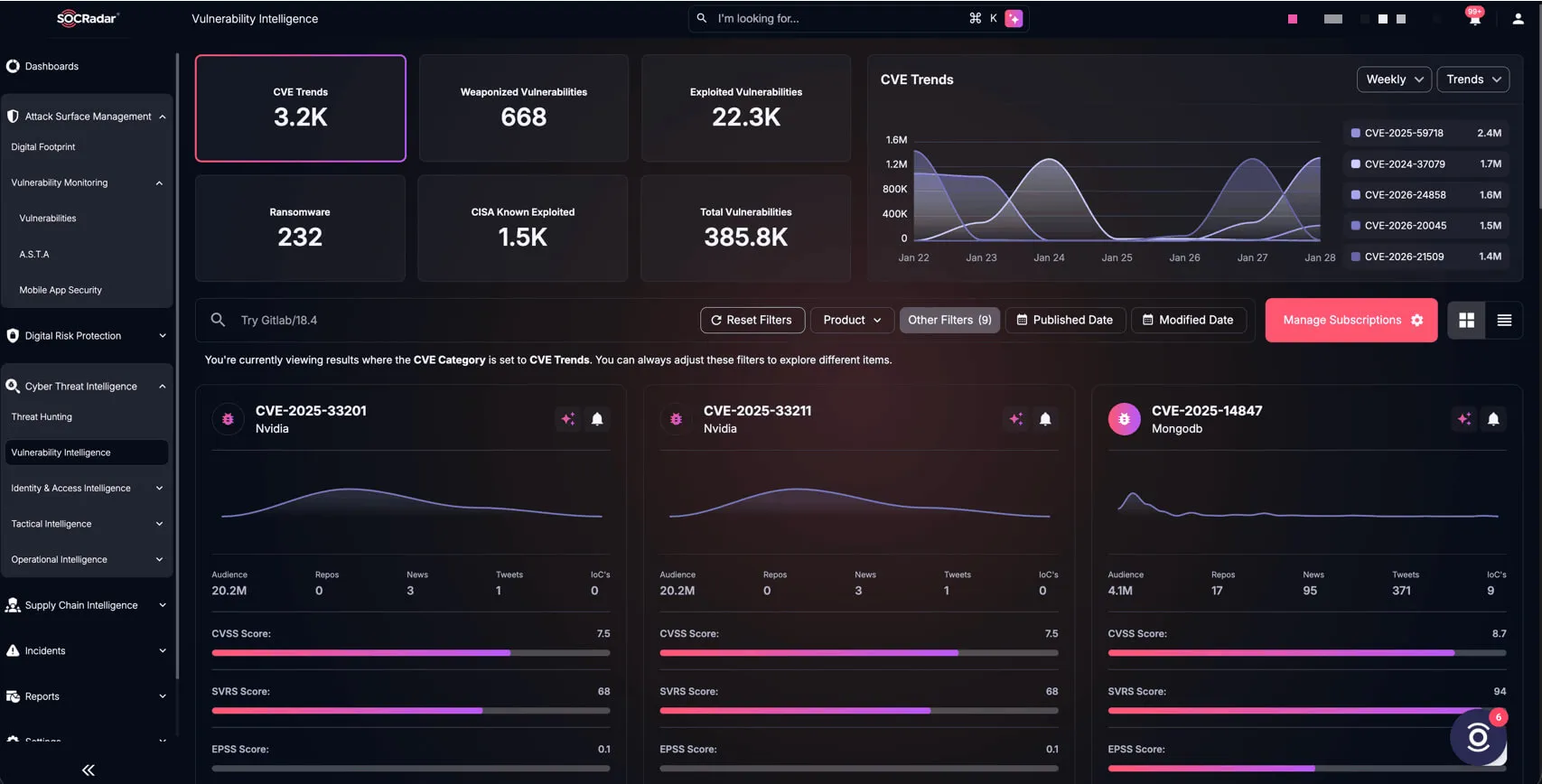
SOCRadar’s Cyber Threat Intelligence module, Vulnerability Intelligence
A single CVE inside a browser extension can carry as much risk as a flaw in the network perimeter, and HermeticReader shows exactly how. SOCRadar’s Cyber Threat Intelligence module tracks disclosures like CVE-2026-48294 as they are published, and checks that tracking against the software actually installed across an organization, so a widely used extension does not turn into a blind spot in an otherwise well monitored environment.