SOCRadar Freshdesk Integration: Track and Resolve Security Incidents as Tickets
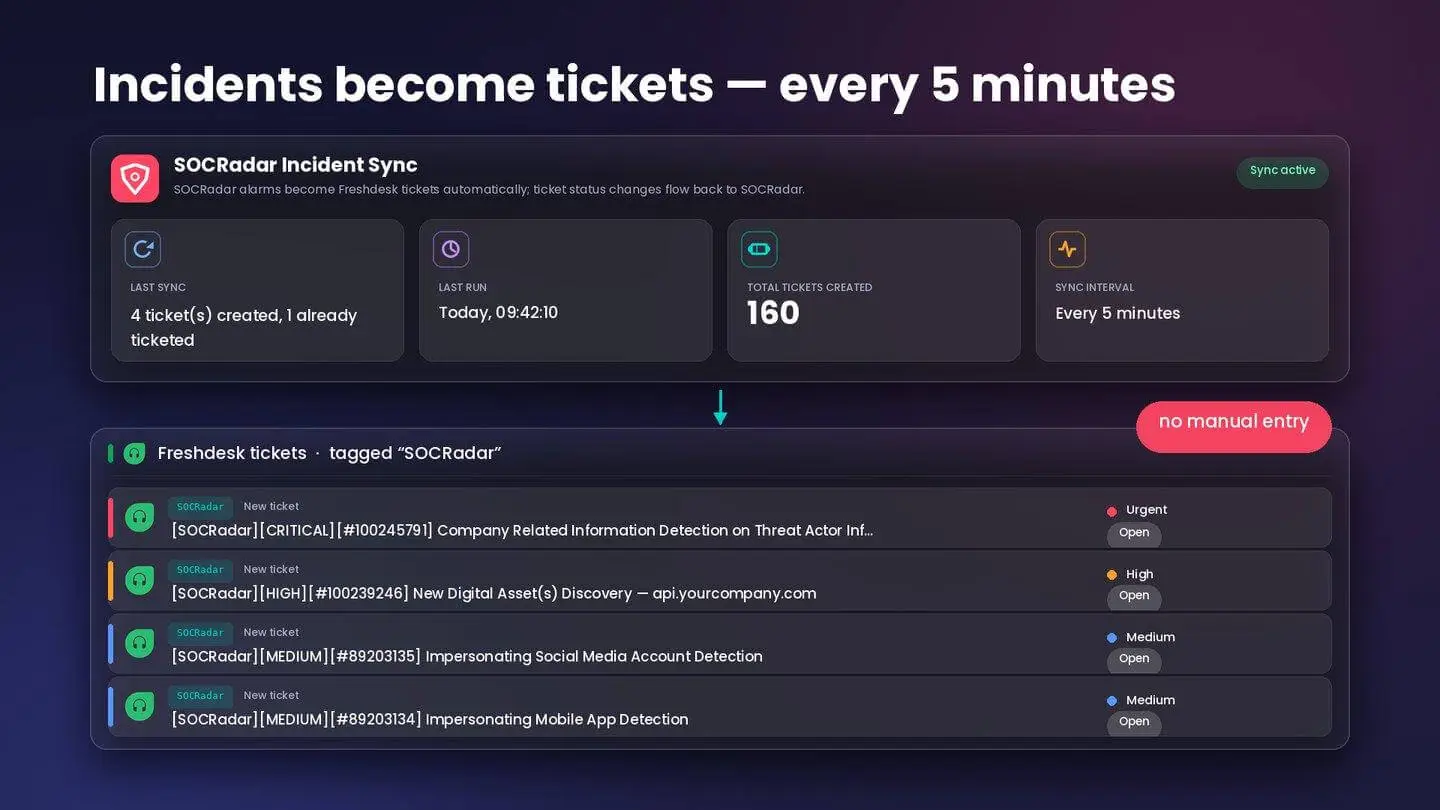
SOCRadar Incident Sync: new incidents are pulled every five minutes and opened as Freshdesk tickets tagged SOCRadar.
Your support and IT teams live in Freshdesk. Every request has an owner, an SLA and a history. Security findings, meanwhile, arrive somewhere else: a threat intelligence console that one or two people watch, with no ticket, no assignment and no record of who did what. When the same organization handles two kinds of incidents in two different ways, one of them is always the slower one.
Security Incidents Without a Ticket Are Incidents Without an Owner
Most help desk teams have spent years tuning how work moves through Freshdesk: priorities, groups, escalation rules, notifications. None of that applies to a finding that only exists in a security platform. Someone has to notice the incident, decide who should handle it, and then manually create a ticket if it is going to be tracked at all.
That manual step is where incidents stall. Critical findings wait behind whoever happens to be looking at the console. Lower-severity items never get a ticket and quietly accumulate. And when an auditor or a manager asks what was done about a specific incident, the answer lives in two systems that were never reconciled.
Two Systems, Two Truths
Even teams that do create tickets by hand run into the second problem: the ticket and the incident drift apart. A ticket gets resolved in Freshdesk, but the incident in the security platform still says open. Or the security team closes the incident and the help desk keeps working a ticket for a problem that no longer exists. Every status now has to be updated twice, and the moment anyone forgets, neither system can be trusted.
The SOCRadar Capability Behind This Integration
The integration is built on SOCRadar’s incident workflow, which groups validated findings from Cyber Threat Intelligence, Brand Protection and External Attack Surface Management into incidents with a severity and a lifecycle status. Incidents routed to Freshdesk typically include:
- Impersonating domains, social media accounts and mobile apps
- Company-related information detected on threat actor infrastructure
- Newly discovered digital assets and exposures on your external attack surface
- Leaked credentials and sensitive data found on the Deep and Dark Web
- Vulnerability findings tied to your discovered assets
Integration with Freshdesk
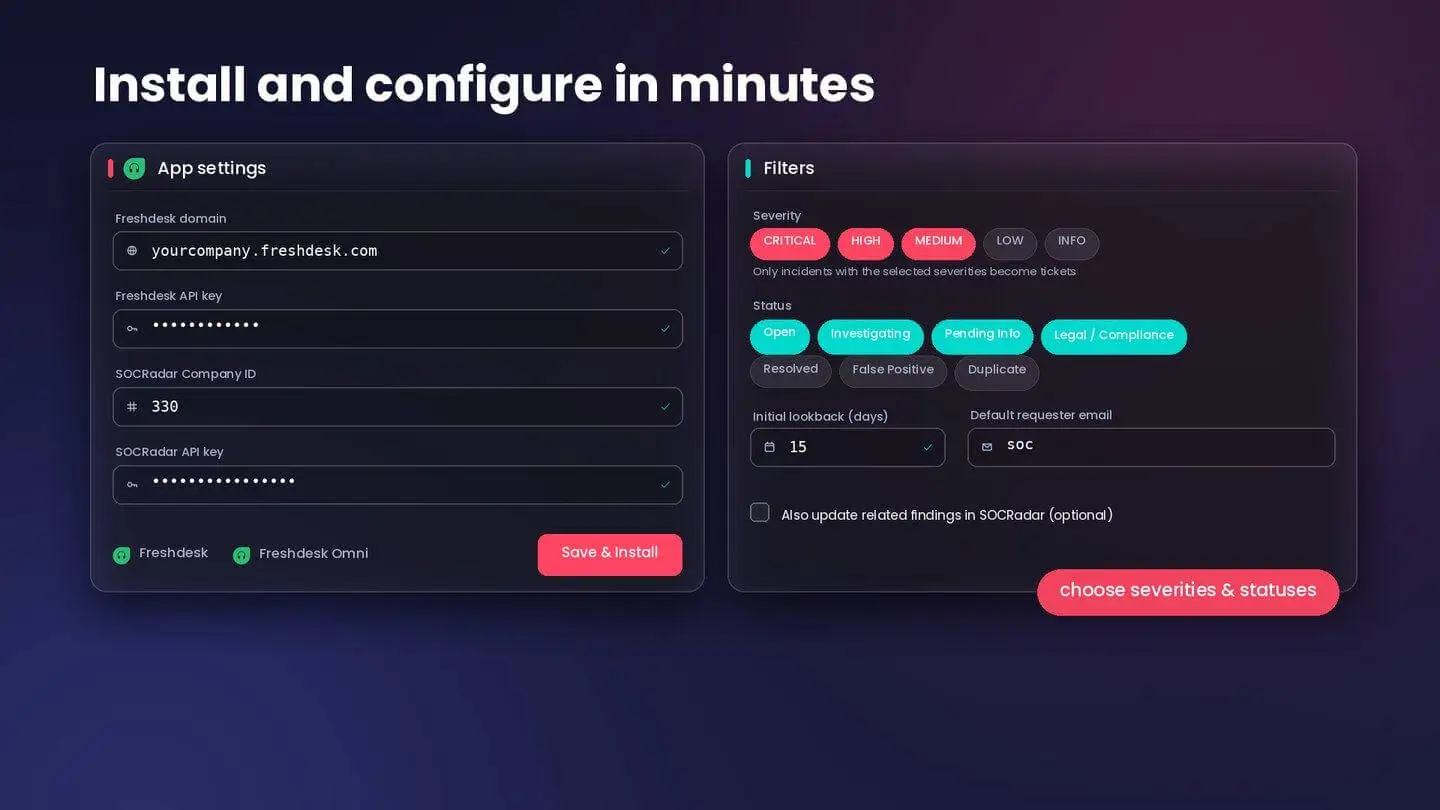
Setup takes minutes: enter your SOCRadar company ID and API key, then choose the severities and statuses that should become tickets.
The SOCRadar Incident Integration is now live on the Freshworks Marketplace, verified by Freshworks, and supports both Freshdesk and Freshdesk Omni.
What flows from SOCRadar into Freshdesk: The app polls SOCRadar every five minutes and opens a Freshdesk ticket for each new incident that matches your filters. No manual entry is required. Each ticket is tagged SOCRadar and carries the incident ID and severity in its title, so agents can see at a glance what they are looking at and which incident it maps to in SOCRadar.
What you control: During setup you enter your SOCRadar company ID and API key, then choose which severities and which incident statuses should become tickets. You can also set an initial lookback window and a default requester, so the first sync backfills recent incidents and tickets land with the right owner.
Optional two-way status sync: When enabled, resolving or closing a ticket in Freshdesk updates the matching incident’s status in SOCRadar, keeping both sides in step without anyone updating two systems.
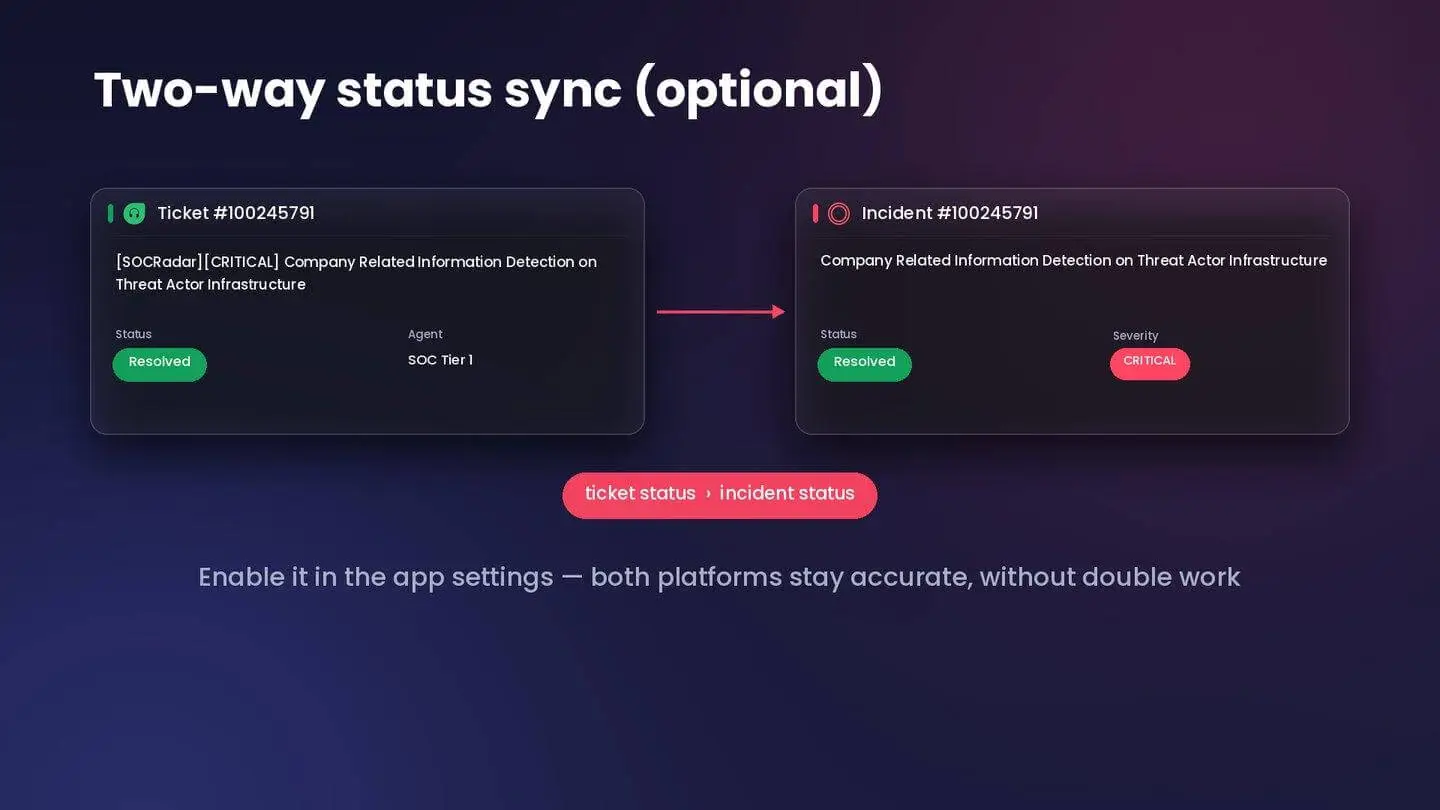
Resolve the ticket in Freshdesk and the matching incident status is updated in SOCRadar.
What agents can now do inside Freshdesk: Security incidents become ordinary tickets: they can be assigned to a group, prioritized, escalated and reported on with the same SLAs and automations your team already uses. The incident ID in the title links the ticket back to the full context in SOCRadar when an agent needs more than the summary.
How It Works in Practice
At 09:40 SOCRadar raises a critical incident: company-related information has been detected on a threat actor’s infrastructure. Five minutes later a ticket titled “[SOCRadar][CRITICAL][#100245791] Company Related Information Detection on Threat Actor Infrastructure” appears in your Freshdesk queue, tagged SOCRadar, with the priority your filters assigned to critical incidents.
Your triage agent routes it to the security group, which opens the incident in SOCRadar from the ID in the title, reviews the detected content and confirms the exposure. The team rotates the affected credentials and documents the steps in the ticket. When the agent marks the ticket Resolved, two-way sync updates the incident in SOCRadar to match. The incident, the ticket, the timeline and the owner are all in one place, and nobody had to copy anything between systems.
Take the Next Step
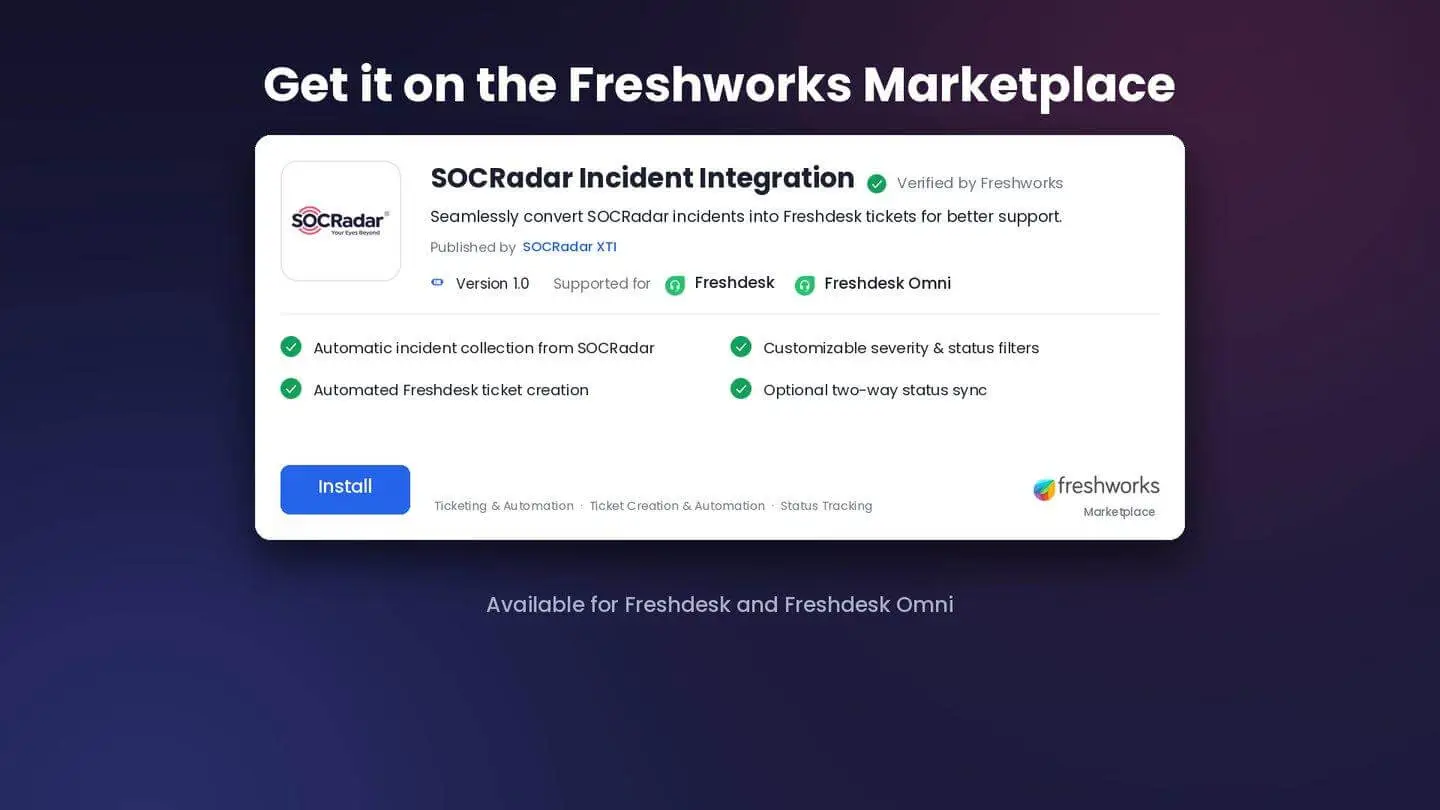
SOCRadar Incident Integration on the Freshworks Marketplace, verified by Freshworks, for Freshdesk and Freshdesk Omni.
For mutual customers, the combination is simple: SOCRadar supplies validated, prioritized incidents, and Freshdesk gives them the ownership, SLAs and audit trail your organization already applies to every other ticket, in Freshdesk and Freshdesk Omni alike.
To get started, install the app from the Freshworks Marketplace, enter your SOCRadar company ID and API key, and choose the severities and statuses you want to track. Your SOCRadar customer success manager can help you decide on filters and enable two-way sync. Not yet a SOCRadar customer? Request a demo.
Frequently Asked Questions
How often does the SOCRadar Incident Integration create Freshdesk tickets?
The app polls SOCRadar every five minutes and opens a Freshdesk ticket for each new incident that matches your severity and status filters.
Does the integration support Freshdesk Omni?
Yes. The SOCRadar Incident Integration is verified by Freshworks and supports both Freshdesk and Freshdesk Omni.
Can resolving a ticket in Freshdesk update the incident in SOCRadar?
Yes. With the optional two-way status sync enabled, resolving or closing a ticket in Freshdesk updates the matching incident’s status in SOCRadar.
What do I need to set up the integration?
Your SOCRadar company ID and API key. During setup you choose which severities and incident statuses become tickets, and you can set an initial lookback window and a default requester.