CVE-2026-73570: Zimbra RCE Exploited
Zimbra Collaboration Suite (ZCS) faces an actively exploited command-injection vulnerability, identified as CVE-2026-73570. This flaw affects the suite’s SNMP notification processing, enabling unauthenticated remote attackers to execute system commands as the ‘zimbra‘ user on vulnerable mail servers.
What Is CVE-2026-73570?
CVE-2026-73570 (CVSS 8.9) is a pre-authentication remote code execution vulnerability caused by improper neutralization of special elements used in an operating system command, tracked as CWE-78. NVD describes the flaw as affecting Zimbra Collaboration before 10.1.20 when zimbra-snmp is installed and SNMP notifications are enabled.
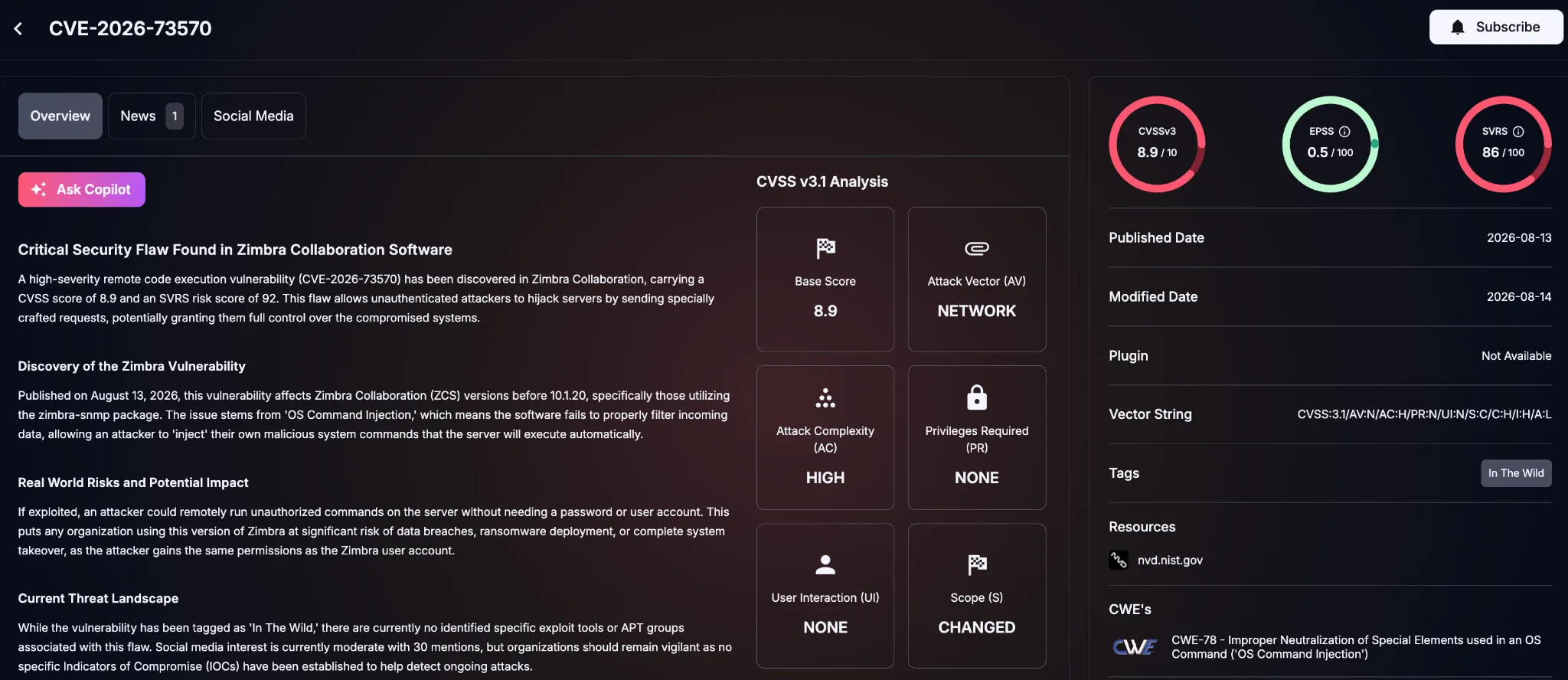
Details of CVE-2026-73570 (SOCRadar Vulnerability Intelligence)
The vulnerability occurs because untrusted input can reach the SNMP notification workflow and be processed in a way that influences operating system command execution. According to NVD, an unauthenticated attacker can send specially crafted SMTP requests that may result in arbitrary command execution as the zimbra user.
Because Zimbra mail servers are often internet-facing, this flaw grants unauthenticated attackers access to sensitive mail data, configuration files, and local system resources.
Which Zimbra Versions Are Affected?
The affected scope is not just “any Zimbra server.” The vulnerable condition depends on both version and configuration.
| Condition | Status |
|---|---|
| Affected product | Zimbra Collaboration Suite |
| Affected versions | Before 10.1.20 |
| Required package | Optional zimbra-snmp package installed |
| Required setting | SNMP notifications enabled through snmp_notify |
| Required service | swatchdog running |
| Fixed version | ZCS 10.1.20 or later |
Zimbra’s security advisory lists CVE-2026-73570 as a command-injection vulnerability in the SNMP monitoring component when SNMP notifications are enabled, with 10.1.20 as the fix release.
Administrators should treat ZCS versions before 10.1.20 as potentially exposed until they verify whether zimbra-snmp, snmp_notify, and swatchdog are present in their environment.
Is CVE-2026-73570 Being Actively Exploited?
Yes. CERT Polska reported on August 17, 2026, that CVE-2026-73570 was being actively exploited in the wild, urging immediate version checks, updates, and compromise reviews. Because active exploitation has already been reported, exposed Zimbra servers should be patched urgently and thoroughly evaluated for indicators of compromise rather than relying solely on routine maintenance cycles.
Attribution and operational details remain limited, but CERT Polska’s reporting is sufficient to treat exposure as an active incident risk.
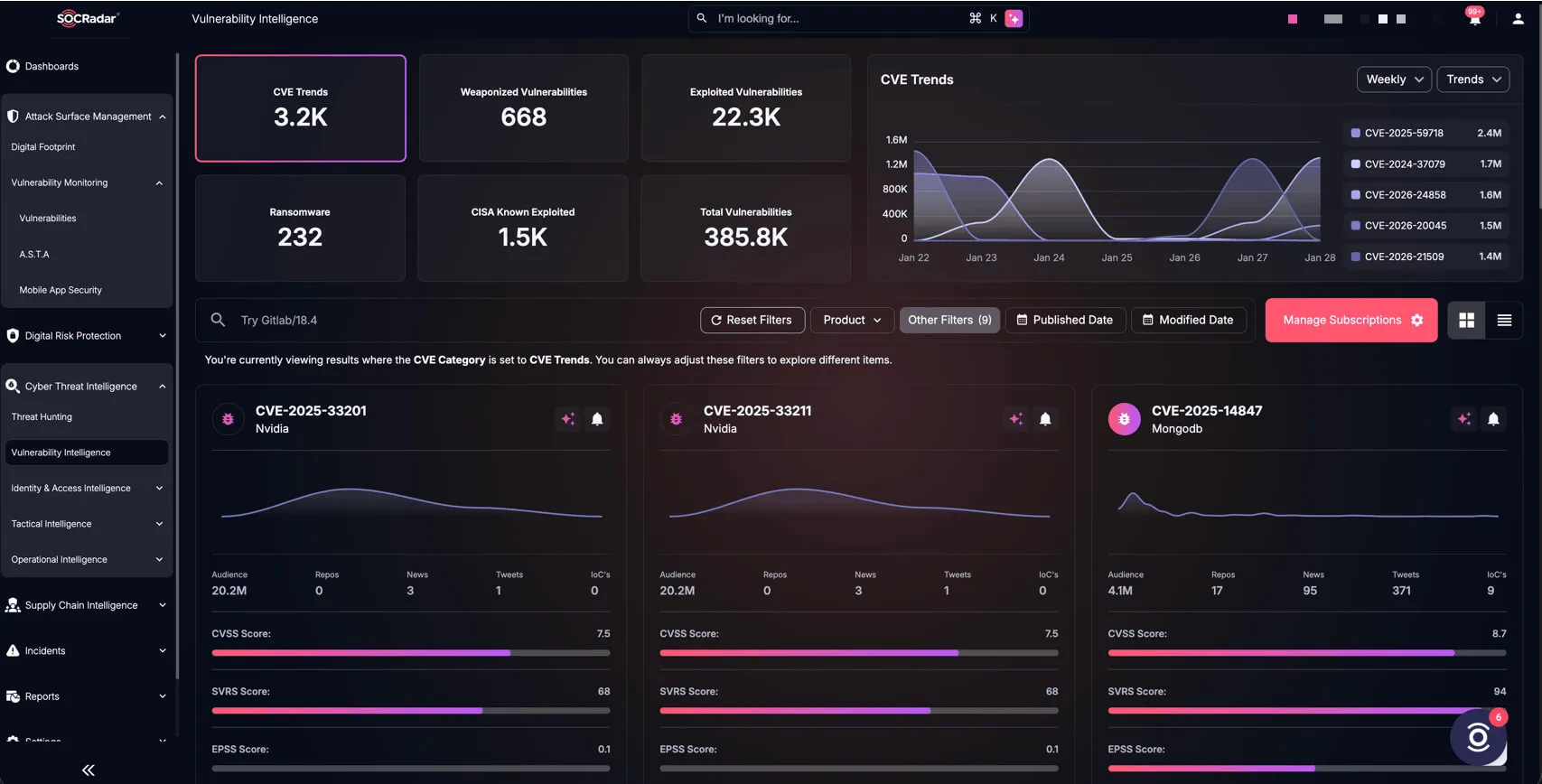
SOCRadar’s Vulnerability Intelligence, Cyber Threat Intelligence module
To assist organizations in staying ahead of these threats, SOCRadar’s Cyber Threat Intelligence module provides real-time updates on active CVE-2026-73570 exploitation, PoCs, and remediation guidance as new details emerge, while its Attack Surface Management (ASM) continuously scans external infrastructure to discover exposed, internet-facing Zimbra mail servers and highlight vulnerable configurations requiring urgent patching.
What Should Defenders Do Now?
1. Upgrade and Prioritize Exposed Systems
Upgrade affected Zimbra Collaboration Suite installations to 10.1.20 or later. Prioritize internet-facing Zimbra systems and servers that accept external SMTP traffic. If a system was exposed while vulnerable, treat patching as the first step in response, not the end.
2. Confirm Whether the Vulnerable Configuration Exists
Check whether the server runs a ZCS version before 10.1.20, has the optional zimbra-snmp package installed, has SNMP notifications enabled through snmp_notify, and is running the swatchdog service.
If upgrading is delayed, disabling the vulnerable SNMP notification path may reduce risk where operationally safe. This should remain an interim measure, not a replacement for patching.
3. Review Logs and Recent Files
CERT Polska recommends checking /var/log/zimbra.log for suspicious service-status changes where attacker-controlled content appears as the service name, including stopped-to-running and running-to-stopped transitions with malicious payloads.
Also check for files created by the zimbra user during the previous 30 days in:
- /opt/zimbra/jetty/webapps/
- /opt/zimbra/jetty_base/webapps/
- /tmp/
Correlate suspicious log entries or files with inbound SMTP activity, service restarts, process execution, and file creation timestamps. Preserve artifacts before cleanup.
4. Investigate Follow-On Activity
Because commands run as the zimbra user, review what that account could access locally. Investigate unexpected web application files, abnormal child processes, modified scripts, outbound connections, new scheduled tasks, altered Zimbra accounts, suspicious forwarding rules, delegated mailbox access, and changes to integrations or backup workflows.
Mail servers hold sensitive communications and often support password resets, archiving, monitoring, and backups, so a foothold can still be serious even without root access.