




Oct 05, 2026

Table Of Content
Chrome Security Update Fixes High Risk WebGPU and V8 Flaws (CVE-2025-12725, CVE-2025-12726, CVE-2025-12727…)
What Changed in the Latest Chrome Update?
Breakdown of Chrome’s High-Severity Vulnerabilities
What About the Omnibox Vulnerabilities?
Have These Vulnerabilities Been Exploited?
How Can You Stay Protected?
Related Articles

CVE-2026-90970: GitLab AI Gateway RCE

FortiMail Zero-Day Under Active Exploitation
Oct 02, 2026

TeamViewer Fixes Five Remote Access Flaws
Oct 01, 2026

CVE-2026-76504: Cisco SD-WAN Flaw Exploited
Oct 01, 2026

CVE-2026-86950: Apple CoreGraphics Zero-Day
Sep 30, 2026

Nov 06, 2025
4 Mins Read
Jul 08, 2026

Summarize with:
Chrome Security Update Fixes High Risk WebGPU and V8 Flaws (CVE-2025-12725, CVE-2025-12726, CVE-2025-12727…)
Google has pushed a new Chrome Stable Channel update (142.0.7444.134/.135) for Windows, macOS, and Linux, addressing five security vulnerabilities, three of which are rated high severity in core browser components like WebGPU, Views, and the V8 JavaScript engine.
This post gives you a quick, clear look at the most serious issues fixed in this update, why they matter, and what you should do to keep Chrome secure.
What Changed in the Latest Chrome Update?
The Chrome 142 Stable Channel Update (version 142.0.7444.134/.135) for Windows, macOS, and Linux closes and patches multiple vulnerabilities:
- CVE-2025-12725 – WebGPU out-of-bounds write (High)
- CVE-2025-12726 – Inappropriate implementation in Views (High)
- CVE-2025-12727 – Inappropriate implementation in V8 (High)
- CVE-2025-12728 – Inappropriate implementation in Omnibox (Medium)
- CVE-2025-12729 – Inappropriate implementation in Omnibox (Medium)
These bugs affect graphics, UI rendering, JavaScript execution, and even the address bar – all high-value targets for attackers. Therefore, Google withholds detailed information until updates are widely deployed to prevent exploitation.

Breakdown of Chrome’s High-Severity Vulnerabilities
These vulnerabilities target Chrome’s main systems – graphics, user interface, and scripting engines – making them appealing targets for attackers. To reduce exploitation risks, Google withholds detailed technical information until most users have received the update. The overview below explains what these high-severity flaws mean for Chrome users in practical terms.
CVE-2025-12725 (CVSS 8.8) – WebGPU Out-of-Bounds Write
CVE-2025-12725 is a flaw in WebGPU, the graphics API that lets websites interact directly with a system’s GPU for high-performance visuals and machine learning. Due to insufficient bounds checking, attackers could write data into unintended areas of memory, potentially crashing the browser or executing arbitrary code within the GPU process.
With the growing use of browser-based AI and graphics workloads, this type of vulnerability poses a serious risk for exploitation.
CVE-2025-12726 (CVSS 8.8) – Inappropriate Implementation in Views
CVE-2025-12726 targets the Views framework, which handles Chrome’s window and interface rendering. Due to unsafe handling of UI object references, a crafted webpage or extension could trigger memory corruption or gain unintended access to interface components.
This weakness might allow attackers to cross security boundaries or manipulate how the browser behaves.
CVE-2025-12727 (CVSS 8.8) – Inappropriate Implementation in V8
CVE-2025-12727 affects Chrome’s V8 JavaScript and WebAssembly engine. Issues like type confusion or memory errors in V8 can be exploited through malicious scripts to corrupt memory and execute arbitrary code.
Since V8 vulnerabilities are often exploited in attacks, this one requires prompt attention and immediate patching.
What About the Omnibox Vulnerabilities?
Chrome also patched two medium-severity vulnerabilities, CVE-2025-12728 and CVE-2025-12729, located in the Omnibox, Chrome’s unified address and search bar.
The Omnibox flaws, though less critical, could allow attackers to manipulate how search suggestions or URLs are displayed, potentially leading to phishing attempts, spoofed results, or minor data exposure risks.
While they don’t pose the same level of threat as WebGPU or V8 issues, users who rely on the Omnibox for navigation and search should still install the update promptly to ensure secure and accurate browser behavior.
Have These Vulnerabilities Been Exploited?
At this time, Google has not reported any of these vulnerabilities as being actively exploited in the wild, but users are strongly advised to update immediately to minimize potential risk.
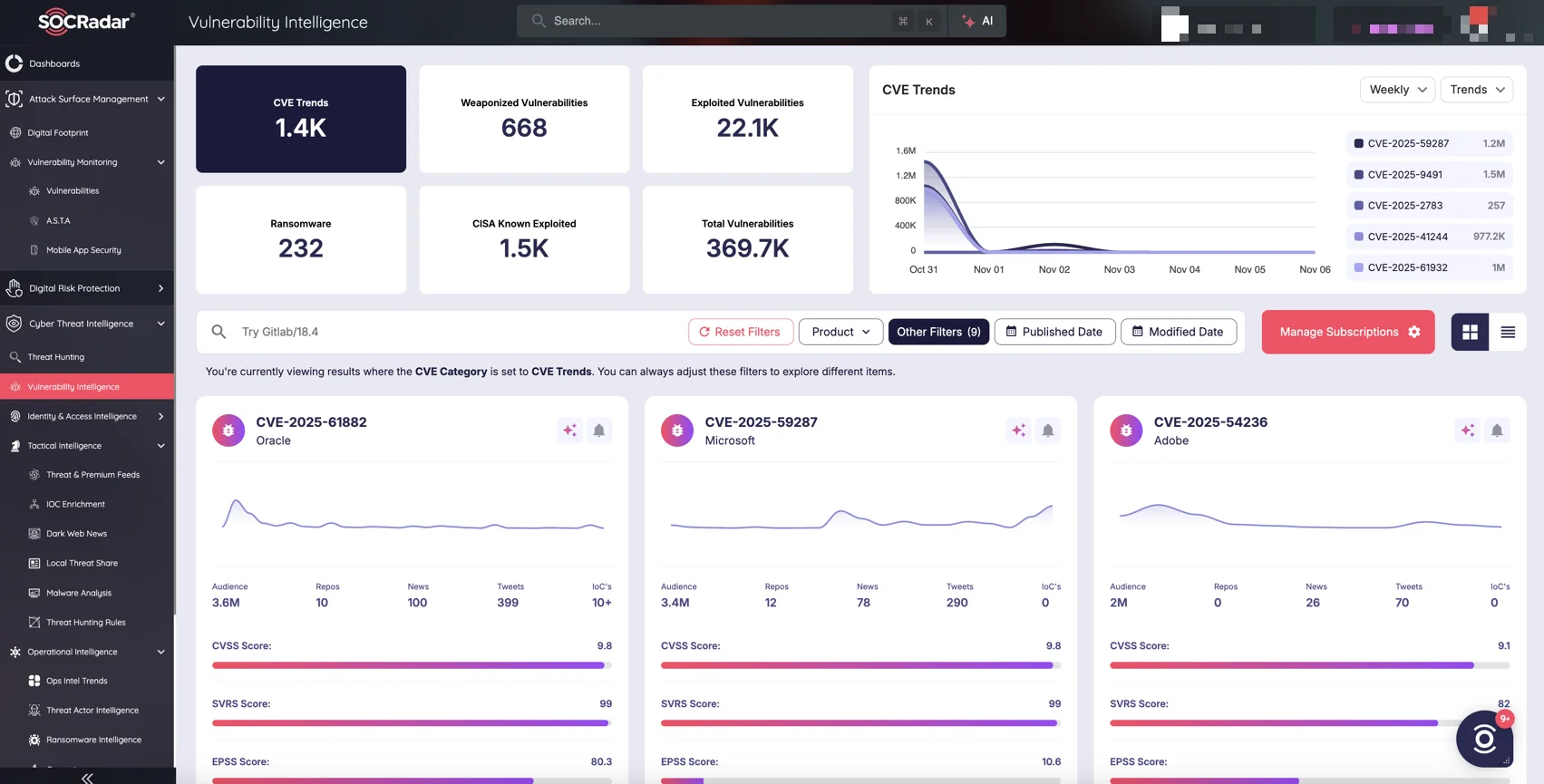
SOCRadar’s Cyber Threat Intelligence module, Vulnerability Intelligence
Organizations seeking to stay proactive against vulnerabilities like those affecting Chrome can benefit from SOCRadar’s Cyber Threat Intelligencemodule. It offers:
- Vulnerability Intelligence – Track newly disclosed CVEs, affected assets, exploit availability, and patch timelines.
- Exploit and Threat Actor Monitoring – Identify active exploitation trends, proof-of-concept releases, and threat actor campaigns in real time.
- Contextual Risk Insights – Correlate vulnerabilities with your environment to prioritize patching and response efforts.
By combining vulnerability data with exploit intelligence, SOCRadar enables faster, evidence-based decision-making and better security visibility.
How Can You Stay Protected?
To stay secure, make sure Chrome is updated to version 142.0.7444.134 or .135 on desktop. Once the update is installed, simply restart the browser to apply the fix. For organizations, prompt deployment across all systems is strongly recommended to minimize risk.
For official details, visit Google’s security advisory.



