SOCRadar XTI Is Live on the Chrome Web Store
SOCRadar XTI, our official browser extension, is now available on the Chrome Web Store. It puts enrichment, malware analysis, and IOC operationalization directly in the browser, on whatever page you’re already reading: your SIEM, a ticket, a vendor report, webmail, a threat feed.
The problem it solves is mundane and constant. An analyst finds an IP in a report, copies it, opens a new tab, pastes it into a lookup, reads the verdict, goes back, finds the next one. Multiply by thirty indicators per page and most of triage is tab-switching. XTI removes that loop entirely.
Enrichment in context
Select an indicator, right-click it, or click one the extension has auto-highlighted on the page. You get the verdict, risk score, category, country, ASN, first/last seen, associated threat actors, and tags in a panel right there. IP, domain, URL, or hash.
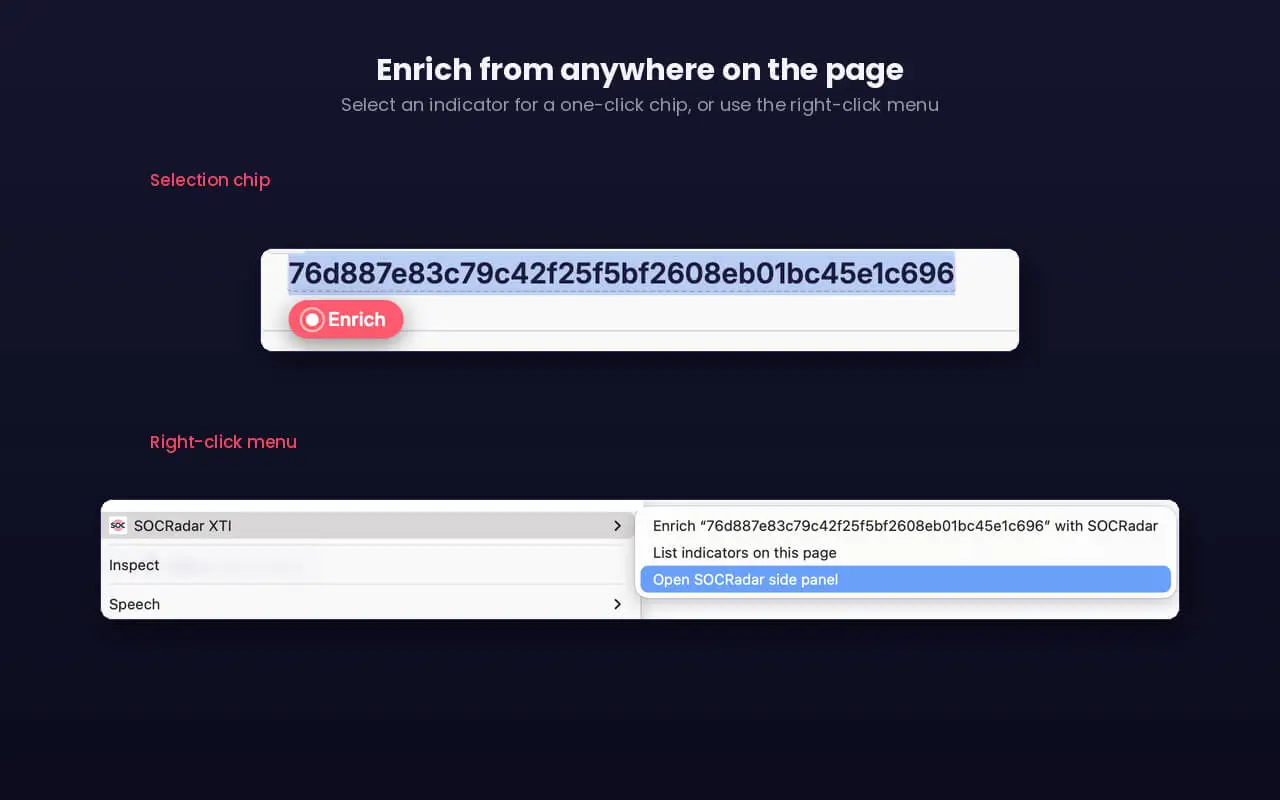
SOCRadar XTI on Google Chrome, right-click to enrich
Every enrichment is available in two formats: JSON, or a native STIX 2.1 bundle served from our official STIX endpoint. The STIX output is ready to drop into a TIP or SIEM workflow without conversion. Copy it or download it, your call.
Bulk triage from the side panel
Single lookups are fine until you’re staring at a blocklist with 30 indicators on it. The side panel scans the page, collects every indicator it finds, and lets you tick the ones that matter. From there: Copy selected, Export selected (CSV), Enrich selected, Pocket selected, or Analyze selected.
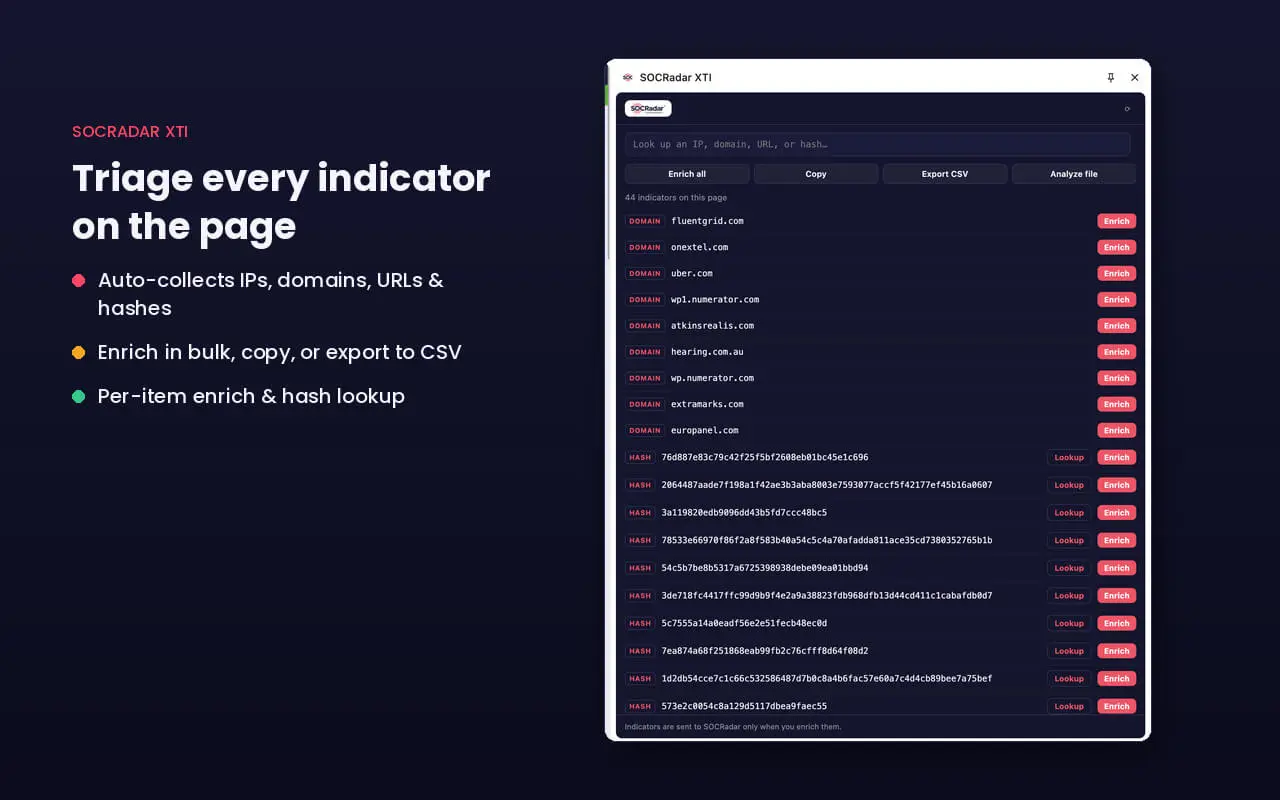
Triage panel
Straight into Company Pocket
Indicators you find while browsing can go directly into Company Pocket, from any result card, the side panel, or the right-click menu, and from there into your existing SOCRadar integrations. Detection to action without a spreadsheet in between. Pocket actions don’t consume enrichment credits.
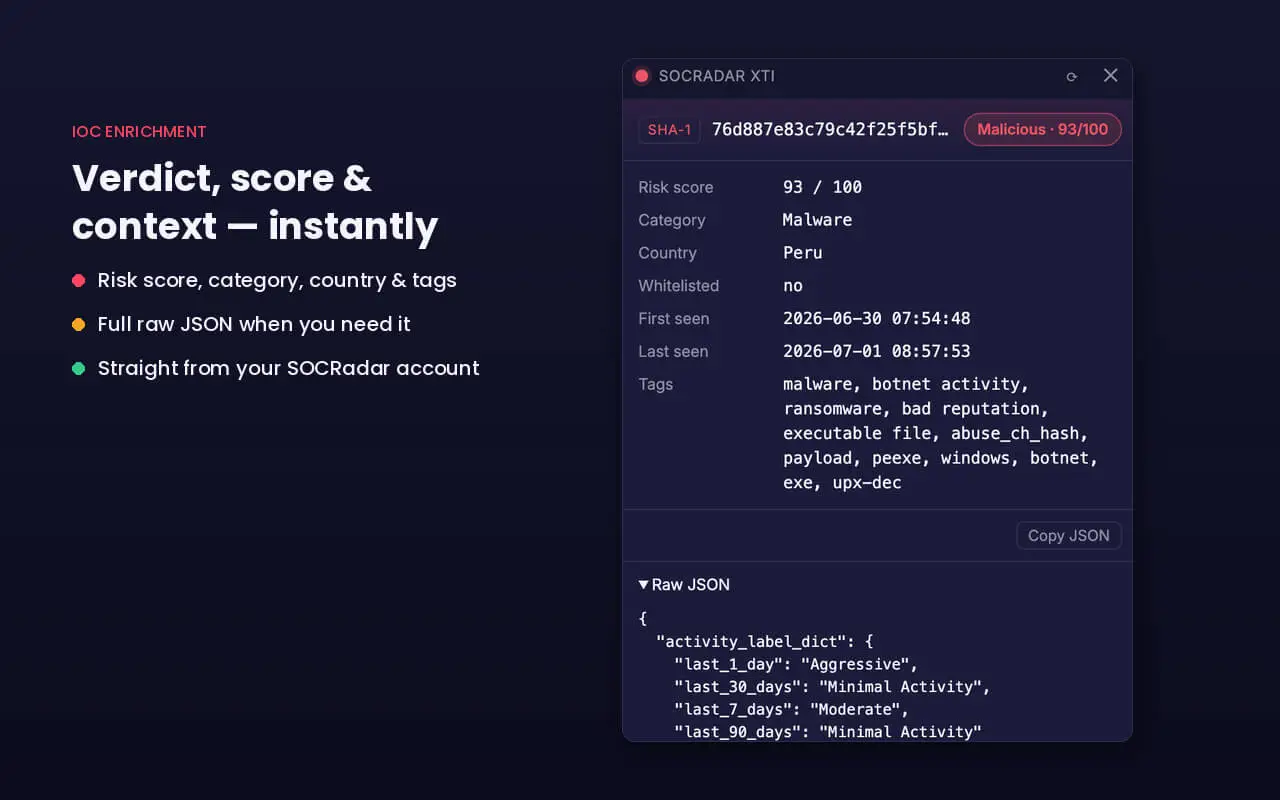
IoC score & context panel
Malware analysis in the browser
Suspicious URL or file on the page? Submit it from the extension. You can search previously analyzed files by hash or submit new ones, including .eml and .msg samples, and the extension returns verdicts on nested attachments individually. A password-protected zip inside a phishing email gets flagged as unanalyzable; the .xlam next to it gets its own malicious verdict. Structural analysis, dynamic results, and screenshots are all there when you expand them.
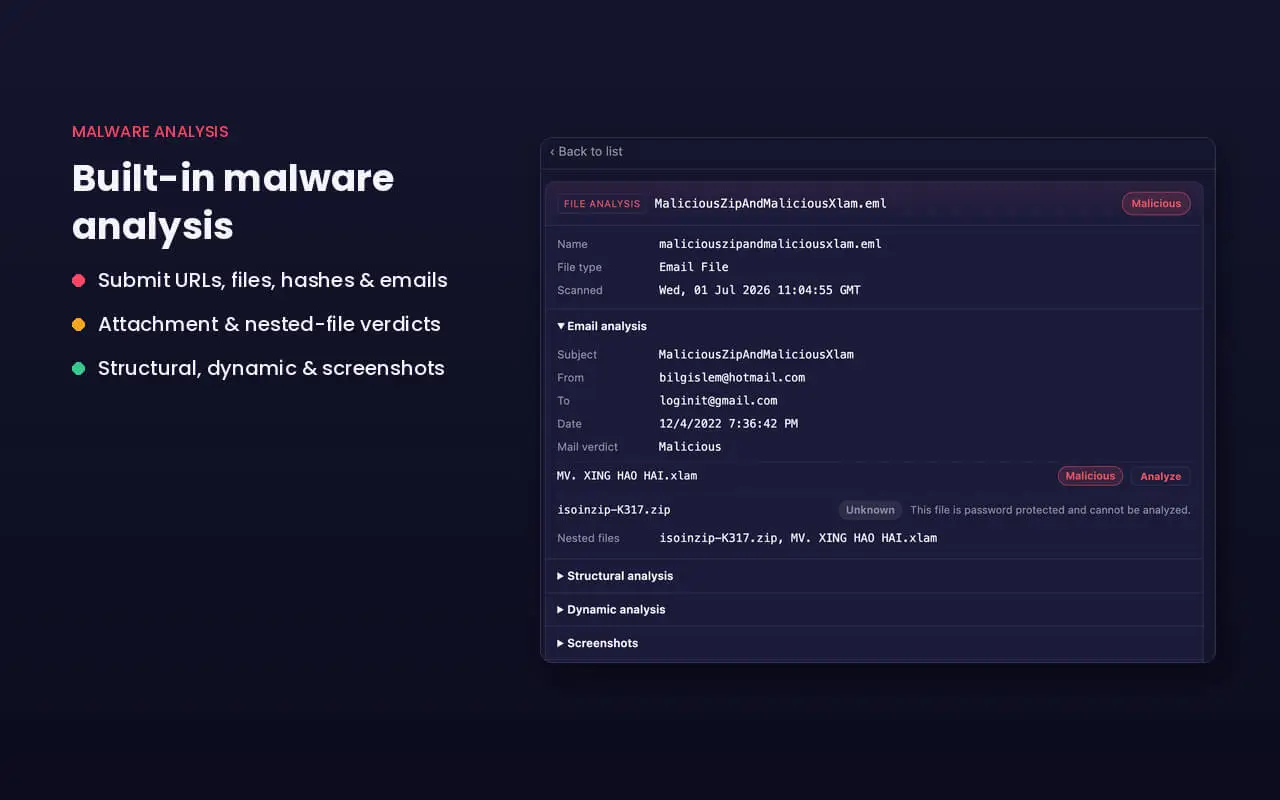
Browser malware analysis tool
Setup
Install the extension, add your SOCRadar API key under Options, and the modules you have access to start working. API key guidance lives in the Extension Settings section. If you want to purchase or enable access to specific SOCRadar modules, contact SOCRadar Support via help.socradar.io or [email protected].
Privacy
XTI runs entirely on your own SOCRadar API access. There is no XTI backend, no analytics, no ads, and no remote code. Your API key is stored locally in the browser and is never exposed to the pages you visit.
Full documentation is on the Help Desk.