




Oct 07, 2026
Table Of Content
Chrome Extensions Impersonate AI Tools to Steal ChatGPT & DeepSeek Chats
What Researchers Discovered
Which Chrome Extensions Were Involved?
How Did the Malicious Extensions Collect Data?
What Types of Information Were Exposed?
Status of the Fake Chrome Extensions
Key Recommendations for Users and Organizations
Indicators of Compromise (IOCs)
Related Articles

CVE-2026-21589: Critical Atlassian File Access
CVE-2026-88779: Citrix NetScaler Zero-Day
Oct 06, 2026
CVE-2026-90970: GitLab AI Gateway RCE
Oct 05, 2026

FortiMail Zero-Day Under Active Exploitation
Oct 02, 2026

TeamViewer Fixes Five Remote Access Flaws
Oct 01, 2026

Jan 07, 2026
5 Mins Read

Summarize with:
Chrome Extensions Impersonate AI Tools to Steal ChatGPT & DeepSeek Chats
A recently uncovered malware campaign involving Chrome extensions demonstrates how seemingly legitimate AI-focused add-ons can be abused to quietly collect sensitive user data at scale. This article breaks down the discovery, explains how the extensions operated behind the scenes, and outlines the risks created by their data collection behavior.
What Researchers Discovered
Security researchers uncovered two Chrome browser extensions that were designed to silently collect user information and relay it to external servers controlled by the attackers. The extensions had been downloaded more than 900,000 times via the Chrome Web Store, indicating broad adoption before the malicious behavior came to light.
Both extensions presented themselves as productivity tools that allowed users to interact with multiple AI models directly from a browser sidebar. In practice, they closely mirrored the interface and behavior of a legitimate AI sidebar extension developed by AITOPIA, making them appear familiar and trustworthy. While the core functionality appeared legitimate, additional hidden logic enabled persistent data collection without clear user awareness.
Which Chrome Extensions Were Involved?
The campaign centered on two AI-themed Chrome extensions:
- Chat GPT for Chrome with GPT-5, Claude Sonnet & DeepSeek AI, which had roughly 600,000 users
- AI Sidebar with Deepseek, ChatGPT, Claude, and more, with approximately 300,000 users
These extensions closely resembled a legitimate AI sidebar product in both branding and behavior. This similarity reduced suspicion and helped them gain user trust, even achieving prominent placement within the Chrome Web Store.
How Did the Malicious Extensions Collect Data?
After installation, users were prompted to grant permission for what was described as anonymous or non-identifiable analytics. Once accepted, the extensions activated code that monitored browsing behavior across all open Chrome tabs.
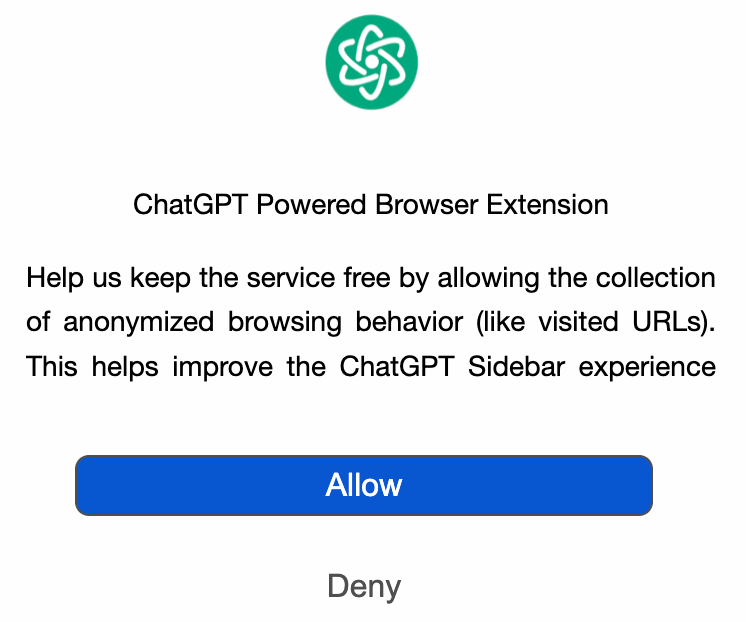
AI sidebar extension asks for permissions to collect data (OX Security)
When users accessed AI chatbot websites, the extensions inspected the structure of the web pages at the DOM level, locating specific elements associated with chat conversations. They then extracted both user inputs and AI-generated responses, along with session-related metadata embedded in the page. This information, along with full URLs from open tabs, was stored locally and transmitted in batches to remote servers every 30 minutes.
The collection process did not require additional interaction after initial consent, allowing the extensions to operate continuously in the background.
The campaign succeeded largely because the extensions closely resembled a legitimate AI sidebar tool in both appearance and functionality. By delivering the experience users expected while quietly requesting broad permissions under vague analytics language, the malicious behavior blended into normal browser activity and avoided immediate suspicion. The attackers also made use of Lovable, an AI-driven web development platform, to publish privacy policies and host supporting infrastructure components.
What Types of Information Were Exposed?
The data collected by the extensions extended beyond basic usage metrics. According to the research, compromised information could include the following:
- AI chat conversations that may contain proprietary code, business discussions, or personal data
- Complete URLs from all open Chrome tabs, including internal or restricted resources
- Search queries revealing research topics or investigative activity
- URL parameters that could expose identifiers or session-related information
Because many users rely on AI tools for work-related tasks, the exposed data could have significant professional or organizational impact.
Status of the Fake Chrome Extensions
The extensions were reported to Google in late December. At the time of disclosure, both extensions remained available in the Chrome Web Store, although one had its featured status removed.
A full technical analysis, including infrastructure details and indicators of compromise, is available here for further reference.
Key Recommendations for Users and Organizations
For individual users, regularly reviewing installed extensions and removing those that are unnecessary or unfamiliar can reduce exposure. For organizations, the findings highlight the importance of monitoring browser-based threats, controlling extension usage, and maintaining visibility into client-side data flows.
Platforms like SOCRadar XTI enable security teams to track emerging malware campaigns, malicious infrastructure, and abuse of their brand. By correlating threat intelligence with attack surface monitoring, organizations can detect similar risks earlier and respond before sensitive data is exposed.
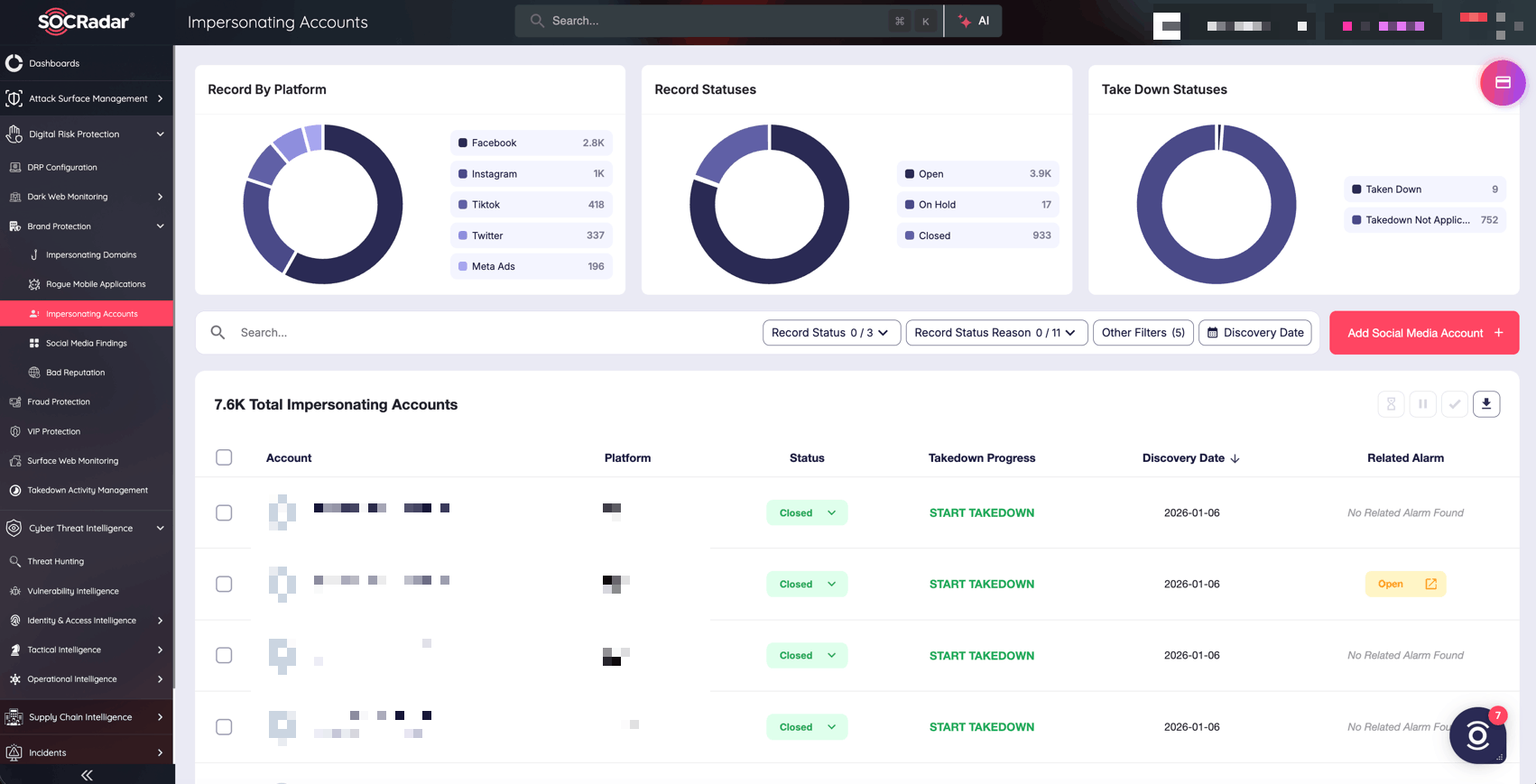
SOCRadar’s Brand Protection
Indicators of Compromise (IOCs)
Based on the published technical analysis, the following indicators are associated with this malware campaign and may be useful for investigation and detection:
Malicious Chrome Extensions
- Chat GPT for Chrome with GPT-5, Claude Sonnet & DeepSeek AI
Extension ID: fnmihdojmnkclgjpcoonokmkhjpjechg
Version: 1.9.6
SHA-256: 98d1f151872c27d0abae3887f7d6cb6e4ce29e99ad827cb077e1232bc4a69c00 - AI Sidebar with Deepseek, ChatGPT, Claude, and more
Extension ID: inhcgfpbfdjbjogdfjbclgolkmhnooop
Version: 1.6.1
SHA-256: 20ba72e91d7685926c8c1c5b4646616fa9d769e32c1bc4e9f15dddaf3429cea7
Known Command-and-Control (C2) Domains and Endpoints
- deepaichats[.]com
- chatsaigpt[.]com
- chataigpt[.]pro
- chatgptsidebar[.]pro
- deepseek[.]ai
- chatgptbuddy[.]com
Organizations can use these indicators to support threat hunting, endpoint review, and browser extension audits. Users who identify any of the listed extensions or domains in their environment should remove the extensions immediately and assess potential data exposure.



