




Oct 01, 2026
Table Of Content
Related Articles

TeamViewer Fixes Five Remote Access Flaws

CVE-2026-76504: Cisco SD-WAN Flaw Exploited
Oct 01, 2026

CVE-2026-86950: Apple CoreGraphics Zero-Day
Sep 30, 2026



Oct 20, 2025
5 Mins Read

Summarize with:
BlackStink: How a Fake Chrome Extension Is Changing Banking Malware
The cybersecurity landscape is changing fast. While traditional banking malware relied on trojans and executable payloads, the BlackStink campaign represents a major evolution: attackers now weaponize the browser itself. Revealed by IBM X-Force, this malicious Chrome extension abuses user trust to perform real-time banking fraud across Latin America.

Critical Alert
BlackStink targets banking portals in Mexico, Brazil, Colombia, and Argentina. It operates silently inside the browser, bypassing antivirus and EDR solutions, and conducts unauthorized transactions from victim accounts.
Campaign Severity: HIGH
Campaign Overview Statistics
– Primary Targets: Mexico, Brazil, Colombia, Argentina

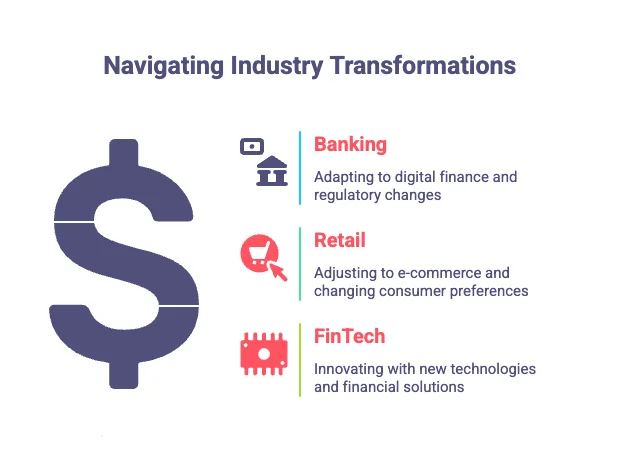
– Affected Sectors: Banking, Retail, FinTech
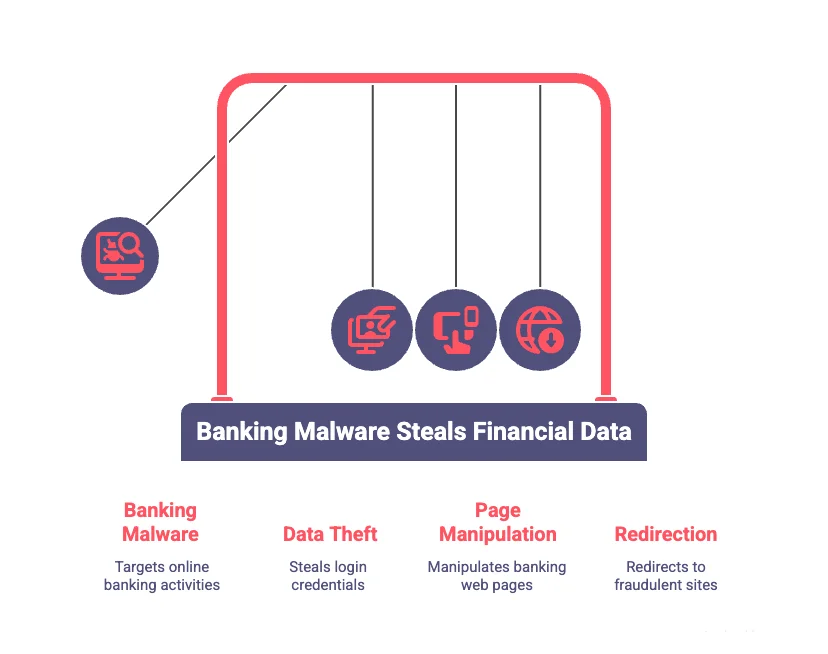
– Threat Category: Browser-based Banking Malware
Questions & Answers: Understanding BlackStink
Q1: What Is the BlackStink Campaign?
BlackStink is a browser-based banking malware distributed as a Chrome extension named “G Docs – Servicio de almacenamiento de documentos en la nube” (Google Docs Cloud Storage Service). It targets financial institutions in Latin America, stealing credentials and performing unauthorized transfers inside victims’ browsers. Unlike typical malware, it doesn’t need executable files.
Q2: How Does the BlackStink Extension Work?
– Installs outside the Chrome Web Store
– Gains high-risk permissions like webNavigation, tabs, and scripting
– Detects visits to banking portals
– Injects cloned fake forms that look legitimate
– Replaces real transaction buttons with malicious ones
– Uses the victim’s session cookies to execute real transfers
Q3: Why Is It So Hard to Detect?
– Operates within trusted Chrome environment
– Uses obfuscated JavaScript code
– Maintains communication through a background service worker
– Uses realistic typosquatted domains
– Employs RSA keys to lock its ID and avoid detection
Q4: Which Industries and Regions Are Most at Risk?
– Sectors: Banking, Retail, FinTech, Online Banking
– Regions: Mexico, Brazil, Colombia, Argentina, other Spanish and Portuguese-speaking areas
The attack model is adaptable and can easily spread globally.
Q5: What Are the Five Attack Stages?
- Reconnaissance: Detects target banks and transaction pages
2. Form Cloning: Replaces legitimate forms with fake ones
3. Event Hijacking: Manipulates buttons and captures user actions
4. Banking Limit Extraction: Finds account limits and theft potential
5. Overlay & API Execution: Hides real interfaces and performs API-based fund transfers
Q6: How Do Cybercriminals Maintain Persistence?
They use background service workers and typosquatted command-and-control domains:
daemon.vulnmetricshub.com
cronjob.ciphertrackai.com
statistic.chromenalitycs.com
secur.itychromenetworc.com
sinc.safechromewebtool.com
Q7: What Security Weaknesses Does BlackStink Exploit?
– Lack of browser extension audits
– Missing allowlist policies
– Weak browser security enforcement
– Poor user awareness and training
– Users leaving banking sessions open
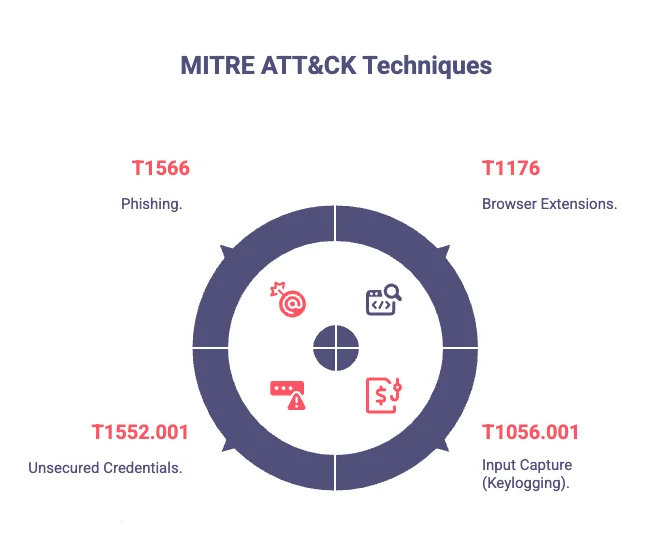
Q8: Which MITRE ATT&CK Techniques Are Involved?
– T1176 – Browser Extensions
– T1056.001 – Input Capture (Keylogging)
– T1552.001 – Unsecured Credentials
– T1566 – Phishing
Q9: What Immediate Actions Should Organizations Take?
– Create extension allowlists and enforce via policy
– Audit installed extensions
– Block untrusted extensions
– Monitor registry and network activity
– Train users on phishing and browser security
Q10: How Can Threat Intelligence Help?
Threat intelligence tools detect and block browser-based attacks through:
– Early identification of malicious extensions
– Tracking of IoCs (domains, hashes, extension IDs)
– Real-time alerting
– Brand monitoring and phishing detection
Indicators of Compromise (IoCs)
Extension IDs
oeibmahkcodkjoicdohdhdiljbpgphcd
cioeengfhclkldbmjejfbdfplbophhhm
ogahgeimfaaohdjchpkichciopegebpn
C2 Domains
daemon.vulnmetricshub.com
cronjob.ciphertrackai.com
statistic.chromenalitycs.com
secur.itychromenetworc.com
sinc.safechromewebtool.com
Technical Deep Dive: Extension Architecture
The manifest.json file shows its intent to mimic Google Docs, but it has dangerous permissions (webNavigation, scripting, storage) and injects code into all pages (all_frames: true).
Its background script (background.js) handles persistence, data exfiltration, and command control.
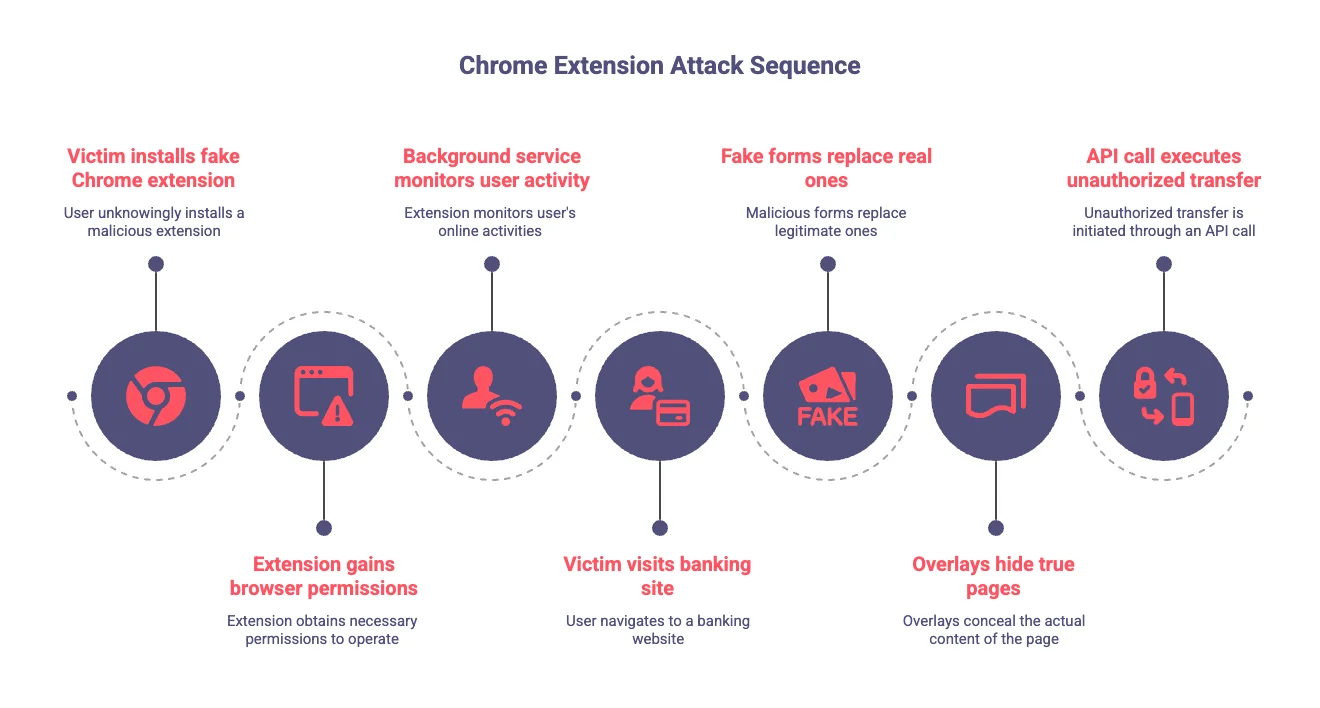
Attack Flow Visualization (Summary)
- Victim installs fake Chrome extension.
- Extension gains browser permissions.
- Background service monitors user activity.
- Victim visits banking site.
- Fake forms replace real ones.
- Overlays hide true pages.
- API call executes unauthorized transfer.
Lessons Learned: Why Threat Intelligence Matters
The BlackStink campaign marks a turning point in browser-based attacks. It bypasses endpoint defenses by operating inside the browser. Traditional EDR and antivirus tools can’t see this layer.
Why Organizations Are Vulnerable
– Security models focused only on endpoints
– Lack of browser visibility
– Poor extension management
– Trusted browser environments exploited
– Rapidly evolving attacker methods
What Threat Intelligence Platforms Provide
SOCRadar Modules:Digital Risk Protection
Detects phishing, fake extensions, and impersonation of brands.
Threat Intelligence & IoC Feeds
Provides real-time IoCs (domains, hashes, IDs) and integrates with SIEMs.
Finds exposed assets vulnerable to browser-based attacks.
Tracks browser-related zero-days and prioritizes patching.
The Path Forward
Organizations must go beyond endpoint security. Essential steps include:
- Browser security policies and control over extensions
- Continuous auditing of extensions
- Integration of threat intelligence into workflows
- User training on browser threats
- Network monitoring for malicious activity
BlackStink proves that attackers adapt quickly – security teams must do the same.



