




Oct 13, 2026

Table Of Content
Related Articles


CVE-2026-97229: Critical GitLab RCE
Oct 13, 2026


CVE-2026-102255: Critical SonicWall SMA1000 SSRF
Oct 12, 2026

Critical Cisco NX-OS Flaws Threaten Nexus Switches
Oct 09, 2026

Sep 05, 2025
7 Mins Read

Summarize with:
CVE-2025-53690: Sitecore Deployments Targeted via WEEPSTEEL Malware
Organizations running older Sitecore deployments are now in the crosshairs of attackers exploiting a newly disclosed security issue, tracked as CVE-2025-53690. What makes this case especially concerning is that it doesn’t stem from a flaw in the software itself, but from legacy configuration practices that left many environments exposed. Researchers say that attackers have already exploited this vulnerability as a zero-day in the wild, in order to achieve Remote Code Execution (RCE) and then deploy malware.
In this blog, we will cover what CVE-2025-53690 is, how it is exploited, and key recommendations to help secure affected Sitecore environments.
What is CVE-2025-53690?
CVE-2025-53690 (CVSS 9.0) is a ViewState deserialization vulnerability in Sitecore products tied to the reuse of a sample ASP.NET machine key. This key appeared in official Sitecore deployment guides before 2017 and, in some cases, was mistakenly carried over into production environments.
Attackers who know this key can craft malicious __VIEWSTATE payloads that bypass validation and execute code on the targeted server. This effectively turns a misconfiguration into a Remote Code Execution (RCE) vector.
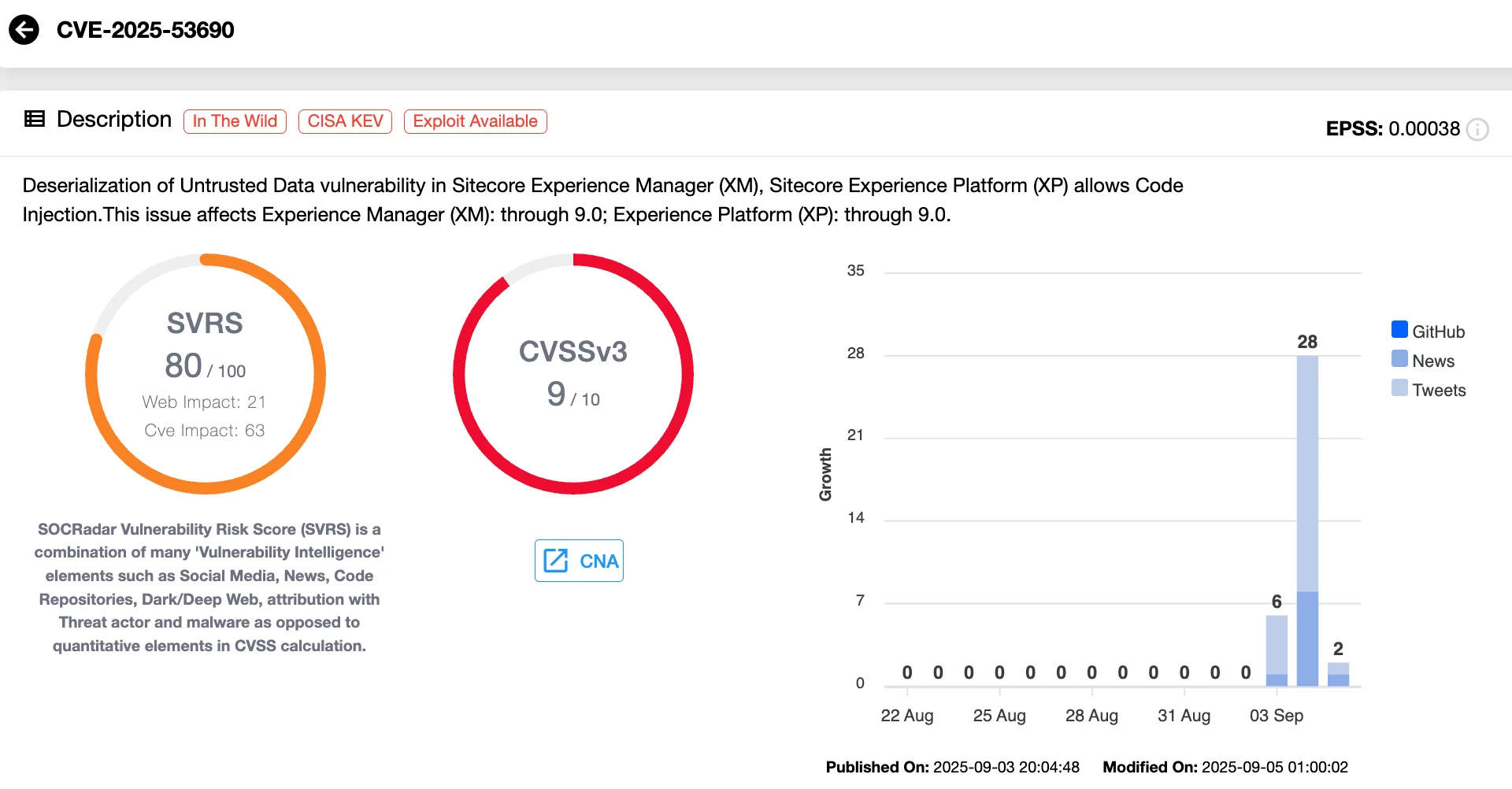
Details of CVE-2025-53690 (SOCRadar Vulnerability Intelligence)
CISA added CVE-2025-53690 to the Known Exploited Vulnerabilities (KEV) catalog with a remediation due date of September 25, 2025. Attackers frequently exploit these misconfigurations, creating significant risk for federal enterprises.
Which Sitecore Products Are Affected?
Affected products include Sitecore XP 9.0, Active Directory module 1.4, and earlier versions, though any Sitecore system deployed with the static sample key is potentially at risk. Later deployments automatically generate unique keys and are not impacted.

How the Exploit Works
Entry Point: The Blocked.aspx Page
Researchers observed attackers probing Sitecore instances and exploiting the /sitecore/blocked.aspx endpoint. This page includes a ViewState field but does not require authentication, making it an attractive target for injection.
With the exposed machine key, adversaries could encrypt and sign malicious payloads, tricking the server into deserializing them. The initial compromise gave them access under the NETWORK SERVICE account.
Payload Deployment: WEEPSTEEL Malware
The first-stage malware observed was WEEPSTEEL, a reconnaissance backdoor. It collects host, process, disk, and network details and exfiltrates the data disguised as legitimate ViewState responses.
From there, attackers moved quickly to extract sensitive files such as web.config, which often contains critical configuration details and secrets.
Escalation and Persistence
The attack chain progressed with the deployment of open-source tools including:
- EARTHWORM – network tunneling to establish covert channels.
- DWAgent – a legitimate remote access tool, repurposed for persistence.
- SharpHound – reconnaissance of Active Directory environments.
To solidify access, attackers created local admin accounts (e.g., asp$, sawadmin), dumped credential hives (SAM and SYSTEM), and attempted token theft with GoTokenTheft. They also disabled password expiration policies and maintained RDP access through their newly created accounts.
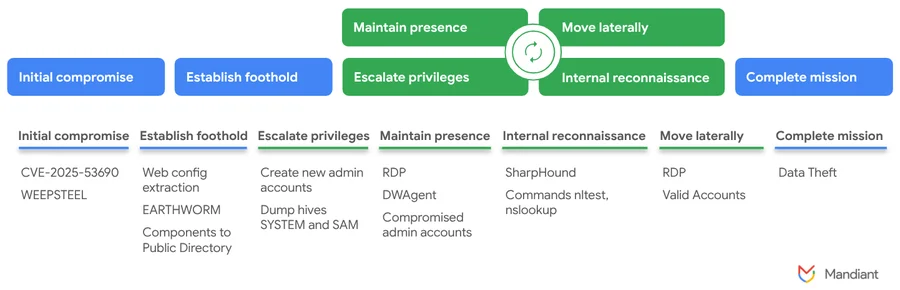
The attack lifecycle exploiting CVE-2025-53690 (Google Cloud Blog)
Recommendations to Mitigate CVE-2025-53690
CVE-2025-53690 leverages insecure defaults and legacy practices. That makes it particularly dangerous: environments that have not modernized or rotated their keys remain vulnerable, even if they are otherwise patched and up to date. To reduce risk, Sitecore administrators should take the following steps immediately:
- Replace static machine keys – Generate unique <machineKey> values in all web.config files.
- Encrypt sensitive configuration – Ensure machine keys and other secrets inside web.config are encrypted.
- Enable ViewState MAC validation – This prevents tampering with ViewState data.
- Rotate keys regularly – Establish key rotation policies to avoid long-term exposure.
- Audit accounts and access – Review recent administrative account activity and investigate unusual RDP sessions.
- Apply official vendor guidance – Refer to Sitecore’s advisory SC2025-005 and supporting documentation for remediation.
Organizations should also review their ASP.NET practices, as weak machine key management can expose applications beyond Sitecore.
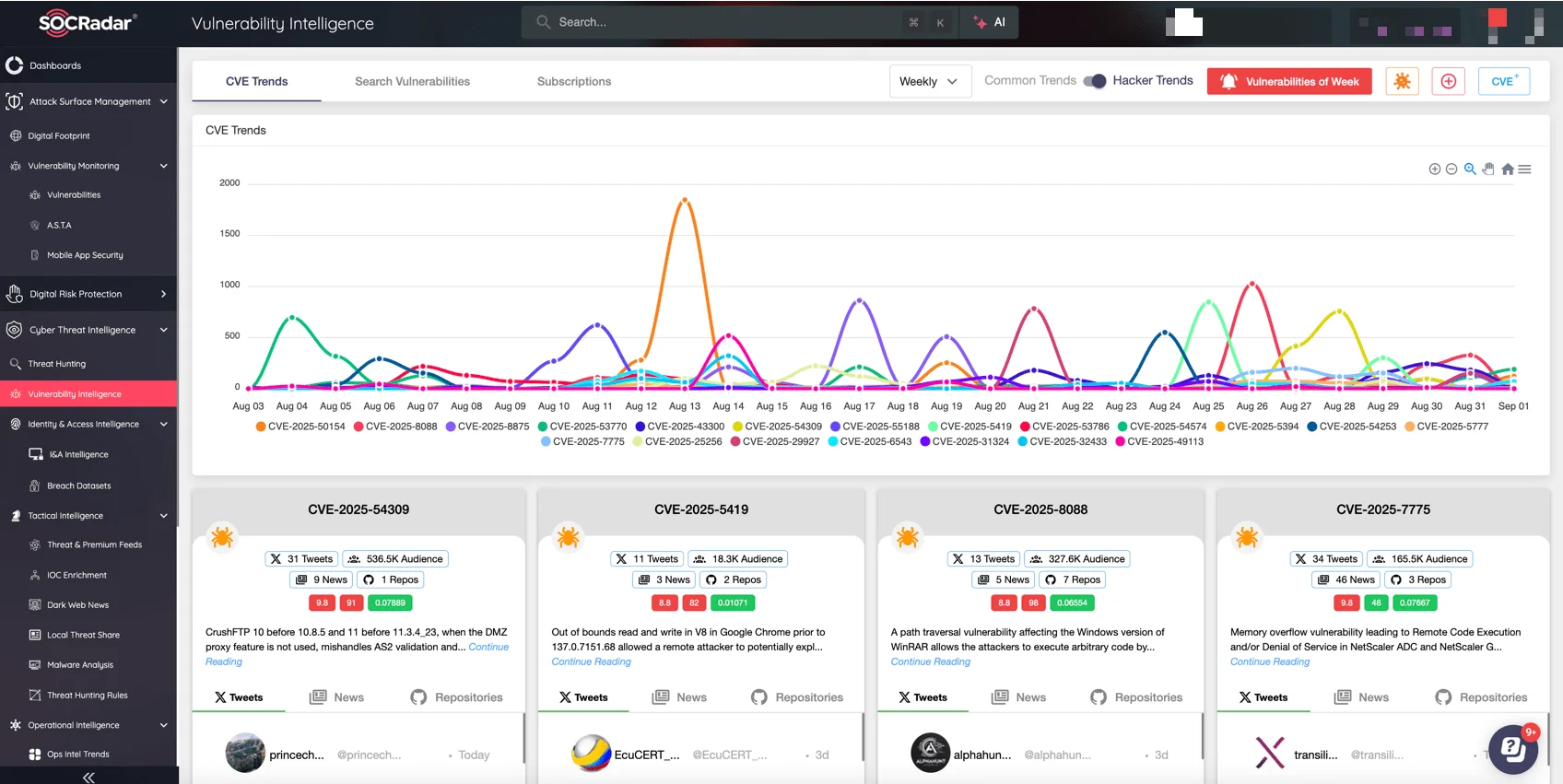
SOCRadar’s Vulnerability Intelligence
Security teams often struggle to keep up with a flood of vulnerability disclosures, patch advisories, and reports of active exploitation. What makes the difference is having the right intelligence at the right time. SOCRadar’s Cyber Threat Intelligence module provides organizations with:
- Real-time tracking of vulnerabilities and exploits – including zero-days actively leveraged in the wild.
- Contextual threat intelligence – mapping IOCs, malware families, and attacker TTPs to vulnerabilities.
- Proactive alerts – ensuring security teams know which flaws pose the highest risk to their environment.
- Exploitability insights – highlighting whether a vulnerability is weaponized and linked to active threat actors.
With SOCRadar, organizations can prioritize response, close exposure gaps, and defend against evolving threats before attackers take advantage.
Indicators of Compromise
Google and Mandiant have listed here a collection of Indicators of Compromise (IOCs) and YARA rules to help researchers and defenders detect this activity.
Accounts
- asp$ – Created local administrator account
- sawadmin – Created local administrator account
- h496883 – Workstation observed as source of RDP connection
File-Based Hashes
- 117305c6c8222162d7246f842c4bb014 / a566cceaf9a66332470a978a234a8a8e2bbdd4d6aa43c2c75c25a80b3b744307 – WEEPSTEEL (Information.dll)
- a39696e95a34a017be1435db7ff139d5 / b3f83721f24f7ee5eb19f24747b7668ff96da7dfd9be947e6e24a688ecc0a52b – EARTHWORM (lfe.ico, ufp.exe, ufp.ico)
- f410d88429b93786b224e489c960bf5c – Helper.ico, helper.exe
- – 1.vbs
- be7e2c6a9a4654b51a16f8b10a2be175 – main.exe
- 62483e732553c8ba051b792949f3c6d0 – GoToken.exe
- 63d22ae0568b760b5e3aabb915313e44 / 61f897ed69646e0509f6802fb2d7c5e88c3e3b93c4ca86942e24d203aa878863 – SharpHound
Network Indicators
- 130.33.156[.]194:443
- 130.33.156[.]194:8080
- 103.235.46[.]102:80
YARA Rules
rule G_Recon_WEEPSTEEL_1 {
meta:
author = “Mandiant”
strings:
$v_w = “<input type=”hidden” name=”__VIEWSTATE” id=”__VIEWSTATE” value=” wide
$v_a = “<input type=”hidden” name=”__VIEWSTATE” id=”__VIEWSTATE” value=”
$v_b64_w = “<input type=”hidden” name=”__VIEWSTATE” id=”__VIEWSTATE” value=” base64wide
$v_b64_a = “<input type=”hidden” name=”__VIEWSTATE” id=”__VIEWSTATE” value=” base64
$s2 = “Services\Tcpip\Parameters” wide
$s3 = “GetOperatingSystemInformation”
$s4 = “GetSystemInformation”
$s5 = “GetNetworkAdapterInformation”
$s6 = “GetAllNetworkInterfaces”
$s7 = “GetIPProperties”
$s8 = “GetPhysicalAddress”
$s9 = “GetDomainNameFromRegistry”
$c1 = “Aes” fullword
$c2 = “CreateEncryptor” fullword
$c3 = “System.Security.Cryptography” fullword
$c4 = “ToBase64String” fullword
$guid = “6d5a95da-0ffe-4303-bb2c-39e182335a9f”
condition:
uint16(0) == 0x5a4d and
(
(all of ($c*) and 7 of ($s*)) or
($guid and (any of ($v*)))
)
}
rule G_Tunneler_EARTHWORM_1 {
meta:
author = “Mandiant”
strings:
$s1 = “free1.2”
$s2 = “.//xxx ([-options] [values])*”
$s3 = “You can create a lcx_listen tunnel like this :”
$s4 = “.//ew -s lcx_listen –listenPort 1080 –refPort 8888”
$s8 = “I_AM_NEW_RC_CMD_SOCK_CLIENT”
$s9 = “CONFIRM_YOU_ARE_SOCK_TUNNEL”
$s11 = “lcx_listen” fullword
$s12 = “call back cmd_socks ok”
$s13 = “lcx_tran” fullword
$s14 = “lcx_slave” fullword
$s15 = “rssocks” fullword
$s16 = “ssocksd” fullword
$s17 = “rcsocksd” fullword
$marker1= “earthworm” nocase ascii wide
$marker2 = “rootkiter” nocase ascii wide
condition:
((uint16(0) == 0x5a4d and uint32(uint32(0x3C)) == 0x00004550) or uint32(0) == 0x464c457f or (uint32(0) == 0xBEBAFECA or uint32(0) == 0xFEEDFACE or uint32(0) == 0xFEEDFACF or uint32(0) == 0xCEFAEDFE)) and
(4 of ($s*) or all of ($marker*))
}
Another Zero-Day: CWMP Buffer Overflow in TP-Link Archer Routers
Other than Sitecore’s exposure, a separate zero-day vulnerability was recently uncovered by researcher “Mehrun”, who shared technical details in a research blog post. It affects multiple TP-Link router models, including the popular Archer AX10 and AX1500 series.
The flaw lies in the Customer Premises Equipment WAN Management Protocol (CWMP/TR-069) implementation, where a stack-based buffer overflow allows attackers to achieve remote code execution.
The vulnerability, first reported to TP-Link in May 2025, remains unpatched in several firmware versions and poses an active risk to users worldwide.
Exploitation would involve redirecting vulnerable devices to a malicious Auto Configuration Server (ACS) and delivering oversized SOAP payloads to trigger the overflow. Once compromised, attackers could reroute DNS queries, intercept traffic, or deploy further malware.
TP-Link has acknowledged the issue and confirmed that patches are in development for global firmware versions. Until fixes are released, users are strongly advised to change default administrative passwords, disable CWMP if not required, and apply firmware updates as they become available.



