ScreenConnect Flaw CVE-2026-84869 Exploited
Attackers are exploiting CVE-2026-84869, a critical flaw in the ConnectWise ScreenConnect host client, to run files on Managed Service Provider (MSP) technicians’ computers by joining their support sessions as guests. Huntress confirmed one November 12, 2026 compromise in which a technician’s workstation was running an attacker-controlled remote access client about nine seconds after a guest pushed a script.
What Is CVE-2026-84869?
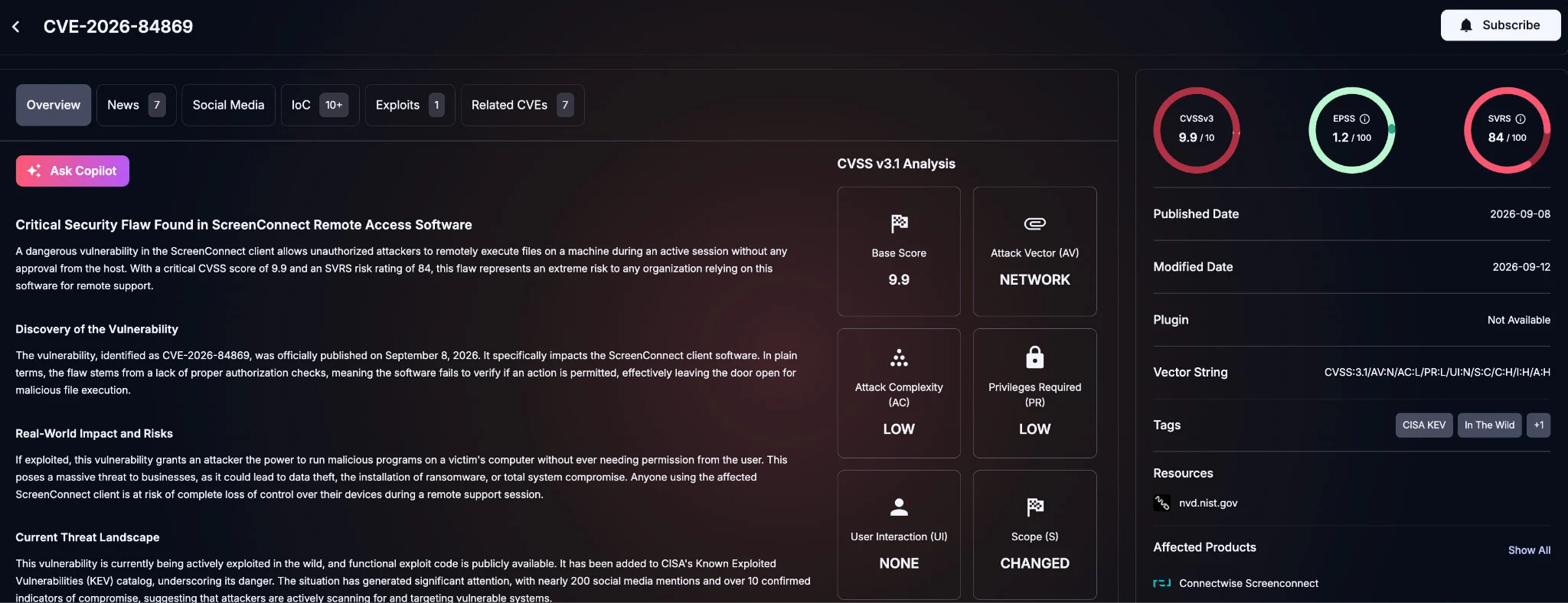
CVE-2026-84869 is a vulnerability in the ScreenConnect host client, the application MSP technicians use to join remote support sessions. It carries a CVSS score of 9.9 and is classed as an improper privilege management and missing authorization issue. ConnectWise fixed it in September 2026, but the patch gap sits on the technician side: researchers found host clients on 22.x, 24.2 and 25.8 builds still in use weeks after the fix.
A Guest Can Make the Technician’s Client Run a File
ScreenConnect normally lets the technician decide which files move during a session and which ones run. CVE-2026-84869 breaks that rule. In Support and Access sessions, a guest could trigger file-transfer actions that the host client processed without authorization or confirmation, including running the transferred file with elevated rights.
ConnectWise disclosed it in a security bulletin dated September 8, 2026, and fixed it in version 26.6.5. The prerequisites are modest:
- Guest access: The attacker needs a guest connection on the MSP’s ScreenConnect server, either in a session it created or as an extra participant in a real support session
- An unpatched technician: A technician has to join that session with a host client older than 26.6.5; joining is enough, and no prompt appears
- File transfer rights: The guest needs the file-transfer capability, which is why removing the TransferFiles permission is ConnectWise’s interim mitigation
ConnectWise says ScreenConnect servers are not impacted, and the issue affects both cloud and on-premises deployments. Updating the server alone does not close it, because the vulnerable code runs on each technician’s machine. The fix applies to host clients and to the Access agents ConnectWise lists in its bulletin.
Nine Seconds From Pushed Script to Rogue Client
Huntress’s analysis reconstructs the November 12 compromise on one MSP technician’s workstation. A guest pushed a batch file named update_224ac089.bat, and the technician’s host client ran it from its Temp folder. What followed, at a high level:
| Time (UTC) | Activity |
|---|---|
| 16:46:20 | The host client runs the guest-pushed batch file |
| 16:46:21 | The script relaunches itself hidden through PowerShell |
| 16:46:22 | It reports the new victim to a Telegram bot and runs basic reconnaissance |
| 16:46:23 | It downloads a second-stage MSI from masterdarky[.]com |
| 16:46:25 | The MSI is unpacked silently into a folder under %LOCALAPPDATA% |
| 16:46:26 to 16:46:28 | The Secondary Logon service is enabled and the payload is launched |
| 16:46:29 | A rebranded ScreenConnect client, WindowsUpdate.WindowsClient.exe, connects to the attacker’s relay on port 8041 |
The end state gave the attacker its own remote access channel into a machine that MSP staff use to reach customer environments. On November 13, a harmless marker.txt file pushed by a guest ran on a second technician’s client, which the researchers treat as a test of whether the technique still worked.
688,000 Run-File Requests Across 42 MSP Servers
The successful compromise sat inside a much larger spray campaign. From October 20 to November 16, 2026, guests sent about 688,000 “run file” requests for update.bat or update_<8 hex>.bat to 42 MSP ScreenConnect servers from 29 source IP addresses. The busiest server alone received 70,414 requests over three weeks.
The spray guests used blank session names or default-looking hostnames, and many sessions had the Company field set to “crypto client.” The researchers assess with high confidence that the spray operator also controls the masterdarky[.]com infrastructure. No named threat actor has been linked to the activity.
Other attempts were more targeted. On October 23, 24 and 27, guests pushed a file called Sync.bat into three real customer support sessions, using a path traversal string to place it in the technician’s Windows Startup folder. At least four more technicians were exposed to guest-pushed files in October. These counts describe exposure and attempts, not confirmed compromises.
Where SCKit and the Crypto Decoy Sessions Fit
Two other ScreenConnect campaigns ran during the same weeks, and they are easy to conflate with this one:
- SCKit: First seen on November 11, this toolkit was pushed through legitimate cloud-hosted ScreenConnect instances to install rogue clients on at least 288 endpoints across 48 organizations; one component, RelayTrap, tries to send a payload back to any technician who connects to an infected endpoint
- Crypto-named decoy sessions: Since November 3, unauthorized guest sessions named after cryptocurrency exchanges appeared on at least 118 self-hosted servers at 109 organizations; no file transfer or command execution was observed from them
Researchers disagree on how SCKit relates to CVE-2026-84869. One analysis says RelayTrap targets the same host client trust boundary, that a patched client did not run its payload in testing, and that no successful spread to a technician workstation was found. Huntress frames SCKit as a separate campaign. ConnectWise disabled five third-party extensions across about 400 partner environments as a precaution and warned that disabling them does not remove access attackers have already established.
KEV Listing and Federal Deadline
CISA added CVE-2026-84869 to the Known Exploited Vulnerabilities catalog on September 11, 2026, three days after disclosure, and gave federal civilian agencies until September 14 to remediate. That deadline formally binds covered U.S. federal agencies only, but for MSPs the listing and the new technician compromises together make every outdated host client a priority.
Hunting for Guest-Pushed Files
Huntress published detection guidance and indicators. Start on the server, then move to technician workstations:
- Server session database: In a copy of App_Data\Session.db, look for RanFiles or SentFiles events from guest connections, especially repeated update*.bat requests, marker.txt, Run-Lateral.bat, svc_payload.cmd or any path containing ../, and check whether a technician was connected at the same moment
- Technician workstations: The ScreenConnect client spawning cmd.exe, powershell.exe or wscript.exe for scripts in its Temp folder; unknown items in the Startup folder, especially Sync.bat; folders named %LOCALAPPDATA%\wclient_<8 hex> and files named %TEMP%\wupdate_<8 hex>.msi
- Network: Outbound ScreenConnect relay connections, often on port 8041, to domains the MSP does not own
- masterdarky[.]com: Payload host and rogue relay
- 194.15.36[.]33: IP address the relay domain resolved to
- f8871b1561d5c77c297378a7f49c84de52a01ff297395544f0e95d13ef972841: SHA-256 of WindowsUpdate.WindowsClient.exe
- 91.224.92[.]83, 91.224.92[.]167: Guests pushing Run-Lateral.bat and marker.txt
- 193.26.115[.]63, 57.128.131[.]66: Guests pushing Sync.bat through path traversal
- 107.148.223[.]37: Guest pushing svc_payload.cmd
The full list of spray source IPs is in the Huntress report. A clean search does not prove a technician was never exposed, since the server database only shows what was requested and logged.
Closing the Gap on Every Technician Machine
- Update every technician’s ScreenConnect host client, and any Access agents ConnectWise lists, to 26.6.5 or later; the server’s connection history shows which client versions still connect
- Where clients cannot be updated right away, remove the TransferFiles permission from roles and session groups
- Restrict who can join sessions as a guest, and limit access to the web interface and installers by IP address or VPN
- Tell technicians not to join unattended sessions they cannot tie to a customer, and delete blank-named guest sessions that keep requesting update*.bat, checking again since they return
- If a workstation was hit, isolate it, remove the rogue client and its files, restore the Secondary Logon service’s normal start type, and rotate every credential reachable from it, including RMM, PSA, ScreenConnect, password vault and customer admin accounts
Watching the MSP Supply Chain With SOCRadar
A compromised MSP technician is a supply chain problem for every customer that technician supports. SOCRadar covers both sides of that relationship:
- Autonomous Exposure Management: Helps MSPs find internet-facing ScreenConnect servers and installer pages they may not be tracking
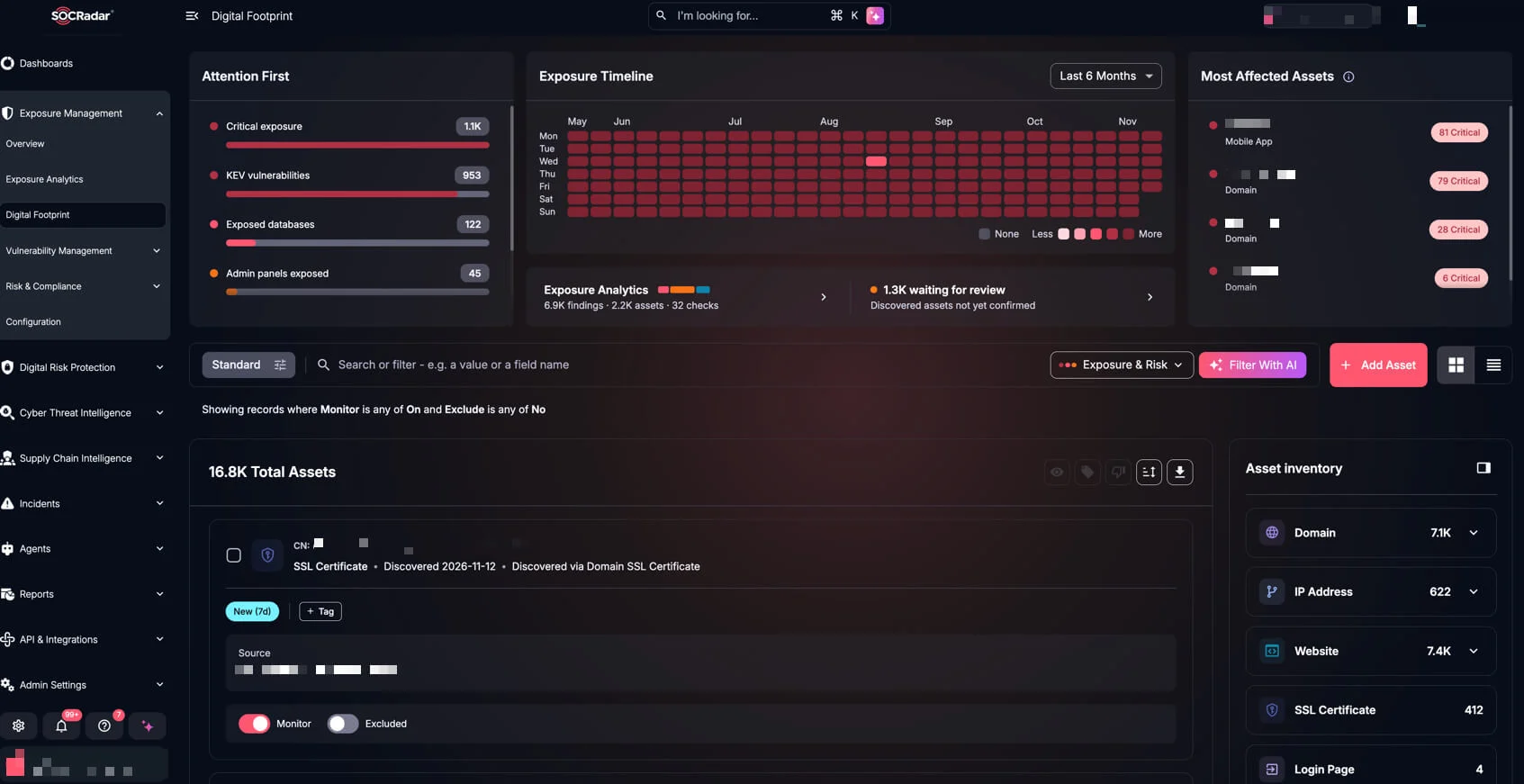
- Supply Chain Intelligence: Tracks security incidents and exposure signals tied to MSPs and IT vendors, so customers know when to ask questions about remote access tooling
- Dark Web Monitoring: Watches for underground listings that offer MSP or RMM access, an early sign that stolen sessions are being sold