SOCRadar Featured in Microsoft’s Ignite 2026 Sentinel Connectors
Microsoft has published its Microsoft Ignite 2026 announcement of new and enhanced Microsoft Sentinel connectors, and SOCRadar is part of it. The post features the SOCRadar Alerts Azure Sentinel Directional Solution among the partner connectors added to an ecosystem of more than 500 Microsoft Sentinel connectors.
We thank Microsoft’s App Assure team for the partnership. Below is what the connector brings to the SOC, and how SOCRadar’s other Microsoft integrations fit around it.
How the connector appears in Microsoft’s announcement:
SOCRadar Threat Intelligence for Microsoft Sentinel enriches security operations by bringing prioritized, context-rich alerts directly into Microsoft Sentinel. Covering SOCRadar’s Extended Threat Intelligence capabilities, including Brand Protection, External Attack Surface Management (ASM), Third-Party Findings, and other security modules, the integration helps organizations monitor external threats and manage investigations within their existing SOC workflows. Bidirectional synchronization also helps keep incident status, severity, and comments aligned between Microsoft Sentinel and SOCRadar.
Source: Microsoft Ignite 2026: New Sentinel Connectors Announcement
External Threats Need to Show Up Where Analysts Already Work
Most SOC teams run their day from the SIEM. The signals that matter most for external risk, such as an impersonating domain, a leaked employee credential, a newly exposed asset or a breach at a supplier, often live in a separate console. Every switch between tools costs time, and context gets lost on the way.
The answer is to bring that intelligence into the queue the team already triages, with enough context to act, and to keep the record consistent on both sides once the work is done.
What the SOCRadar Connector Brings to Microsoft Sentinel
The connector turns SOCRadar alarms from across the SOCRadar Extended Threat Intelligence Platform into Microsoft Sentinel incidents, so analysts can investigate them with the rest of their detections.
- Automated alert ingestion: SOCRadar alarms and findings flow into Microsoft Sentinel automatically for centralized monitoring and investigation
- Context across modules: Brand Protection, External Attack Surface Management (ASM), Third-Party Findings and other SOCRadar modules arrive with the details analysts need to assess external exposures, brand threats and supplier risk
- A dedicated SOCRadar workbook: A ready-made dashboard in Sentinel gives a consolidated view of SOCRadar alarms and findings
- Bidirectional incident sync: Status and severity changes made in Sentinel, along with the comments added during those updates, are written back to SOCRadar so both platforms stay aligned
- Ready for the Microsoft Defender portal: The integration has been updated for Microsoft Sentinel in the unified security operations experience of the Microsoft Defender portal
More Than One Connector: SOCRadar Across the Microsoft Security Stack
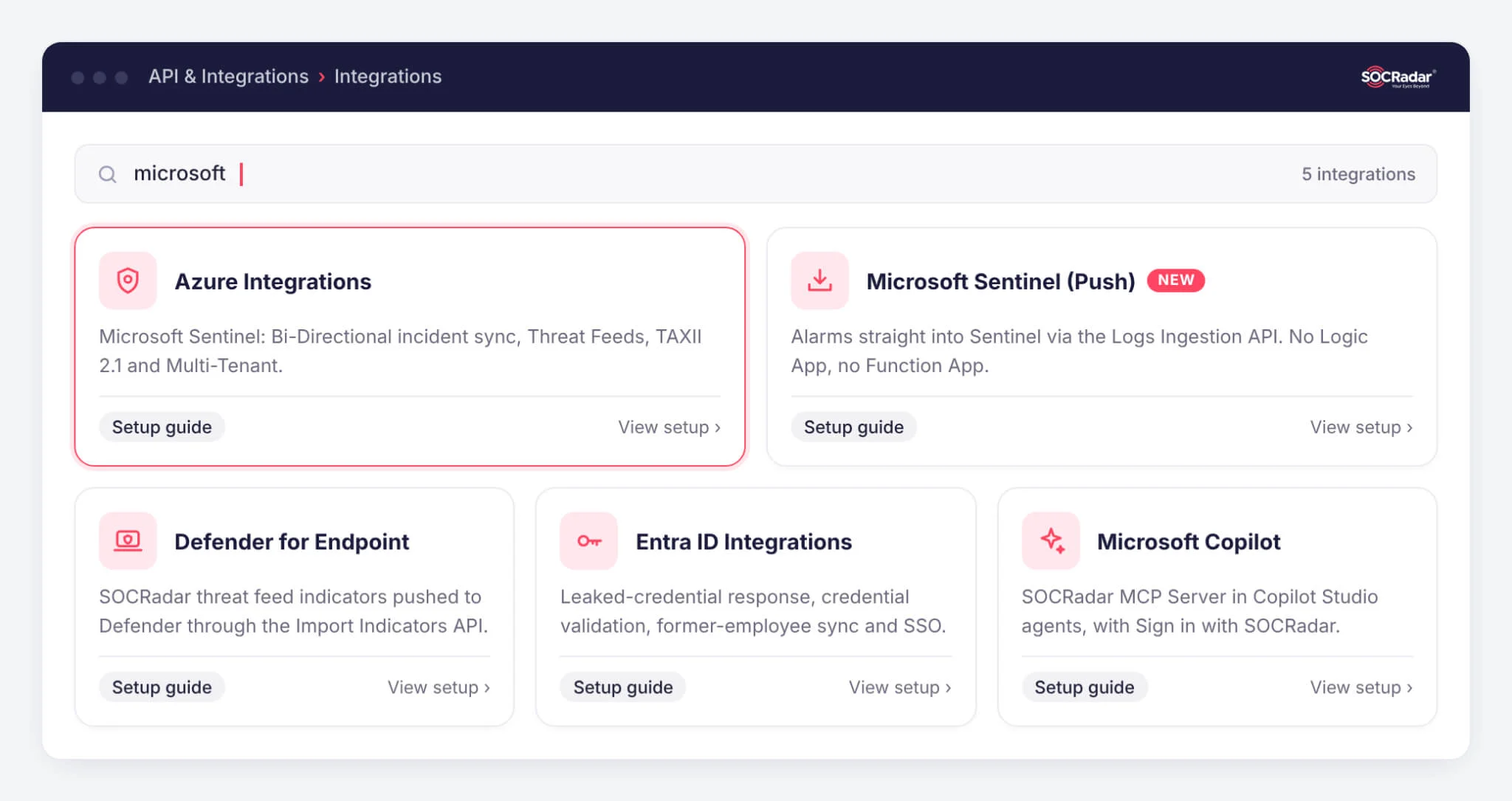
The Sentinel connector is one of several Microsoft integrations available today on the SOCRadar platform under API & Integrations > Integrations. Each one comes with a step-by-step setup guide.
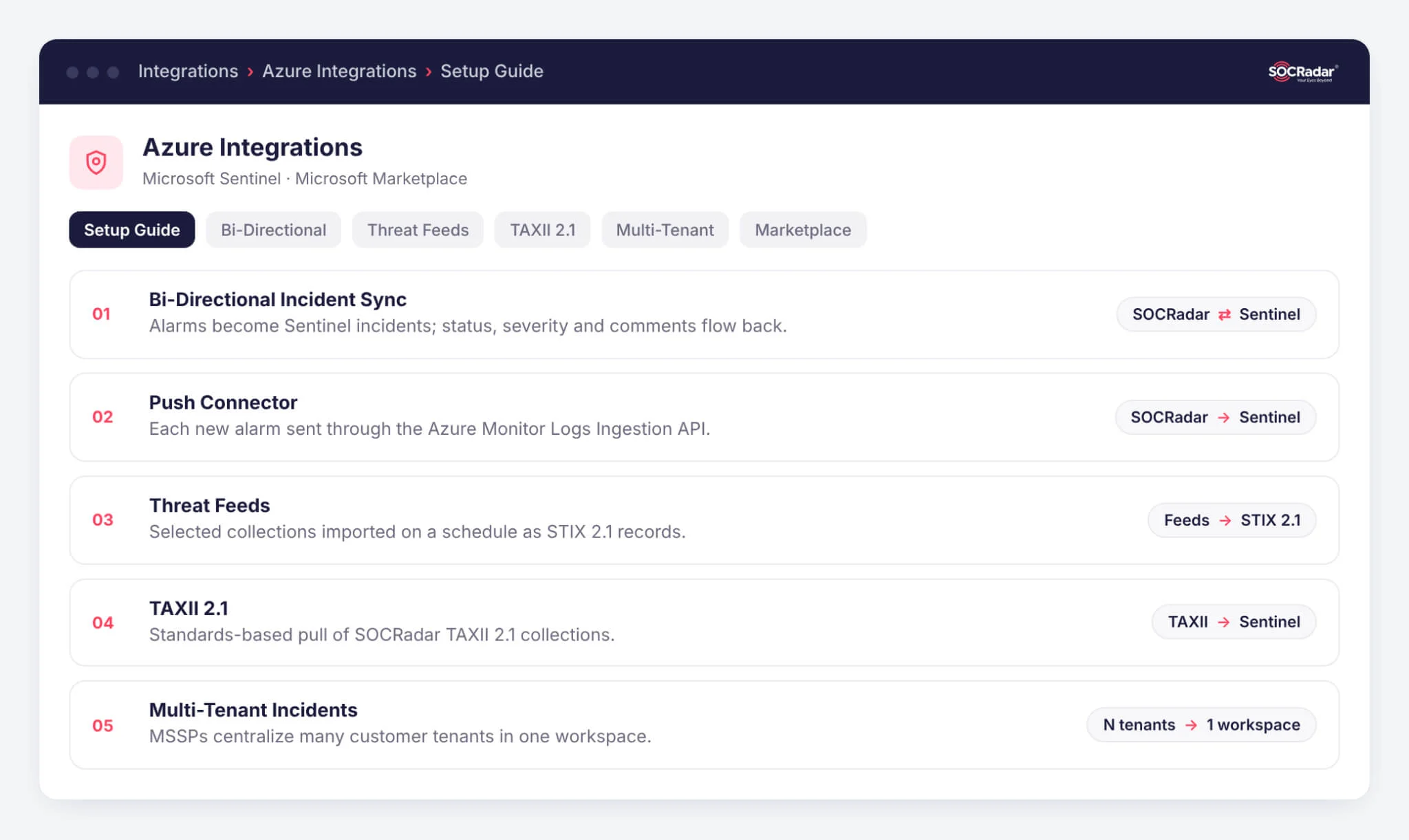
Microsoft Sentinel
Alarms as incidents, indicators as threat intelligence, and a model for MSSPs.
- Bi-Directional Incident Integration: Syncs SOCRadar alarms into Sentinel as incidents and reflects their closure back into SOCRadar, keeping both platforms aligned
- Microsoft Sentinel (Push): The newest route sends each new alarm through the Azure Monitor Logs Ingestion API. No Logic App, Function App or storage account runs in your subscription, and a new alarm typically opens an incident in about 3 to 5 minutes
- Threat Feeds Integration: Imports selected SOCRadar threat intelligence collections into Sentinel on a schedule as STIX 2.1 records
- TAXII 2.1 Integration: Pulls SOCRadar TAXII 2.1 collections into Sentinel through a standards-based ingestion pipeline
- Multi-Tenant Incident Integration: Lets MSSP teams centralize alarms from many customer tenants in one Sentinel workspace while keeping tenant context
Microsoft Defender for Endpoint
Turn SOCRadar intelligence into endpoint indicators.
- Threat Feed to Indicators: Pushes SOCRadar threat feed indicators (IP addresses, domains, URLs and MD5, SHA1 and SHA256 hashes) into Defender for Endpoint through the Import Indicators API, so they can raise alerts at the endpoint
Microsoft Entra ID
Act on identity exposure before it becomes an incident.
- Leaked Credential Response: Checks credentials found by SOCRadar against your Entra ID tenant and can revoke sessions, force MFA re-registration or disable the account, logging every result to Microsoft Sentinel
- In-Platform Credential Validation: Validates credentials in SOCRadar alarms directly against Entra ID (exists, enabled, password valid) and applies the follow-up action you choose for each outcome
- Former Employee Sync: Keeps former-employee lists accurate across multiple Entra ID tenants in corporate groups that share an email domain
- Single Sign-On: Sign in to SOCRadar with Microsoft Entra credentials via SAML
Microsoft Copilot Studio
Ask your SOCRadar data questions in plain language.
- SOCRadar MCP Server: Add the SOCRadar MCP Server to a Copilot Studio agent and use 126 tools across incidents, attack surface, brand protection, threat intelligence, vulnerabilities and identity exposure. With Sign in with SOCRadar, the agent can do only what your SOCRadar role and license allow
Microsoft Marketplace
Install and buy through Microsoft.
- Azure application: The SOCRadar Alerts Azure Sentinel Directional Solution installs from the Microsoft Sentinel content hub
- SaaS offer: Organizations that prefer to buy through Microsoft can purchase SOCRadar via the Marketplace SaaS listing, including Private Offers
Which Integration Fits Your Team
| If you want to | Start with |
|---|---|
| Work SOCRadar alarms as Sentinel incidents and keep both sides in sync | Sentinel Bi-Directional |
| Get alarms into Sentinel without running Azure resources for it | Sentinel (Push) |
| Feed SOCRadar indicators into Sentinel threat intelligence | Threat Feeds or TAXII 2.1 |
| Manage many customer tenants from one workspace | Multi-Tenant Incident |
| Alert on SOCRadar indicators at the endpoint | Defender for Endpoint |
| Respond automatically to leaked employee credentials | Entra ID |
| Query SOCRadar from your own Copilot agents | Copilot Studio (MCP) |
For alarm delivery, use one route per Sentinel workspace: either the Push integration or the Logic App based Bi-Directional integration.
Take the Next Step
SOCRadar customers can enable any of these integrations today from API & Integrations > Integrations on the SOCRadar Platform. New to SOCRadar? Request a demo and we’ll show you the Sentinel connector with your own use cases.
Frequently Asked Questions
What did Microsoft announce for Microsoft Sentinel at Ignite 2026?
Microsoft published a roundup of new and enhanced Microsoft Sentinel connectors from technology partners and from the Microsoft Sentinel team. The SOCRadar Alerts Azure Sentinel Directional Solution is one of the featured partner connectors.
What does the SOCRadar connector for Microsoft Sentinel do?
It brings SOCRadar alarms from modules such as Brand Protection, External Attack Surface Management and Third-Party Findings into Microsoft Sentinel as incidents, with a dedicated workbook for a consolidated view.
Do changes made in Sentinel sync back to SOCRadar?
Yes. The bidirectional sync keeps incident status, severity and comments aligned between Microsoft Sentinel and SOCRadar.
Can I use the Push integration and the Bi-Directional integration together?
For alarm delivery, use one route per Sentinel workspace: either the Push integration or the Logic App based Bi-Directional integration.
Learn More
- SOCRadar on Microsoft Marketplace (SaaS listing for purchase and Private Offers)
- Simplify Threat Intelligence Procurement with SOCRadar and Microsoft Marketplace
- All SOCRadar integrations