131 Malicious Chrome Extensions Abused WhatsApp Web in a Massive Spam Campaign
Browser extensions are increasingly being weaponized as scalable attack tools. In early 2025, researchers uncovered a major campaign involving 131 malicious Chrome extensions abusing WhatsApp Web for bulk spam distribution. This incident not only highlights the blurred line between marketing automation and malicious activity but also exposes the growing risk of browser extension supply-chain abuse.
What Happened?
A coordinated cluster of 131 Chrome extensions exploited WhatsApp Web to send automated spam messages. These tools, marketed as business communication enhancers, shared identical backend infrastructure and codebases. By rebranding and publishing clones, attackers bypassed Chrome Web Store’s moderation policies and quickly reached unsuspecting users.
Most of the victims were located in Brazil, where WhatsApp Web is heavily used for small business communication. The extensions masqueraded as legitimate productivity or customer engagement tools but secretly automated mass messaging.

Why Is This Important?
This campaign demonstrates how browser extension abuse can operate like a supply chain. A single malicious codebase was resold under dozens of names, each pretending to be an independent app. Such fragmentation makes detection and takedown efforts harder, enabling persistent exploitation across multiple publisher accounts.
Moreover, the case reveals a broader threat to enterprise environments, where Chrome extensions often run without centralized oversight. A single compromised extension can inject scripts, access data, and propagate spam or phishing messages through trusted communication platforms.
Who Is Behind It?
Investigations traced the majority of uploads to DBX Tecnologia and Grupo OPT, operating under a white-label reseller model. These entities developed or distributed a spam automation tool that third parties could rebrand and list as their own Chrome extension. Some partner websites and developer emails appeared repeatedly across multiple submissions, suggesting coordinated participation rather than isolated misuse.
How Were Users Targeted?
Once installed, the extensions injected malicious JavaScript into web.whatsapp.com, automating bulk message delivery, contact scraping, and scheduling. They often claimed to support privacy compliance or CRM integration but violated both Chrome Web Store and WhatsApp Terms of Service. Users were lured with promises of faster business outreach or marketing automation, unaware that their browsers were acting as spam bots.
How Long Did This Campaign Run?
Researchers observed continuous activity from early 2025 through October 14, 2025, with updates and new uploads even after initial detections. The persistence indicates that multiple developers maintained active clones, likely using automated scripts to reupload extensions under new names whenever takedowns occurred.
What Are the Key Indicators of Compromise (IoCs)?
Below is a summary of the 27 IoCs shared byAlienVault OTX.
- [email protected]
- [email protected]
- http://curiosidademinha.com.br/atendodozap
- http://dbx.global/whats/
- http://www.bcmarketing.com.br/lp
- chatfunnel.com.br
- chatpowerpro.com.br
- chattyseller.com
- curiosidademinha.com.br
- facilcrm.com.br
- ganadigital.com.br
- lobovendedor.com.br
- lucrazap.com.br
- mestrezap.onlinemkzap.com.br
- organize-c.com
- powerchat.in
- whatstool.in
- wizechat.com.br
- youseller.com.br
- zap4u.com.br
- zapforce.app.br
- zappower.com.br
- zappseller.com.br
- zapvende.com
- chat.bizsale.com.br
- www.bcmarketing.com.br
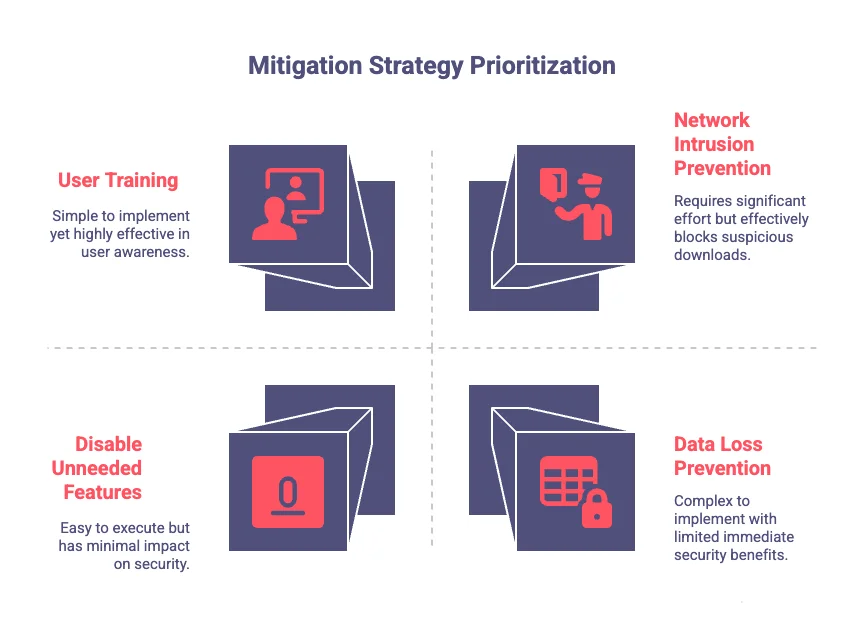
What Are the Recommended Mitigation Strategies?
| Technique ID | Mitigation | Description |
| M1047 | Audit | Regularly check all installed extensions for legitimacy. |
| M1038 | Execution Prevention | Set browser extension allow/deny lists. |
| M1033 | Limit Software Installation | Only install extensions from verified sources. |
| M1051 | Update Software | Keep browsers and OS fully updated. |
| M1017 | User Training | Educate users to close sessions and avoid unknown extensions. |
| M1040 | Behavior Prevention on Endpoint | Enable ASR rules in Windows 10 to block malicious executables. |
| M1031 | Network Intrusion Prevention | Use IDS/IPS to stop suspicious downloads. |
| M1021 | Restrict Web-Based Content | Block unknown files and domains. |
| M1042 | Disable Unneeded Features | Turn off scripting components not required. |
| M1057 | Data Loss Prevention | Detect and restrict unauthorized access to sensitive data. |
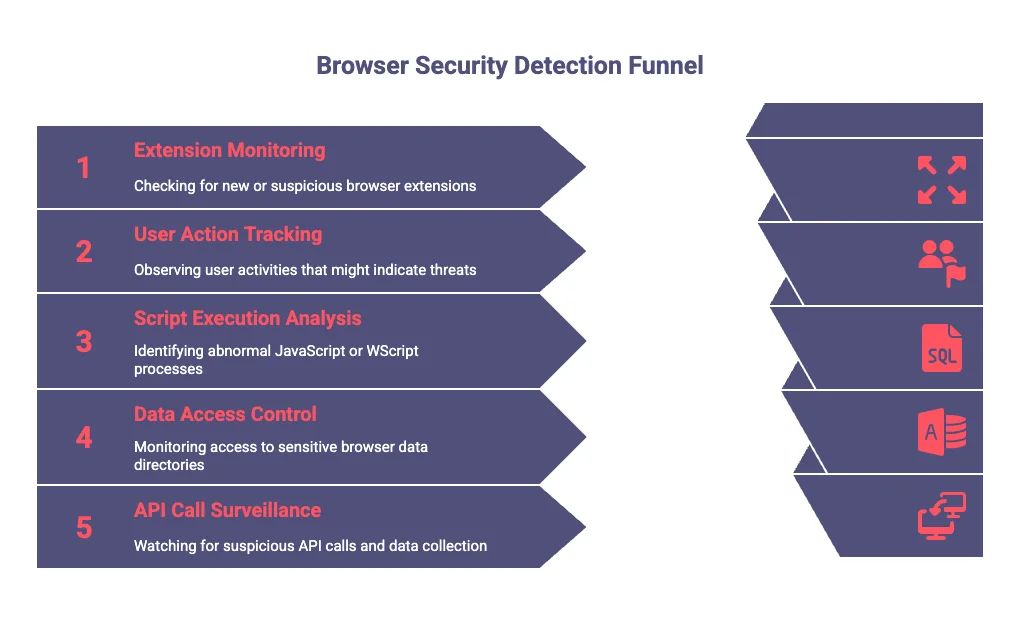
MITRE ATT&CK Techniques Detect and Respond
| Technique ID | Data Source | Detection Focus |
| T1176.001 | Registry, File, Network | Monitor new Chrome or Firefox extension entries, new .crx files, and suspicious browser connections. |
| T1204 | Application Logs, Process Creation | Track user actions triggering downloads or scripts. |
| T1059.007 | Script Execution, Process Creation | Detect abnormal JavaScript execution or WScript processes. |
| T1217 | Command & File Access | Watch for access to browser data directories. |
| T1005 | Script & File Access | Monitor local data collection and suspicious API calls. |
(All techniques sourced from MITRE ATT&CK)
What Can We Learn from This?
This campaign blurred the line between marketing automation and malicious activity. By exploiting the credibility of the Chrome Web Store, attackers managed to mass-distribute spam tools disguised as legitimate business extensions.
Lessons Learned:
- Browser extensions must be treated as part of an organization’s software supply chain.
- Conduct periodic extension audits to ensure legitimacy and compliance.
- Apply enterprise-level allowlists to restrict unauthorized installations.
- Continuously monitor network traffic for clone infrastructure or abnormal browser activity.
How SOCRadar Can Help
SOCRadar’s Supply Chain Intelligence module helps organizations uncover third-party risks that extend beyond traditional vendor management. In cases like this campaign, it can identify connections between developer identities, shared infrastructures, and rebranded malicious assets before they spread across the ecosystem.
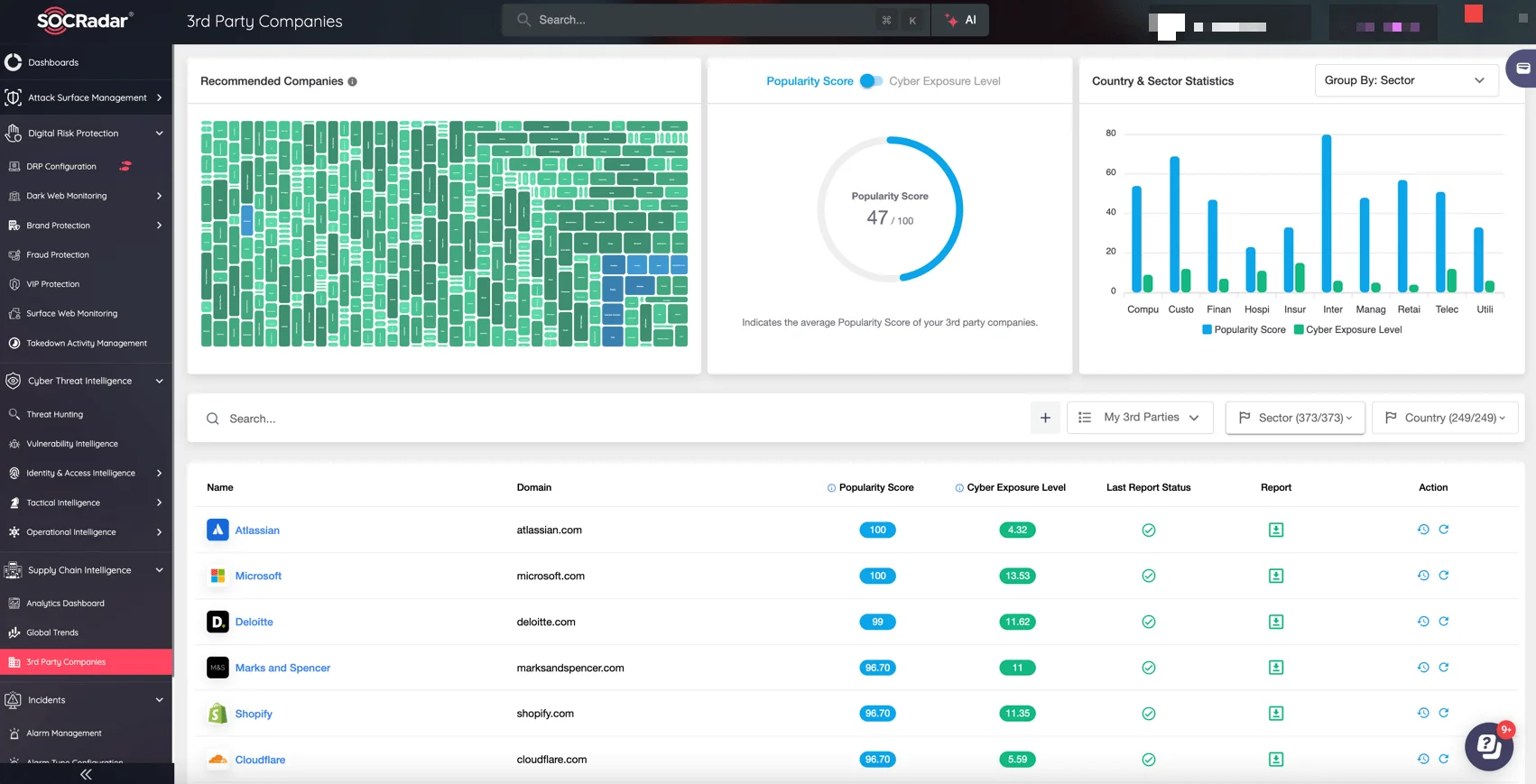
SOCRadar Supply Chain Intelligence 3rd Party Companies
By mapping the relationships among suppliers, resellers, and distribution channels, the module enables security teams to detect malicious dependencies and maintain visibility over their digital supply chain, reducing exposure to campaigns that exploit trusted platforms such as the Chrome Web Store.
Conclusion
What began as seemingly harmless “marketing helpers” on the Chrome Web Store evolved into a coordinated spam operation that exploited one of the world’s most trusted communication platforms. This campaign highlights how the modern browser has quietly become a critical component of the software supply chain. By turning familiar tools like WhatsApp Web into attack vectors, threat actors bypass traditional defenses and user awareness alike. Securing this layer now demands continuous visibility, contextual intelligence, and a mindset that treats browser extensions as auditable assets within the broader enterprise ecosystem.