Dark Web Profile: SafePay Ransomware
SafePay is a ransomware group first observed around September 2024. It encrypts files and demands a cryptocurrency payment to restore access. The group behind it also steals data from victims and threatens to leak it on a Dark Web site if the ransom is not paid, a method known as double extortion.
Most ransomware groups use a Ransomware-as-a-Service (RaaS) model, letting affiliates spread the malware for a share of the profits. SafePay works differently. It does not appear to use affiliates. Instead, the same group creates and launches the attacks themselves.
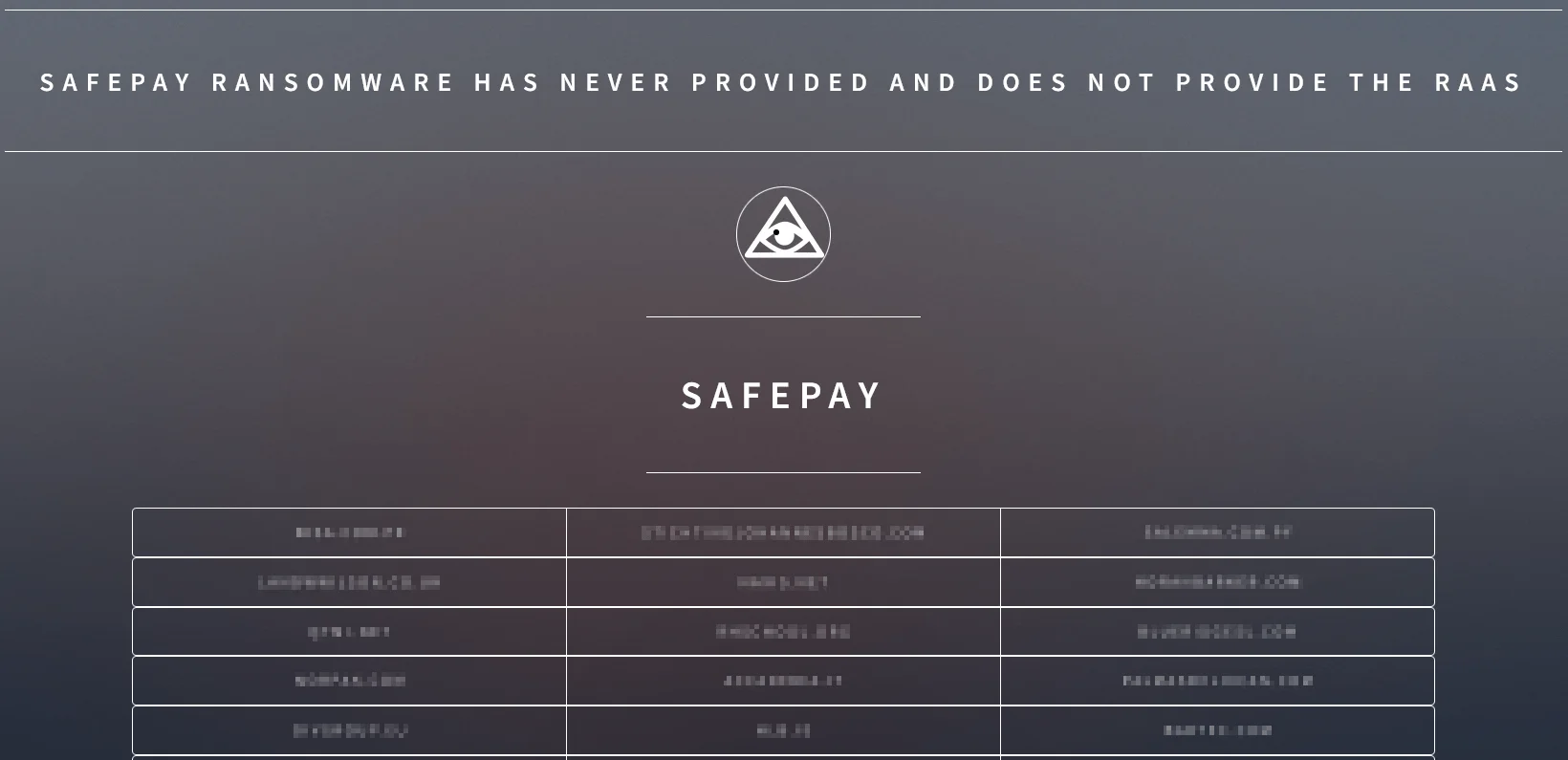
SafePay Ransomware’s data leak site (DLS)
Who is SafePay Ransomware?
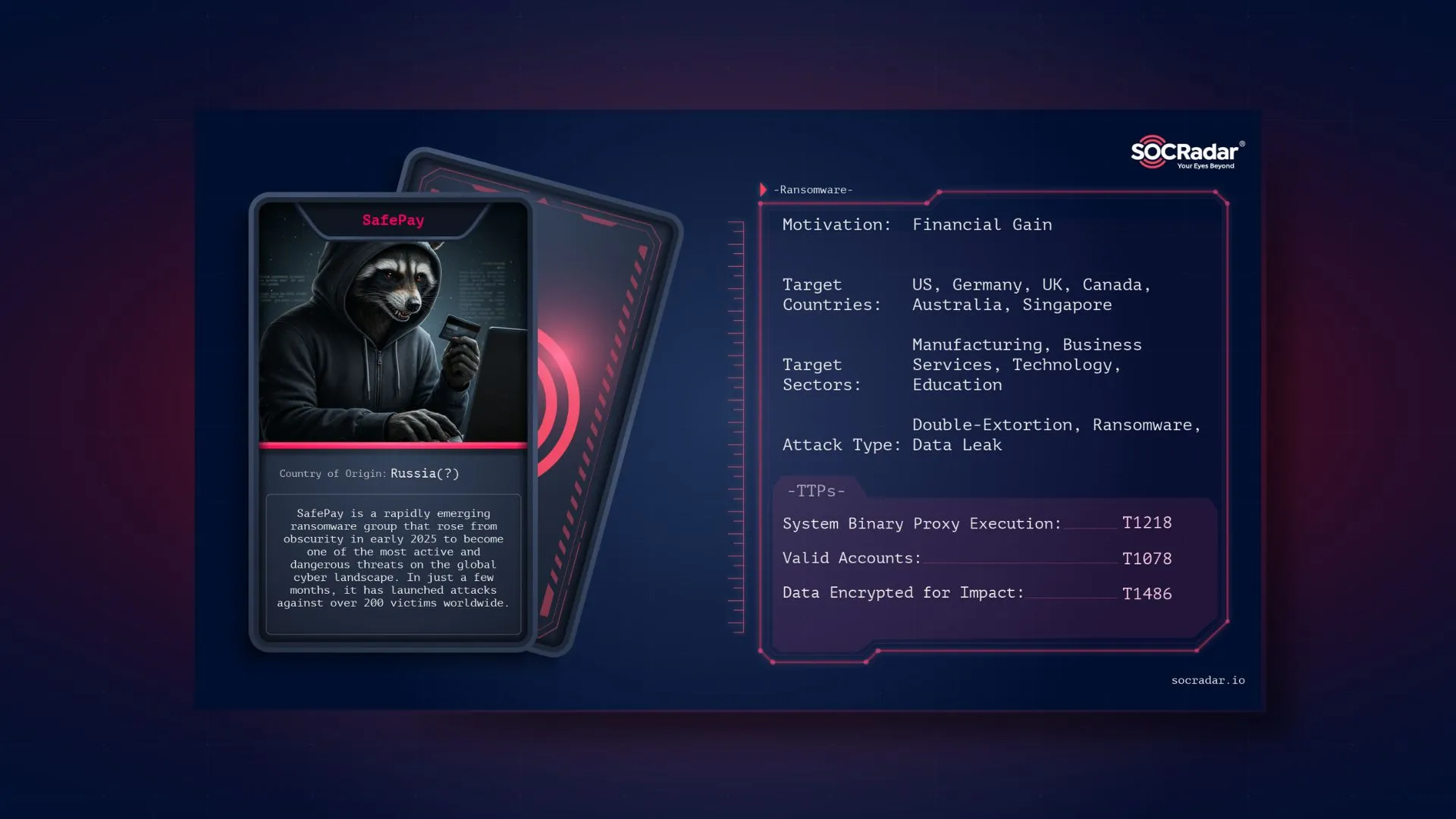
In early 2025, a ransomware group, SafePay made a sudden impact on the global ransomware scene. Almost unknown before, the group quickly became one of the most aggressive and active threat actors. Its attacks spread fast, with the group now claiming responsibility for 265 victims across multiple countries.
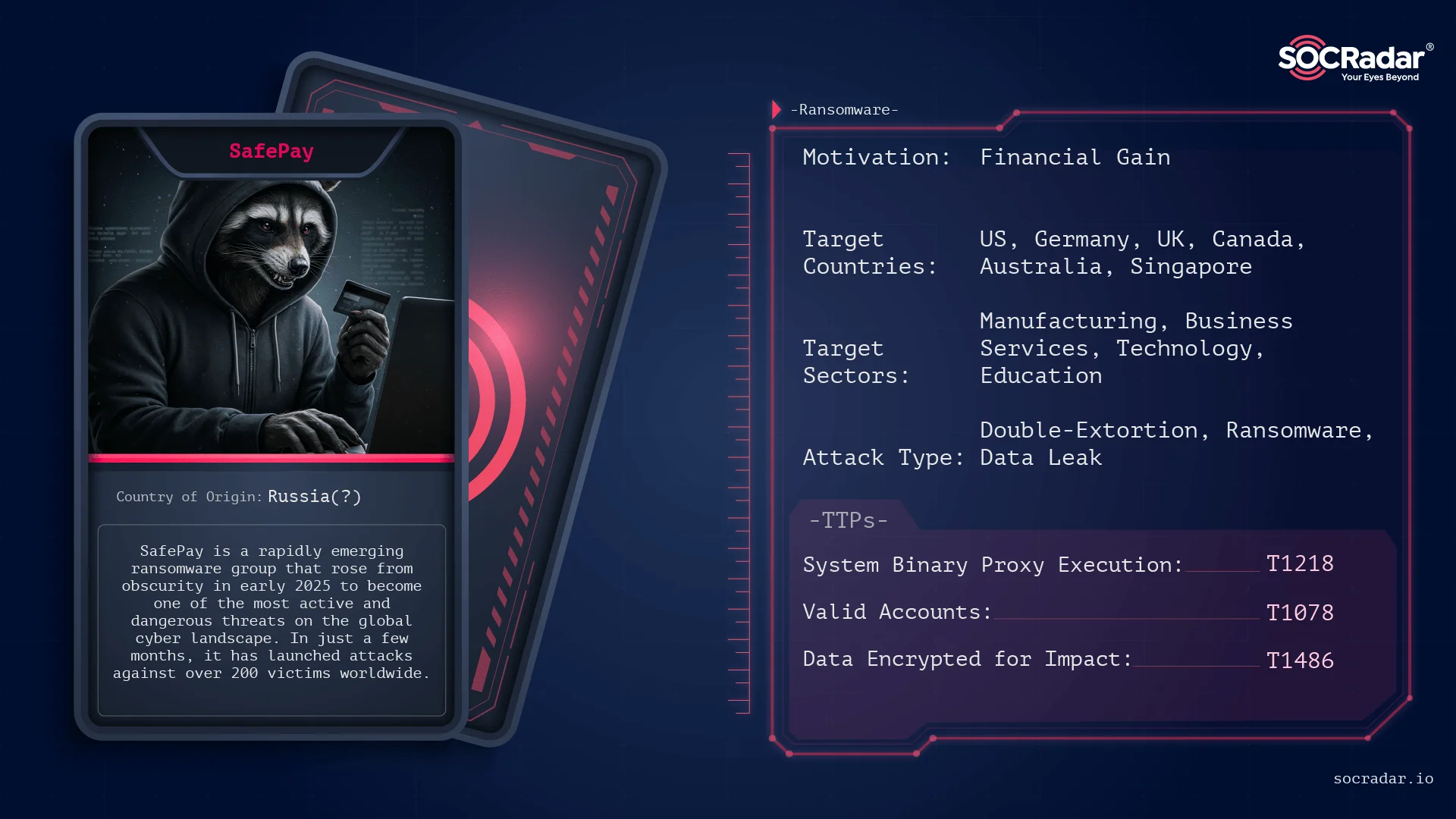
Threat actor card for SafePay Ransomware
In 2024, initially targeting just over 20 victims. This year, however, the group sharply increased its attack activity.

What are SafePay Ransomware’s Targets?
SafePay has claimed over 250 victims across various regions and industries. The United States is by far the most targeted country, with 103 confirmed victims, nearly 40% of all known cases. Germany follows with 47 cases, while other attacks are spread across countries like the United Kingdom, Australia, Canada, and several in Latin America and Asia. The geographic pattern shows a strong focus on North America and parts of Europe, with the United States as the clear primary target.
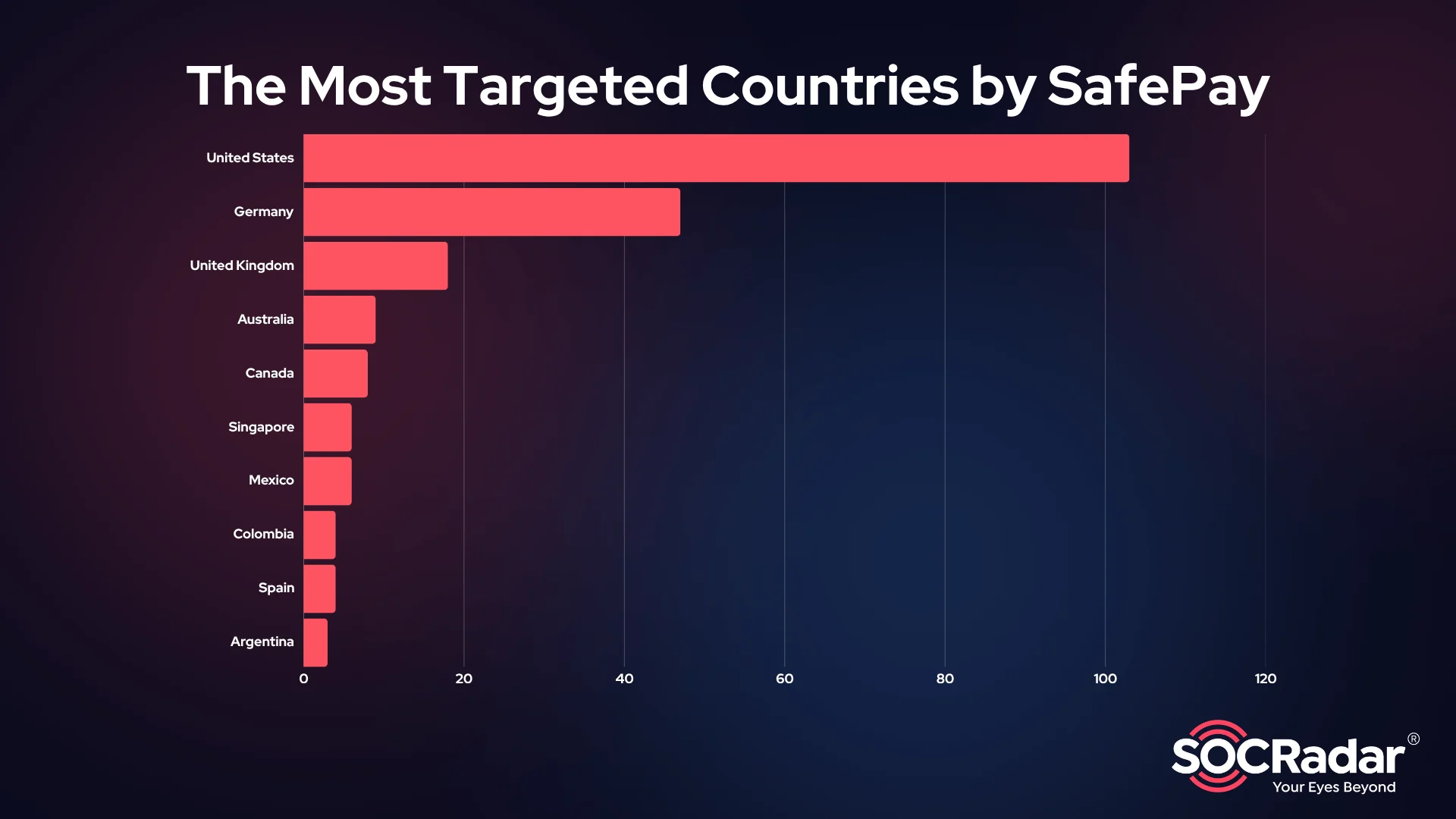
Top 10 targeted countries by SafePay Ransomware
The targeting pattern shows a clear focus on developed economies. Most victims are based in countries with mature industrial, technological, and public sectors. Attacks are mostly seen in North America, Western Europe, and parts of the Asia-Pacific region.
There is little to no observed targeting of CIS (Commonwealth of Independent States) countries. Language, location, and domain analysis suggest that Russian-speaking or allied regions are intentionally avoided.
But not everyone is at risk. The malware contains a language check that causes it to terminate if the system is set to one of several specific languages. These languages are:
- Armenian
- Azerbaijani (Cyrillic)
- Belarusian
- Georgian
- Kazakh
- Russian
- Ukrainian
If the infected machine uses any of these system languages, SafePay shuts down without causing harm. This behavior clearly avoids targeting users in the Commonwealth of Independent States (CIS) region.
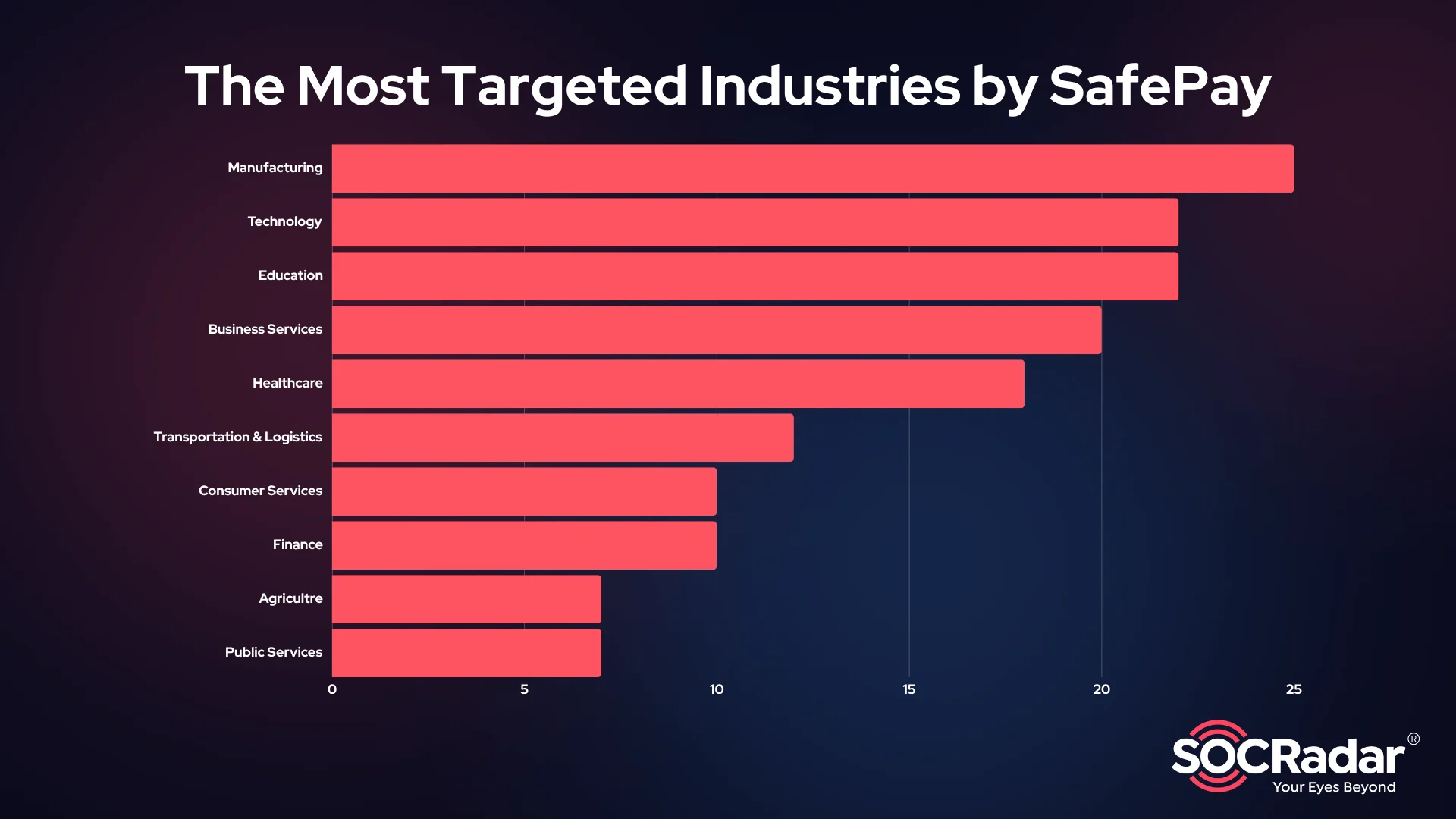
Top 10 targeted industries by SafePay Ransomware
SafePay’s victims come from a wide range of industries. The most affected sectors are:
- Manufacturing
- Technology
- Education
- Business Services
- Healthcare
Other impacted sectors include transportation and logistics, consumer services, finance, agriculture, and public services.
This spread shows that SafePay does not focus on one specific vertical. It targets both high-value and essential service industries, often choosing organizations that are more likely to pay to avoid disruption.
What are SafePay Ransomware’s Techniques?
SafePay operators appear to perform pre-attack reconnaissance to identify vulnerable entry points and gather credentials for their targets. They are observed to obtain valid user credentials via stealers or Dark Web Markets. In parallel, they likely scan for exposed remote access services (VPN gateways, RDP endpoints) and known vulnerabilities.
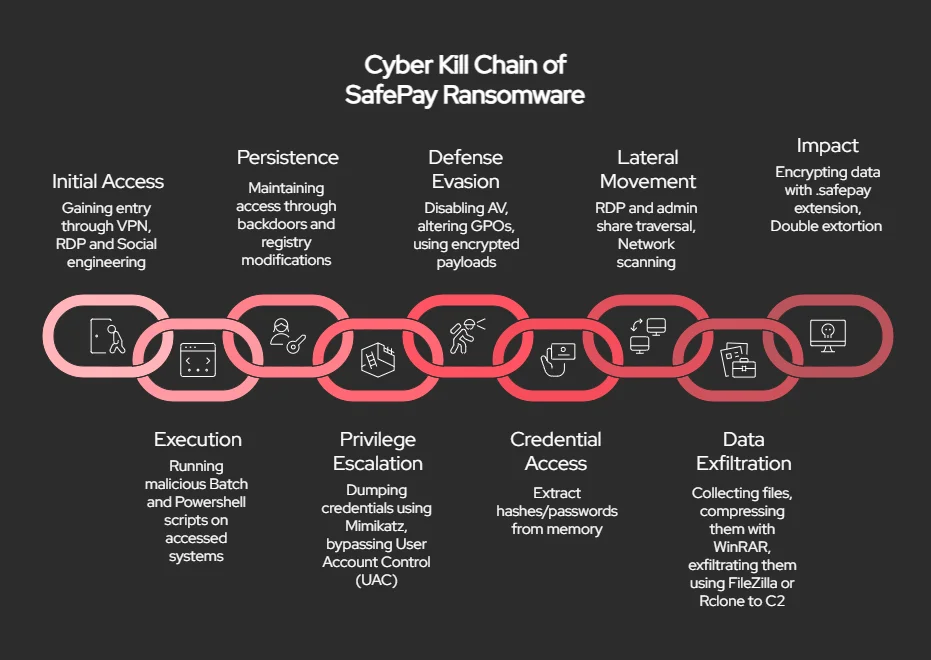
Simplified Cyber Kill Chain diagram of SafePay Ransomware
Initial Access
SafePay uses several common entry points to breach networks. One of the most reliable methods involves the use of stolen credentials. These may be purchased on Dark Web Markets or collected through earlier infostealer infections. Once in possession of valid usernames and passwords, the group targets exposed services like VPNs and RDP endpoints.
In multiple incidents, attackers bypassed multi-factor authentication due to misconfigured firewalls or weak password policies. SafePay also employs phishing and vishing tactics. In these cases, they flood the victim’s inbox with malicious emails and follow up with phone calls posing as IT support. Using social engineering, they convince the target to run a payload or allow remote access. These campaigns often involve real-time interaction through services like Microsoft Teams.
In some cases, SafePay exploits vulnerabilities in public-facing software. Unpatched VPN appliances and insecure remote access portals have served as entry points in confirmed attacks.
Execution
After gaining access, SafePay executes scripts and payloads to set up control over the environment. They frequently use batch files or PowerShell scripts to initiate their attack infrastructure. These scripts are often stored in obscure folders and launched manually or by scheduled tasks.
SafePay relies heavily on living-off-the-land techniques. They use built-in Windows tools like regsvr32 and cmd.exe to execute code in a way that looks legitimate. In one case, they launched a malicious DLL using regsvr32, which injected code into a legitimate Windows process to evade detection.
The ransomware binary itself is modular and configurable via command-line options. This allows operators to tailor the attack to each environment, such as selecting which drives to target or whether to self-delete after encryption.
Persistence
To ensure long-term access, SafePay installs legitimate remote access tools like ConnectWise ScreenConnect. This tool runs as a persistent service and is unlikely to be flagged by endpoint protection if the attacker uses valid credentials for installation.
In some incidents, the group also deployed custom malware such as QDoor, a small remote access tool capable of command execution and tunneling. These tools are often packed and obfuscated to make reverse engineering more difficult.
SafePay has also been observed modifying Windows Registry keys to enable persistence, such as by adding startup entries for their tools.
Privilege Escalation
Privilege escalation is a priority early in the attack. SafePay often starts with a low-privilege account and then seeks domain admin rights. If privileged credentials are not available immediately, they use tools like Mimikatz to extract passwords and hashes from memory.
In some cases, they perform UAC bypasses to gain elevated privileges without alerting the user. They also take advantage of poor credential hygiene, including reused or weak passwords across admin accounts.
Defense Evasion
SafePay takes deliberate steps to avoid detection. They disable antivirus tools like Microsoft Defender through administrative commands or by leveraging Group Policy changes. They add folder exclusions, disable real-time protection, and remove security software where possible.
The malware uses encrypted strings, dynamic loading, and packing to avoid detection by signature-based tools. It also includes a geofencing mechanism: if it detects that the system is using certain languages (CIS), it terminates immediately without running.
This behavior is typical of ransomware families seeking to avoid prosecution in the CIS region. Finally, SafePay deletes event logs and shadow copies before triggering encryption, making forensic analysis and recovery significantly harder.
Credential Access
Credential harvesting is ongoing throughout the attack. After gaining initial access, SafePay attempts to expand its control by collecting more credentials. They use Mimikatz and similar tools to extract hashes and plaintext passwords.
The group also targets saved credentials in browsers, RDP clients, and administrative tools. These credentials are then used to move laterally and disable additional defenses.
Lateral Movement
With privileged access, SafePay spreads through the network using a mix of RDP sessions and administrative shares. They copy ransomware payloads to target machines and execute them using remote scripting or manual access.
They perform network discovery using tools like ShareFinder to locate shared drives and high-value servers. These systems are prioritized for later encryption.
The use of batch files, PowerShell scripts, and Windows administrative tools allows SafePay to move quickly while blending in with legitimate activity.
Data Exfiltration
Before launching ransomware, SafePay spends several days collecting sensitive data. They use manual browsing and automated tools to locate valuable files, which are then compressed using tools like WinRAR.
Exfiltration is typically performed using FileZilla or Rclone. These tools allow the group to move large volumes of data—often hundreds of gigabytes—without triggering outbound traffic alerts. Data is transferred to servers controlled by the attackers and used later for extortion.
Impact
SafePay uses strong encryption and deletes recovery options to maximize pressure. Files are renamed with the .safepay extension. Backup systems and hypervisors are also targeted, especially if they host critical infrastructure.
A ransom note is left on encrypted systems, usually named readme_safepay.txt. Victims are instructed to contact the group via a Dark Web portal, often hosted on The Open Network (TON). The note includes threats to publish stolen data if the ransom is not paid.
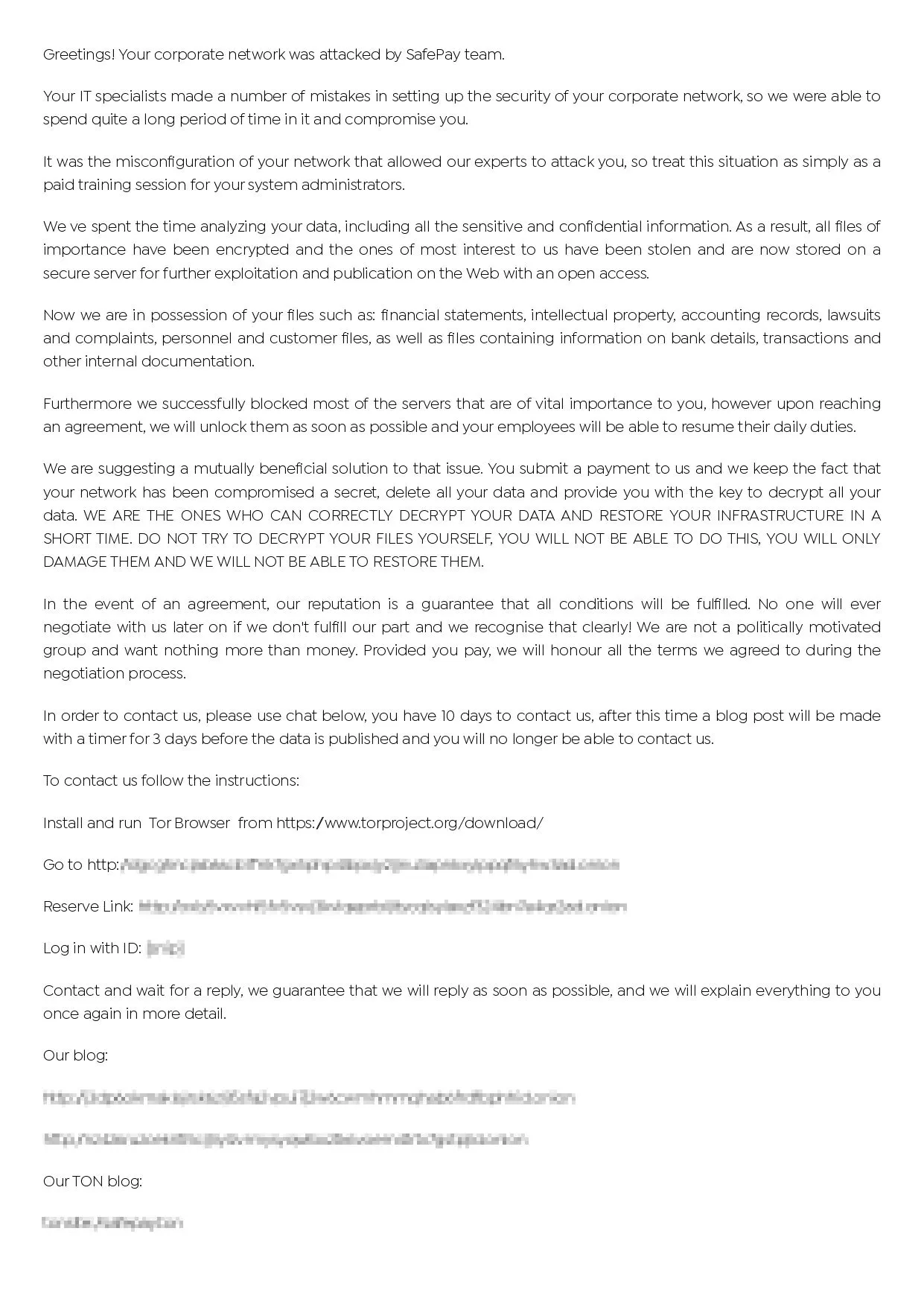
Ransom note of SafePay Ransomware
Their leak site regularly publishes sensitive data from non-paying victims, and they also host the stolen data on their DLS.
What are the Mitigation Tactics Against SafePay Ransomware?
Defending against SafePay requires a layered approach that addresses both technical controls and human behavior. While no single measure can guarantee complete protection, the following tactics can significantly reduce the risk of compromise and limit potential damage.
- Strengthen Access Controls
- Enforce strong, unique passwords for all accounts.
- Enable multi-factor authentication (MFA) on VPNs, RDP, and admin interfaces.
- Limit remote access to only essential users and services.
- Regularly audit and remove unused or outdated accounts.
- Patch and Harden Systems
- Keep VPN appliances, firewalls, and public-facing applications fully patched.
- Disable unnecessary remote access protocols like RDP if not in use.
- Monitor for exposure of services through tools like Shodan or Censys.
- Monitor for Credential Abuse
- Use Endpoint Detection and Response (EDR) tools to spot suspicious use of Mimikatz or LSASS access.
- Watch for unusual login behavior, such as valid credentials used from new or foreign IP addresses.
- Monitor for signs of lateral movement, such as the use of administrative shares or mass remote execution.
- Restrict and Monitor Tool Use
- Block or tightly control the use of tools often abused by attackers (e.g., PowerShell, regsvr32, cmd.exe).
- Log and alert on execution of batch scripts or unusual system utilities.
- Detect unauthorized use of remote management software like ScreenConnect.
- Prepare for Ransomware-Specific Behavior
- Disable or limit use of Windows Script Host where possible.
- Use group policy to prevent creation of files with known ransomware extensions like .safepay.
- Monitor for large-scale file changes, WinRAR usage, or Rclone/FileZilla traffic.
- Backups and Recovery
- Maintain regular, offline backups that are tested for restoration.
- Protect backup infrastructure with strict access controls and isolation from the main network.
- Ensure that snapshots and shadow copies cannot be easily deleted by attackers.
- User Awareness and Response
- Train users to recognize phishing emails and vishing attempts.
- Conduct simulations to test response to suspicious IT support calls or chat messages.
- Establish an incident response plan that includes ransomware-specific actions, such as isolating infected machines and engaging with external response teams.
How Can SOCRadar Help?
To stay resilient against a group like SafePay, organizations must move beyond basic defenses and adopt a risk-driven, intelligence-informed security posture.
Start by assessing your exposure track leaked credentials, discover misconfigurations, and monitor threat group activity. The first step is SOCRadar Labs – Dark Web Report.
Regularly monitor the Dark Web for leaked credentials, internal documents, or sensitive data. SafePay often publishes victim data on ransomware forums and leak sites, making early detection critical to response and mitigation.
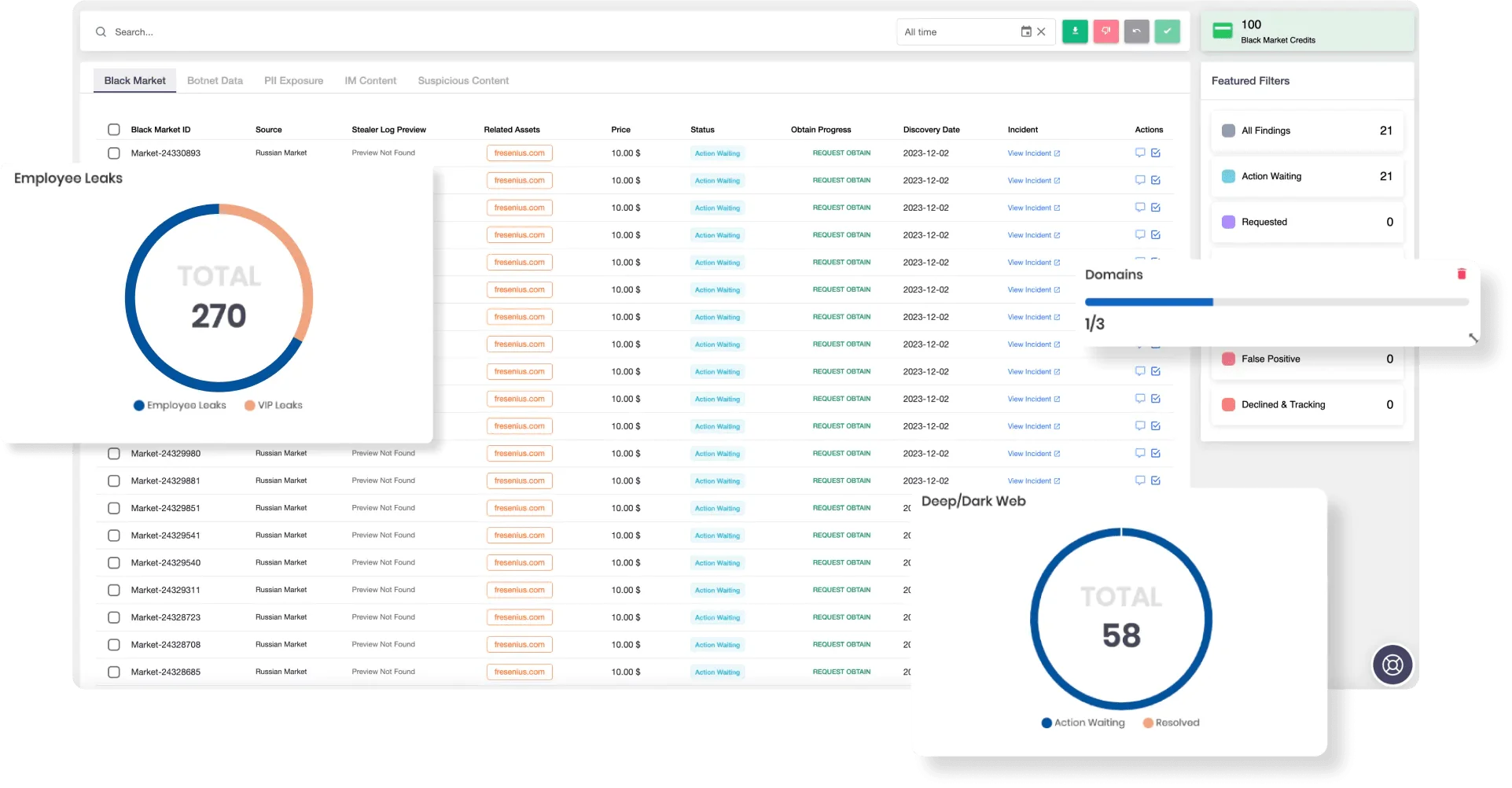
SOCRadar’s Dark Web Monitoring
Threat Intelligence Integration
Stay informed of every threat group’s latest tactics, tools, and infrastructure. Receive alerts on related file hashes, domains, and behavioral indicators.
Uncover externally visible services and assets that SafePay could exploit, like open RDP ports or outdated VPN appliances.
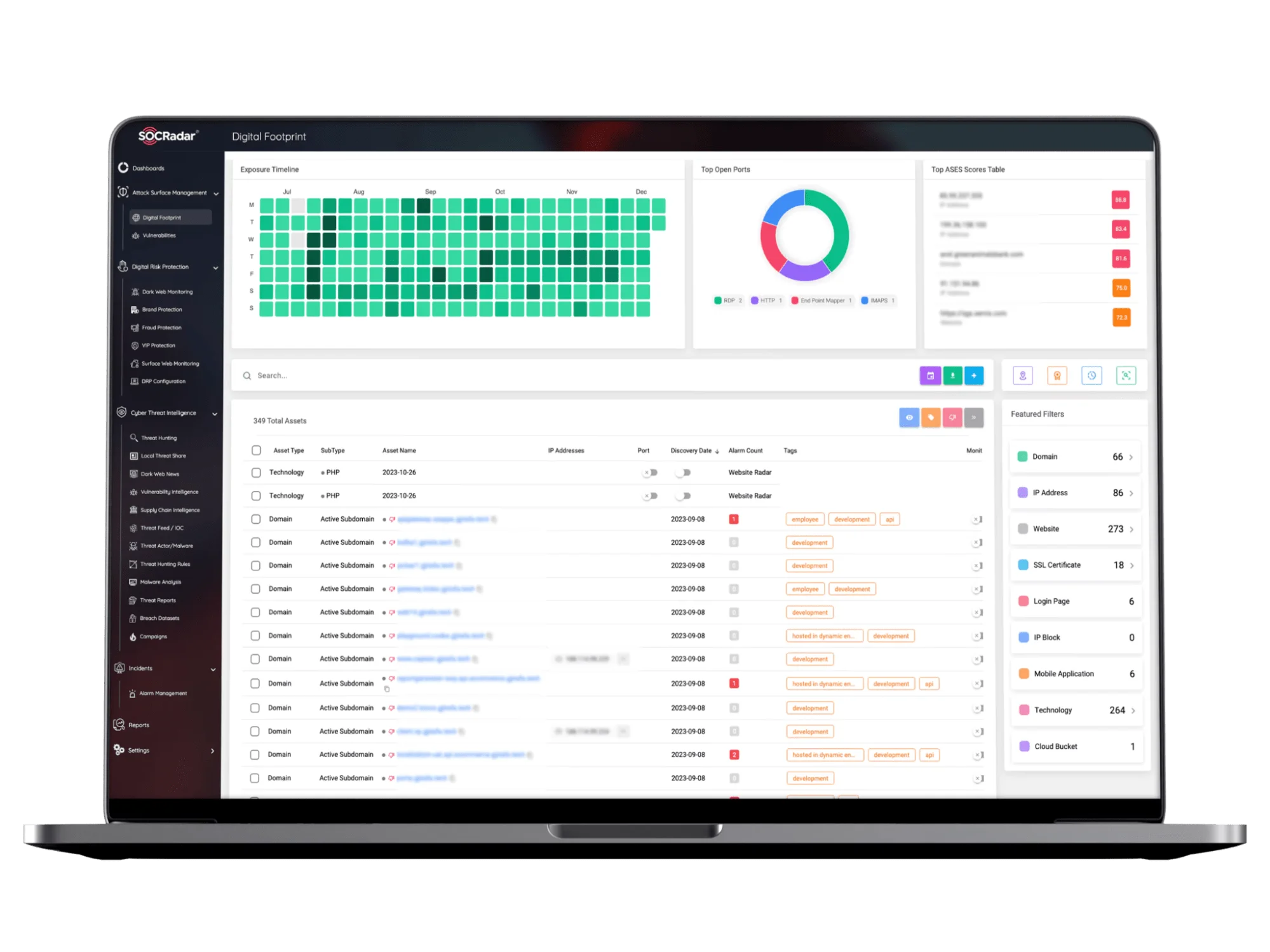
SOCRadar’s Attack Surface Management
Digital Risk Protection
Track your digital brand, monitor for impersonation attempts, and reduce the risk of social engineering campaigns tied to threat actor’s phishing tactics.
Ransomware Threat Group Tracking
Understand how ransomware groups evolve over time, track new victim disclosures, changes in infrastructure, and shifts in target preferences.
What are the MITRE ATT&CK TTPs of SafePay Ransomware?
| Tactic | Technique ID | Technique Name |
| Initial Access | T1078 | Valid Accounts |
| Execution | T1059 | Command and Scripting Interpreter |
| T1059.001 | PowerShell | |
| T1059.003 | Windows Command Shell | |
| T1202 | System Binary Proxy Execution | |
| Privilege Escalation | T1548.002 | Abuse Elevation Control Mechanism: Bypass UAC |
| Defense Evasion | T1070.004 | File Removal |
| T1562.001 | Impair Defenses: Disable or Modify Tools | |
| Credential Access | T1003 | OS Credential Dumping |
| Discovery | T1135 | Network Share Discovery |
| T1482 | Domain Trust Discovery | |
| Lateral Movement | T1021 | Remote Services |
| Collection | T1560.001 | Archive Collected Data: Archive via Utility |
| Exfiltration | T1048 | Exfiltration Over Alternative Protocol |
| T1048.003 | Exfiltration Over Web Service | |
| Impact | T1486 | Data Encrypted for Impact |
| T1490 | Inhibit System Recovery |