New LiteLLM Supply Chain Attack Hits PyPI and Docker
A new LiteLLM supply chain attack has turned version 1.107.0, an official release of the popular open-source LLM gateway, into a credential stealer. On October 21, 2026, attackers used stolen maintainer tokens to publish trojanized wheels to PyPI and poisoned Docker images, exposing cloud keys, AI provider secrets and LiteLLM proxy databases on any host that ran them.
With roughly 23 million weekly downloads, LiteLLM sits inside many AI stacks, so even a two-hour window matters. This FAQ answers the most common questions about the incident and how to respond.
Key Takeaways
- Malicious release: LiteLLM 1.107.0 on PyPI (all seven wheels) and the matching Docker images carried a credential stealer and, on Linux and macOS, an hourly remote code loader.
- Short exposure window: The wheels were live on PyPI from 11:39 to 13:23 UTC on October 21, 2026; Docker Hub tags stayed affected until 14:20 UTC.
- No import needed: Python startup hooks run the payload whenever an interpreter starts, even if the application never imports LiteLLM.
- Stolen developer tokens: Attackers used GitHub CLI OAuth tokens from three LiteLLM engineers to push the release through the official pipeline.
- Second incident in 2026: This is a separate campaign from the March 2026 TeamPCP compromise of versions 1.82.7 and 1.82.8.
LiteLLM 1.107.0 Compromise at a Glance
| Attribute | Details |
|---|---|
| Affected Products | litellm on PyPI; litellm Docker images on GHCR and Docker Hub |
| Affected Versions | litellm==1.107.0 (all seven wheels); image tags v1.107.0, latest, main-latest, main-stable; GHCR litellm-database and litellm-non_root v1.107.0 |
| Fixed In | Pin litellm==1.106.2 or another release published before October 21, 2026 |
| Exploitation Status | Credential theft and follow-on AWS credential use observed (as of October 22, 2026) |
| Response | Malicious artifacts removed from PyPI, GHCR and Docker Hub |
| Discovered By | Upwind (public investigation); Socket (automated alert about seven minutes after publication) |
What Happened in the LiteLLM 1.107.0 Compromise?
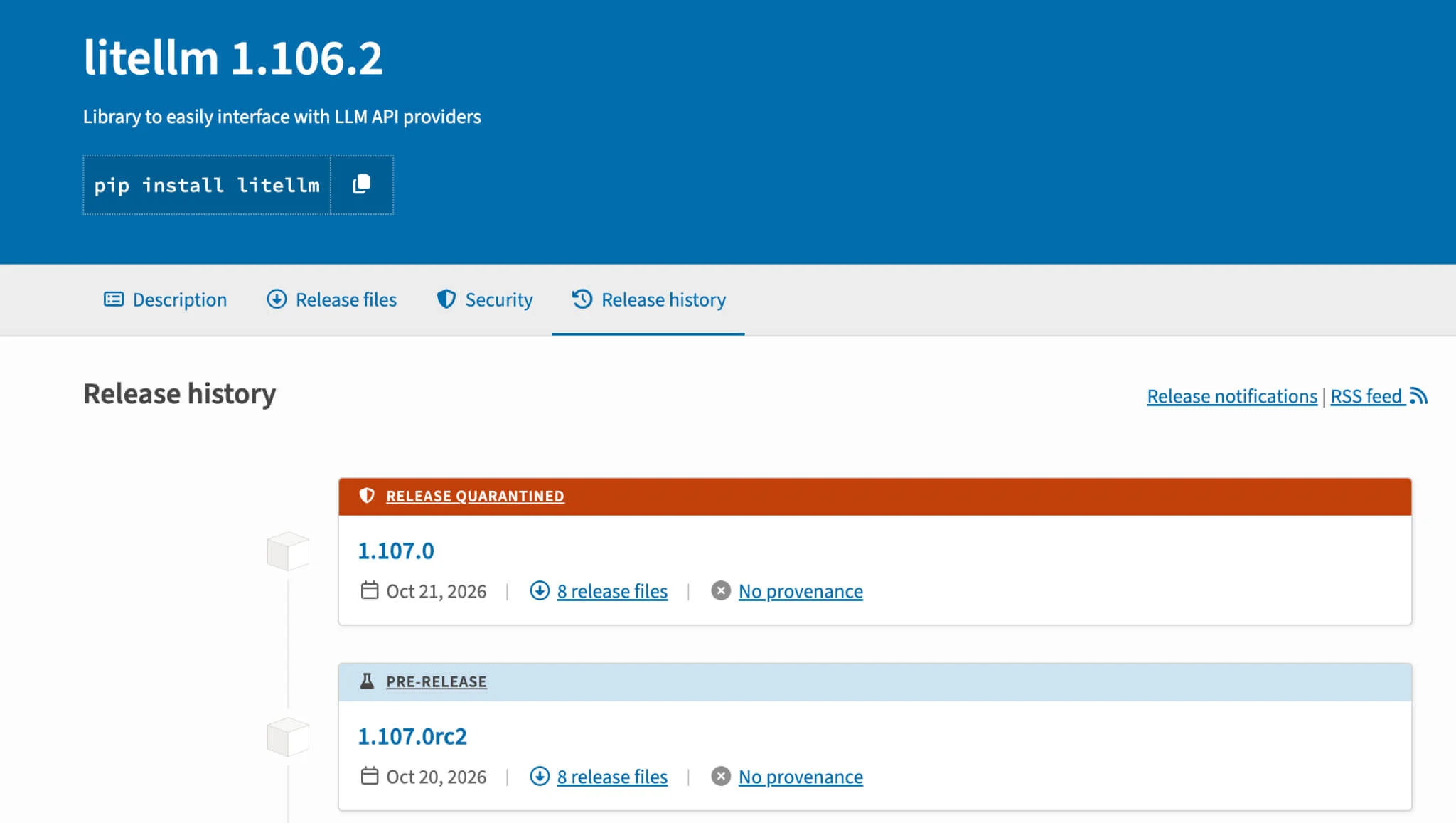
Attackers pushed a trojanized LiteLLM 1.107.0 through the project’s own release pipeline on October 21, 2026. Seven wheels reached PyPI at 11:39 UTC, and the same payload landed in official Docker images. PyPI quarantined the version at about 13:20 UTC and removed it by 13:23 UTC, and LiteLLM confirmed the incident as contained the same day.
Which LiteLLM Versions and Docker Images Are Affected?
Only litellm==1.107.0 is affected on PyPI, across all seven platform wheels. On GHCR and Docker Hub, the v1.107.0, latest, main-latest and main-stable tags pointed to the malicious image; the litellm-database and litellm-non_root variants on GHCR were also affected. The official v1.107.0 source tag on GitHub does not contain the malicious files.
Am I Affected by the LiteLLM Compromise?
You are likely affected if you ran an unpinned pip install of LiteLLM between 11:39 and 13:23 UTC, or ran the listed images between 11:46 UTC and their removal (13:51 UTC on GHCR, 14:20 UTC on Docker Hub) on October 21, 2026. LiteLLM advises assuming compromise for any host that ran the affected version or image.
How Did Attackers Publish a Malicious LiteLLM Release?
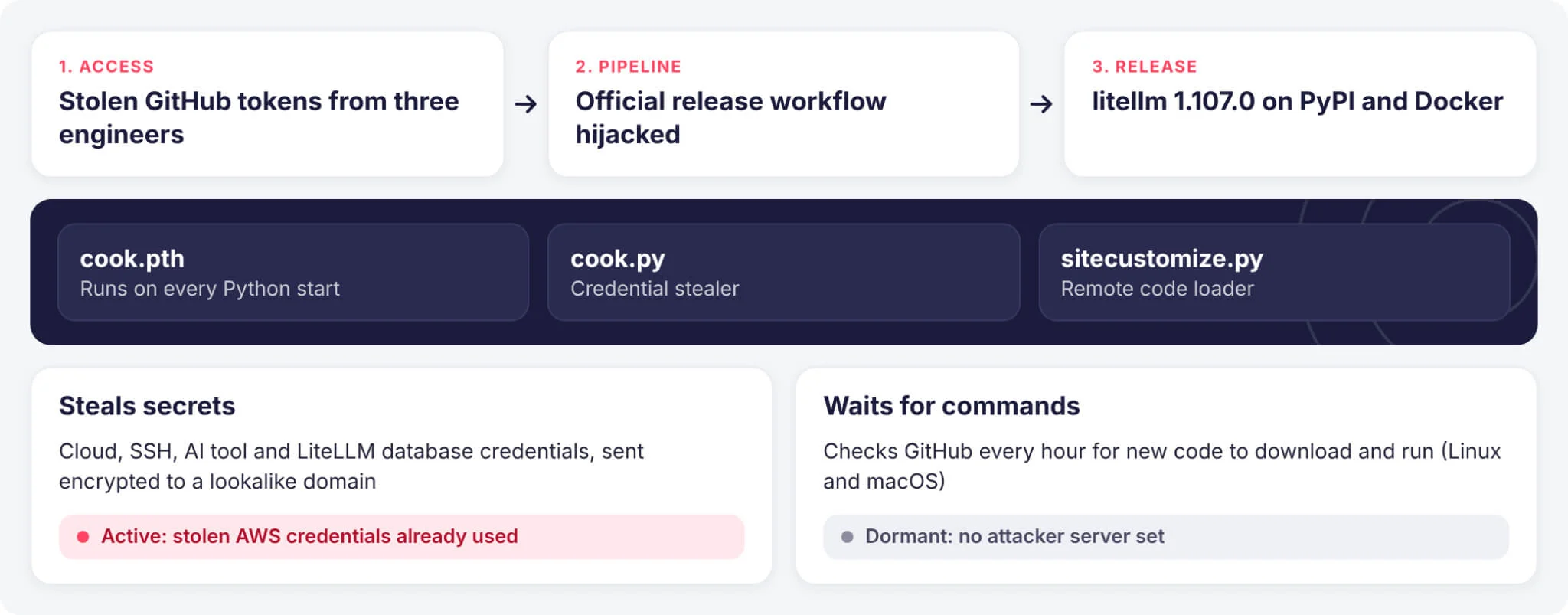
Attackers used what appear to be stolen GitHub CLI OAuth tokens from three LiteLLM engineers. One account overrode branch protection and modified the release workflow, a second approved the production gate, and a third deleted workflow records. The build pulled code from Berri-AI/litellm, a hyphenated lookalike of the legitimate BerriAI repository.
What Does the LiteLLM 1.107.0 Malware Do?
The wheel drops cook.pth, cook.py and sitecustomize.py into site-packages, a Python Startup Hooks (T1546.018) technique that runs on every interpreter start. A 16-module stealer collects cloud, Kubernetes, SSH, AI tool and browser secrets plus LiteLLM proxy credential tables, encrypts them and posts them to a lookalike domain. On Linux and macOS, a second component polls GitHub hourly for remote code.
Is the LiteLLM Compromise Being Exploited?
As of October 22, 2026, yes. Wiz observed the attacker validating stolen AWS instance role credentials about 4.5 hours after exfiltration, then listing Amazon Bedrock models and enumerating IAM, a pattern consistent with LLMjacking. The remote code loader appeared dormant because its GitHub dead drop file held no live domain.
Is This the Same as the March 2026 LiteLLM Supply Chain Attack?
No. The March 2026 incident, which we covered in our LiteLLM supply chain attack analysis, involved TeamPCP abusing a compromised Trivy scanner to publish versions 1.82.7 and 1.82.8. There is no evidence linking the October release to TeamPCP, and the two are treated as separate campaigns.
Who Is Behind the LiteLLM 1.107.0 Attack?
As of October 22, 2026, no threat actor has been publicly attributed. LiteLLM said it suspects the GitHub tokens leaked through logs of an internet-exposed internal deployment, though this remains unconfirmed.
How Can I Check If My Environment Is Compromised?
Look for litellm-1.107.0.dist-info, cook.pth, cook.py and their .pyc files in site-packages, the /tmp/remote_code_loader.lock file and the /tmp/.pc_once_72129118c59f5636c0bb marker. Search egress logs for www.litellm[.]dev/healthcheck and container inventories for the image digest below. A missing marker does not prove a host is clean.
| Indicator Type | Value |
|---|---|
| Exfiltration URL | hxxp://www[.]litellm[.]dev/healthcheck |
| Loader dead drop | raw[.]githubusercontent[.]com/letters9813/pythonclient-test/main/domain.txt |
| Lookalike source repo | github[.]com/Berri-AI/litellm |
| Image index digest | sha256:1bbcb1443bc962e45f5aad53fe3d2c30600e0379715fb6c664cdd3ac126c339e |
| cook.pth (SHA-256) | 7f191632e7320705d154b85204f1ae546b543acbd7e8861229b76f5042b92bdb |
| cook.py (SHA-256) | 9dd0a3926f96a37eb86cf1ee2310d9be93139cc4ebef3ef9e2efe9531390be25 |
| sitecustomize.py (SHA-256) | 34bef04fe88ac9d0aae0475630b1738681d15b94f233ac8aa46eacf5968305fa |
| Attacker source IPs (Wiz) | 168.100.8[.]57, 165.227.201[.]8 |
Is It Safe to Run pip to Remove LiteLLM 1.107.0?
No. Any Python process, including pip itself, re-triggers the payload in an affected environment. Inspect hosts with trusted tooling, delete the payload files manually, and kill the detached daemon holding the lock file. Rebuilding virtual environments and images from scratch is the cleaner option.
Which Version of LiteLLM Is Safe to Use?
LiteLLM recommends pinning litellm==1.106.2 or any explicit version published before October 21, 2026. Pin image digests rather than floating tags such as latest during recovery. Customers of LiteLLM’s private enterprise registry were not affected, according to the maintainers.
Is LiteLLM Safe to Use After the Compromise?
Yes, with care. Releases published before October 21, 2026 are clean, and the maintainers have revoked the abused tokens and cut maintainer permissions to the minimum. Install only into freshly built environments, pin exact versions or digests, and watch for a separate LiteLLM vulnerability scheduled for public disclosure on October 27, 2026, already fixed in an embargoed enterprise release.
How SOCRadar Can Help
SOCRadar helps teams catch supply chain compromises like this one early and limit the damage from stolen secrets:
- Supply Chain Intelligence: Tracks the open-source packages and vendors in your stack and alerts when a dependency is compromised.
- Identity and Access Intelligence: Flags leaked API keys, cloud credentials and session tokens tied to your organization, so you can confirm what needs rotating.
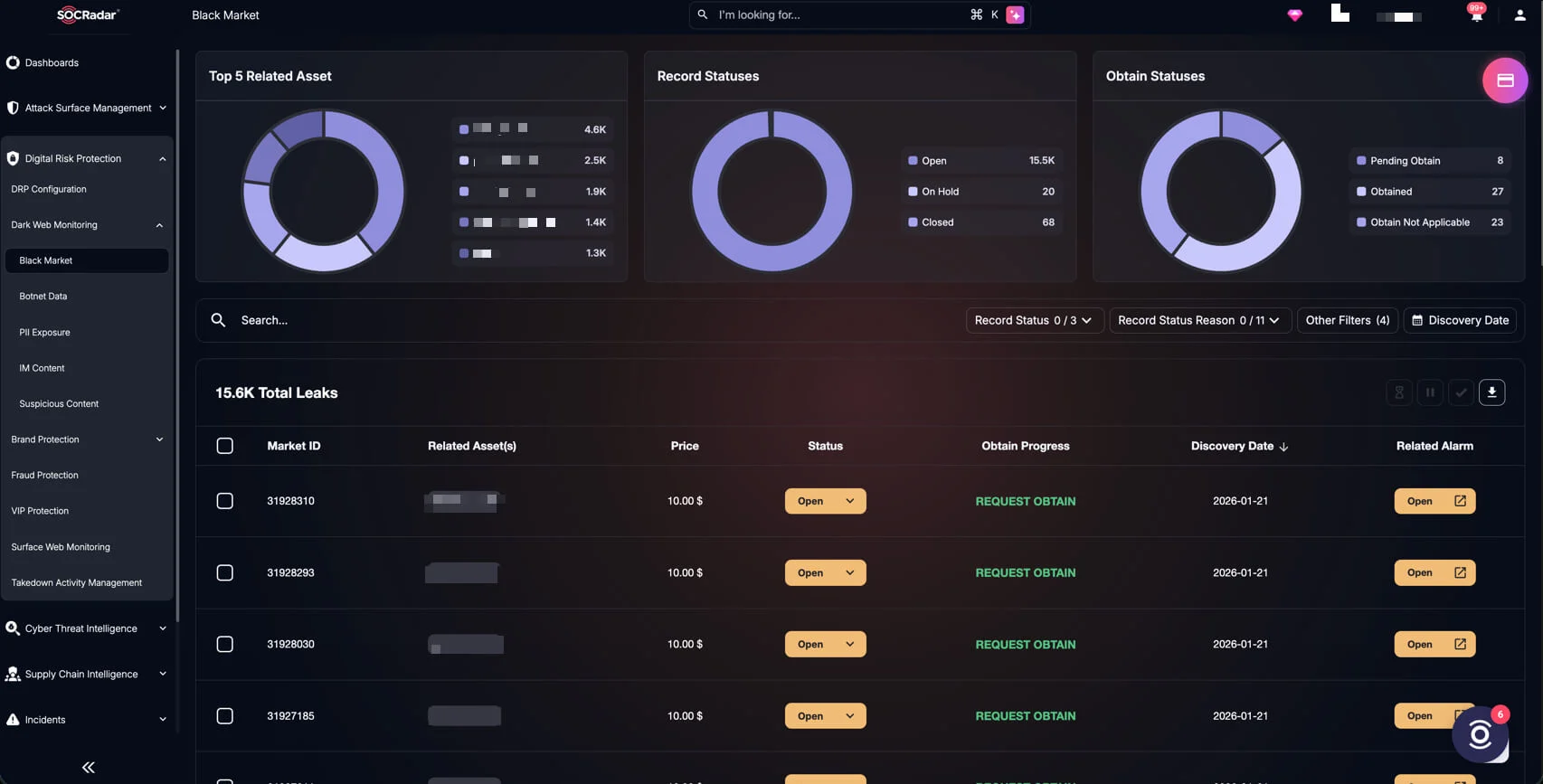
- Dark Web Monitoring: Watches underground forums and markets for your credentials or data being traded.
Mitigation and Recommendations
- Block the release: Deny litellm==1.107.0 in package proxies and stop deploying the affected tags and digests, including anything pulled through latest or main-stable.
- Isolate and preserve: Quarantine hosts and containers that ran the version, capture evidence, then rebuild from reviewed artifacts pinned to 1.106.2.
- Rotate from a clean machine: Replace cloud and instance role credentials, every provider key in the LiteLLM proxy database, master and virtual keys, the DATABASE_URL password, SSH keys, registry tokens and AI tool sessions.
- Hunt in logs: Search egress logs for the /healthcheck exfiltration endpoint and GitHub domain.txt requests; review CloudTrail for GetCallerIdentity, Bedrock and IAM enumeration calls from unfamiliar IPs.
- Harden release pipelines: Restrict who can override branch protection, shorten GitHub CLI token lifetimes, and keep release credentials out of logs and test environments.