




Oct 08, 2026
Table Of Content
Top 10 Threat Intelligence Feeds for Enterprises
Why Enterprises Need Threat Intelligence Feeds
What Makes a Threat Intelligence Feed Useful for Enterprises?
1. SOCRadar Threat Feeds
2. CISA Known Exploited Vulnerabilities Catalog
3. MITRE ATT&CK
4. Shodan
5. AlienVault Open Threat Exchange, OTX
6. VirusTotal Enterprise
7. MISP Threat Sharing
8. abuse.ch MalwareBazaar & URLhaus
9. Have I Been Pwned Enterprise API
10. CrowdSec CTI / Blocklists
Related Articles

May 01, 2026
11 Mins Read

Summarize with:
Top 10 Threat Intelligence Feeds for Enterprises
Threat intelligence feeds help enterprises turn scattered threat data into security decisions. They can support alert enrichment, malware investigation, vulnerability prioritization, phishing defense, identity exposure monitoring, and external attack surface visibility. However, not every feed serves the same purpose, and relying on one source alone can leave major gaps.
Threat intelligence feeds are not used by one team in one way. SOC analysts may need fast indicators for detection, enrichment, and blocking. Vulnerability teams need exploit intelligence to prioritize patching. CTI teams need actor profiles, campaign context, and sector targeting. IAM and identity teams may use breach exposure data to identify risky accounts, while attack surface teams may rely on exposure intelligence to understand what attackers can already see.
Why Enterprises Need Threat Intelligence Feeds
Enterprise security teams no longer need threat data only for blocking known malicious IPs or domains. Modern attacks often involve credential abuse, cloud and SaaS exposure, ransomware operations, identity-based intrusion, supply chain compromise, and attacker activity that changes quickly across regions and sectors. This is why threat intelligence feeds should help organizations understand not only what to block, but also who is targeting them, which tactics are rising, and where exposure may turn into real risk.
What Makes a Threat Intelligence Feed Useful for Enterprises?
A strong enterprise threat intelligence feed should provide more than isolated IoCs. The most useful feeds combine technical indicators with context, such as threat actor attribution, malware families, affected industries, attack methods, exploit activity, ransomware trends, and confidence levels.
The following list highlights 10 threat intelligence feeds and sources that can help enterprises build a more balanced and practical intelligence program:
1. SOCRadar Threat Feeds
SOCRadar Threat Feeds provide enterprise teams with actionable intelligence on malicious IPs, domains, URLs, hashes, and other indicators that can support detection, enrichment, and blocking workflows. Unlike basic open-source feeds, SOCRadar adds context around threats, helping analysts understand why an indicator matters and how it may relate to active campaigns, attacker behavior, or exposed organizational assets.
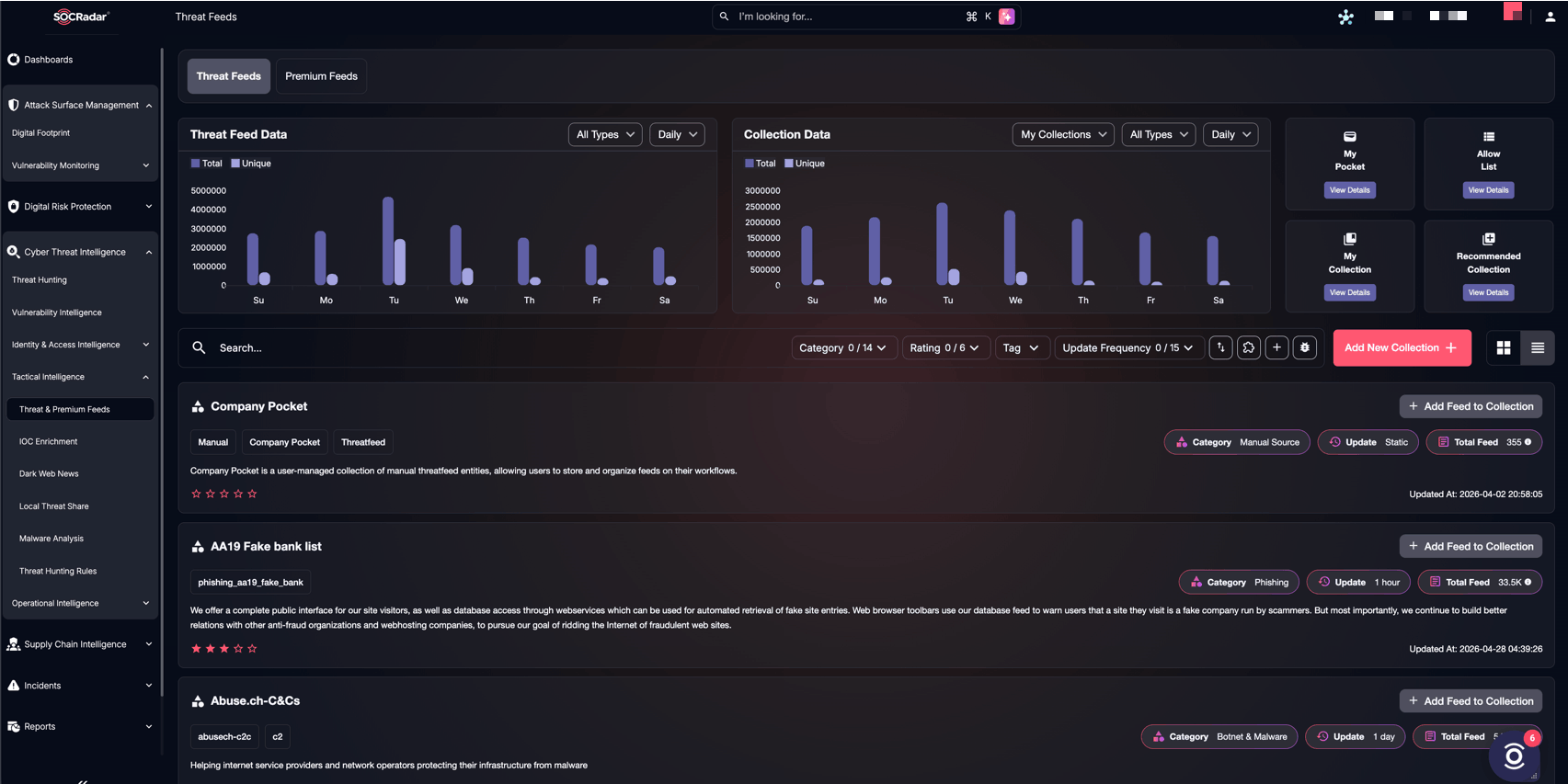
SOCRadar Threat Feeds dashboard, with feed filtering, collection management, and update frequency options.
The platform also supports practical feed management. Security teams can filter feeds by category, rating, tag, and update frequency, view threat feed and collection data, and organize intelligence through features such as My Pocket, My Collection, Allow List, and Recommended Collection. This helps teams avoid treating every indicator the same and makes feed usage more manageable in daily security operations.
For enterprises, this is useful because threat feeds need to do more than create alerts. They should help teams prioritize what to investigate first. SOCRadar’s CTI-driven approach can support SIEM, SOAR, firewall, and security operations workflows by turning raw indicators into more usable intelligence for monitoring and response.
Best for: Enterprise CTI enrichment, malicious indicators, collection-based feed management, security tool integration, and contextual threat tracking.
2. CISA Known Exploited Vulnerabilities Catalog
CISA’s Known Exploited Vulnerabilities Catalog is one of the most valuable public sources for vulnerability prioritization. Instead of listing every newly disclosed CVE, it focuses on vulnerabilities that have confirmed exploitation in the wild. This makes it especially useful for enterprise teams that need to decide which flaws require urgent patching.
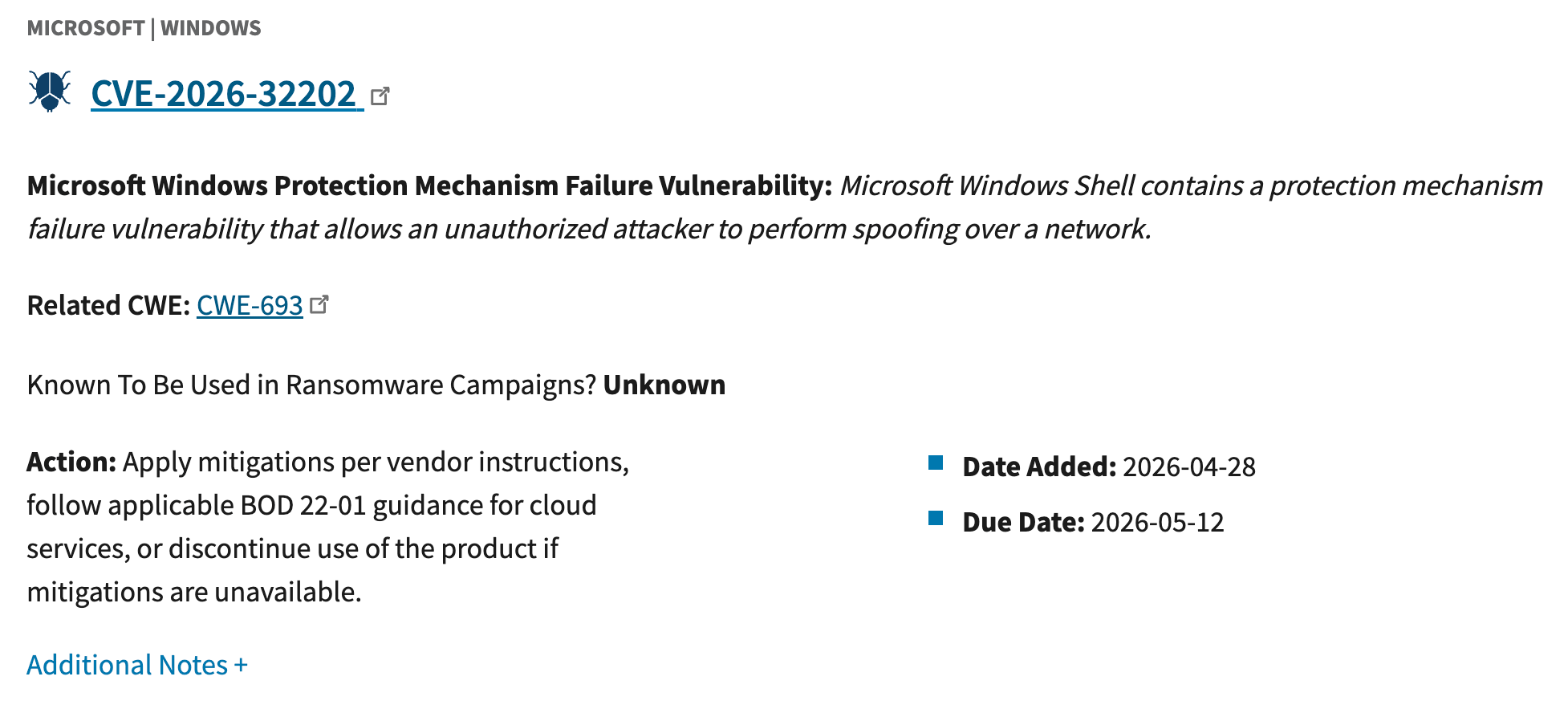
CISA KEV catalog example
Compared with general vulnerability databases, CISA KEV is narrower but more actionable. CVSS scores can show potential severity, but KEV helps answer a more practical question: “Is this vulnerability already being exploited?” Enterprises can use it alongside EPSS, vendor advisories, and internal asset exposure data to make patching decisions based on real risk.
3. MITRE ATT&CK
MITRE ATT&CK is not a traditional threat feed, but it is one of the most important frameworks for enterprise threat intelligence. It is a globally accessible knowledge base of adversary tactics and techniques based on real-world observations, and it helps security teams understand how threat actors operate beyond simple IoCs like IPs, domains, or hashes.
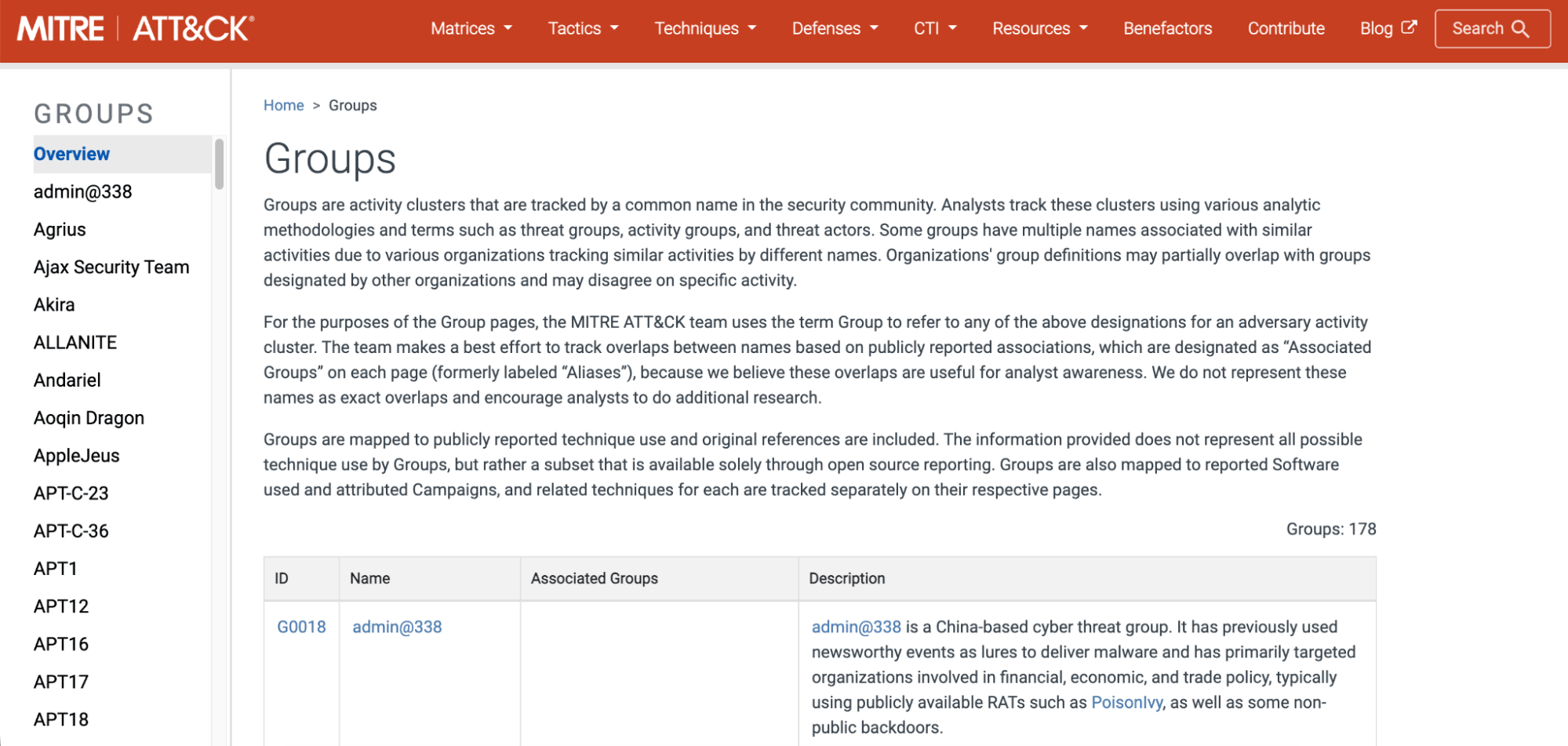
MITRE ATT&CK Groups page
ATT&CK also gives analysts structured CTI context through its Groups, Software, and Campaigns pages. Groups represent tracked adversary activity clusters, Software covers malware and tools used in ATT&CK-modeled behavior, and Campaigns group intrusion activity by shared timeframes, targets, and objectives.
Compared with indicator-based feeds, ATT&CK gives more behavioral context. An IP address can expire quickly, but techniques such as credential dumping, phishing, or lateral movement remain useful for detection engineering, threat hunting, and security gap analysis.
Best for: Threat actor behavior mapping, detection engineering, threat hunting, CTI reporting, campaign analysis, and malware/tool context.
4. Shodan
Shodan helps enterprises see internet-exposed systems, services, ports, banners, certificates, and devices that may be visible to attackers. It is especially useful for identifying exposed databases, remote access services, cloud assets, industrial systems, and misconfigured infrastructure.
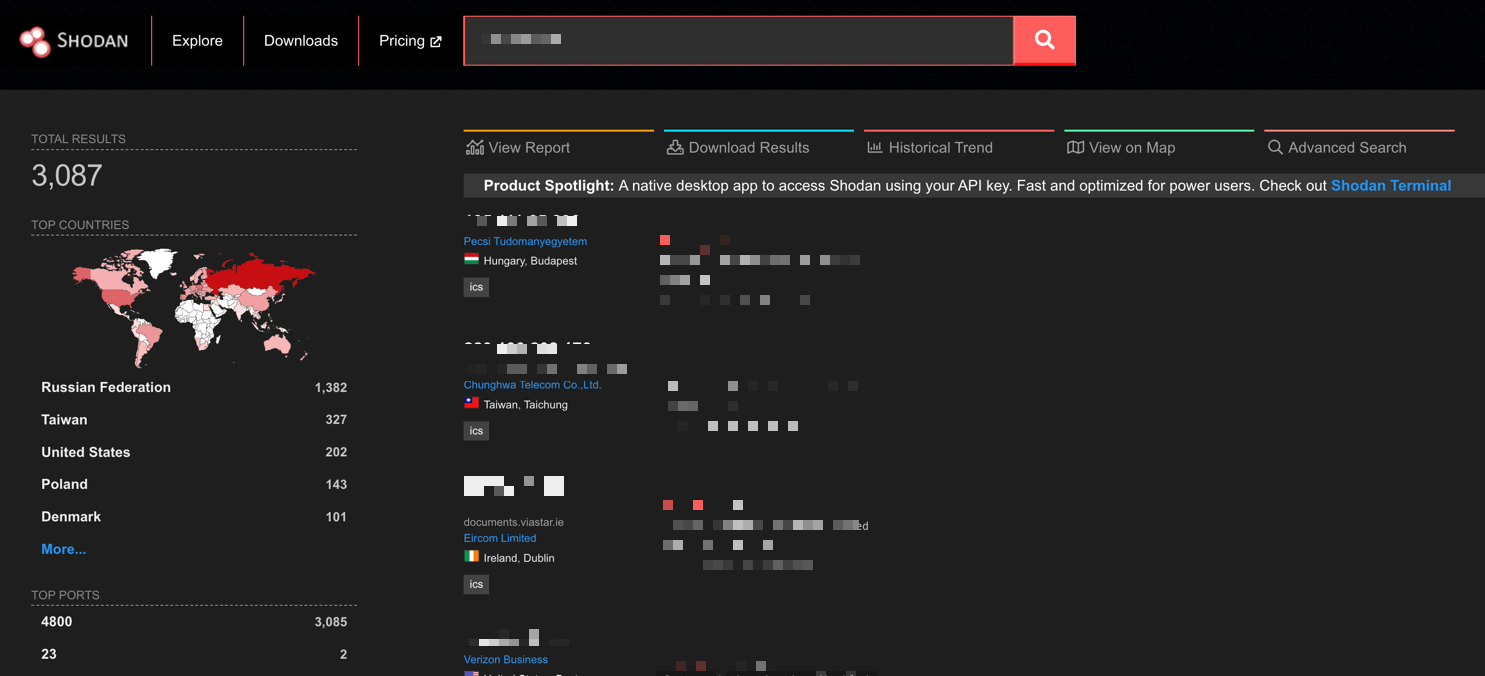
Example for Shodan results page
IBM X-Force reported a 44% year-over-year increase in attacks that began with exploitation of public-facing applications. This makes exposure intelligence especially important because teams need to know which internet-facing systems could become realistic entry points.
Unlike classic threat feeds that focus on known malicious indicators, Shodan focuses on exposure intelligence. It helps answer a different but important question: “What can attackers already see from the outside?” This makes it valuable for attack surface monitoring and vulnerability prioritization.
Best for: External exposure discovery, internet-facing assets, misconfiguration checks, and attack surface visibility.
5. AlienVault Open Threat Exchange, OTX
AlienVault Open Threat Exchange, or OTX, is a free, community-driven threat intelligence platform where researchers and security teams share IoCs, emerging threat details, attack methods, and malicious actor activity. It gives enterprises access to a broad stream of community-powered intelligence, including IPs, domains, URLs, file hashes, CVEs, hostnames, email addresses, and other infrastructure data.
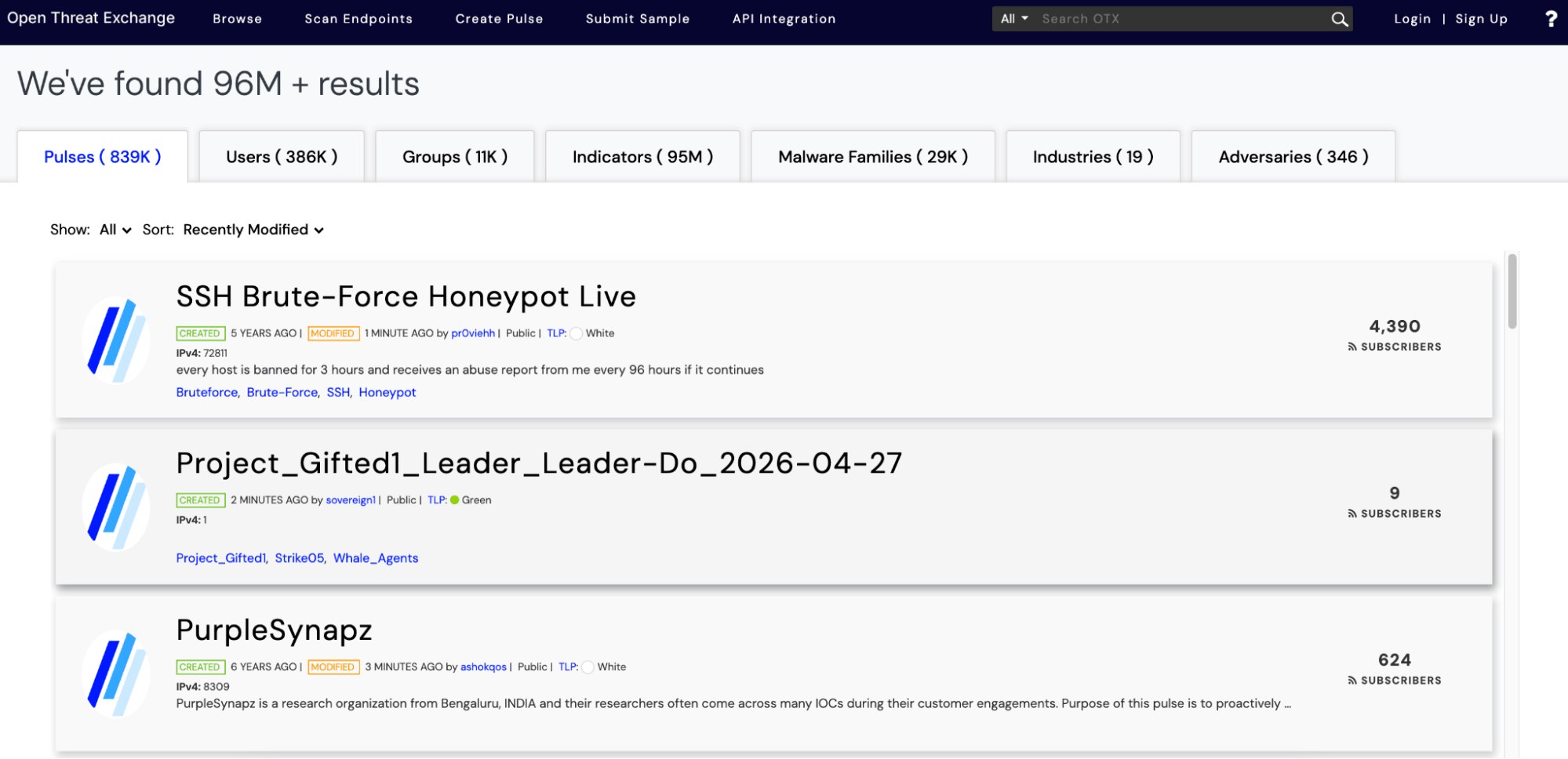
AlienVault OTX pulse
One of OTX’s most useful features is Pulses, which summarize a threat, show related IoCs, and provide context around targeted software, malware, or activity. OTX is also available through Maltego’s Transform Hub, allowing analysts to pull AlienVault OTX data into Maltego investigations and visualize relationships between indicators, infrastructure, and threat activity.
Compared with curated commercial feeds, OTX can offer broad coverage and fast community sharing, but it may also require validation before teams use indicators for blocking. It works best as an enrichment and investigation source, especially when paired with tools like Maltego for link analysis.
Best for: Community IoCs, OTX Pulses, malware and infrastructure context, CVE-linked indicators, alert enrichment, threat hunting, and relationship mapping.
6. VirusTotal Enterprise
VirusTotal Enterprise helps security teams investigate suspicious files, hashes, URLs, domains, and IP addresses with broader threat context. The public VirusTotal platform is widely used to analyze suspicious artifacts and detect malware or other threats, while the enterprise version expands this into deeper search, enrichment, and investigation workflows.
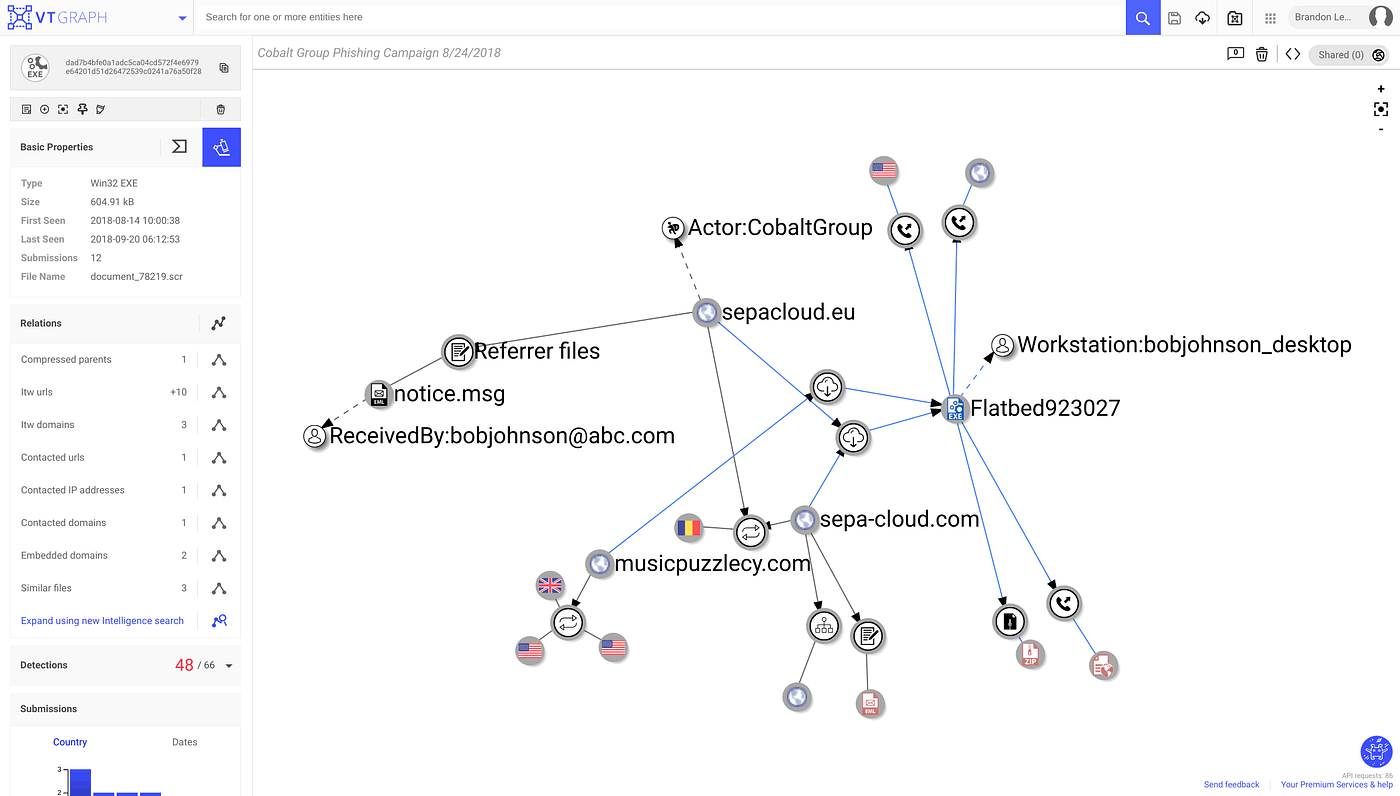
VirusTotal Graph investigation view (Source)
For enterprise teams, its value goes beyond basic reputation checks. VirusTotal Intelligence supports advanced search across its dataset, while tools like Livehunt and Retrohunt help analysts use YARA rules to detect new or historical malware matches. VirusTotal Graph can also help teams map relationships between indicators, samples, campaigns, and infrastructure.
VirusTotal also fits operational workflows through integrations. The VirusTotal v3 integration for Google SecOps supports file analysis, URL analysis, IP and domain investigation, retrohunting, and automated enrichment, helping teams bring VirusTotal context directly into incident response and SOC workflows.
Best for: Malware investigation, file and hash analysis, URL/domain/IP enrichment, retrohunting, historical threat research, infrastructure pivoting, and SOC investigation workflows.
7. MISP Threat Sharing
MISP Threat Sharing is an open-source platform for collecting, correlating, storing, and sharing threat intelligence. Enterprises can use it to manage IoCs, connect different feeds, tag intelligence, map relationships, and share selected data with trusted communities or internal teams.
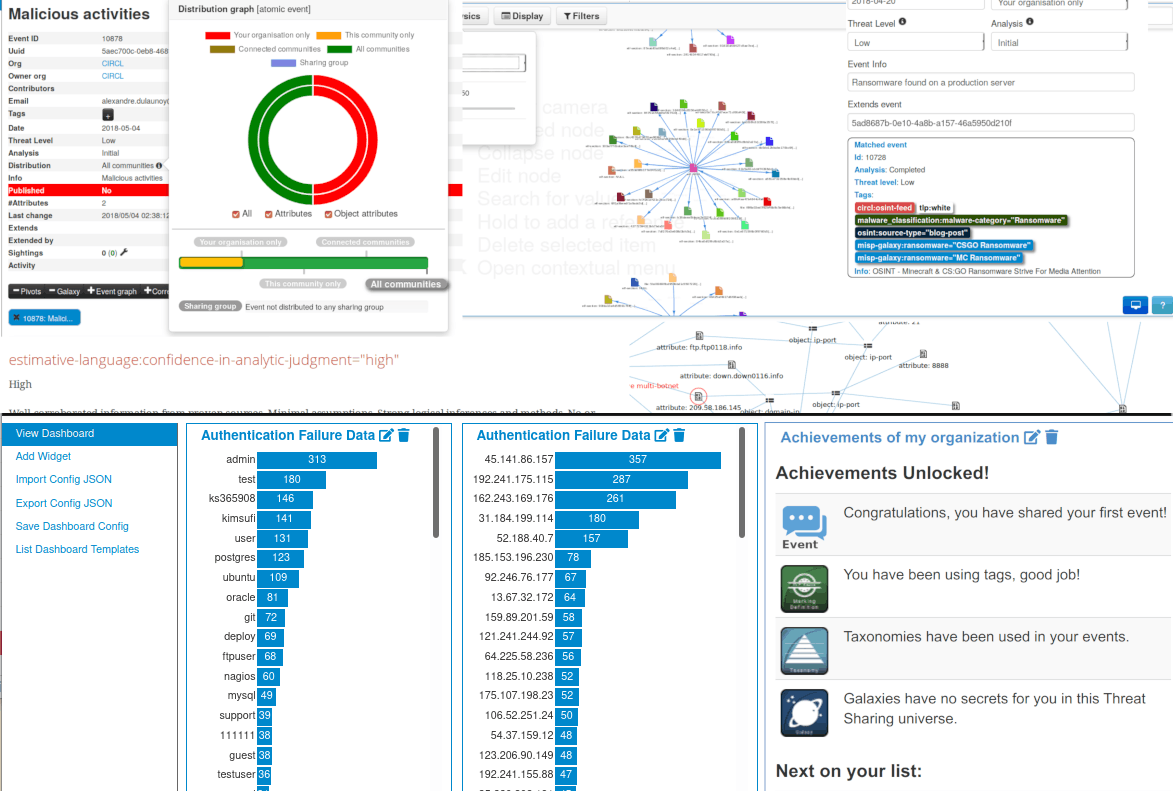
MISP threat sharing dashboard (Source)
Unlike a single feed, MISP acts more like a threat intelligence hub. It helps organizations organize intelligence from many sources and turn scattered indicators into structured, shareable data. This makes it especially useful for mature CTI teams that need control over how intelligence is stored, scored, and distributed.
Best for: Threat intelligence sharing, IoC management, correlation, internal CTI workflows, and trusted community exchange.
8. abuse.ch MalwareBazaar & URLhaus
abuse.ch provides several widely used threat intelligence projects, and MalwareBazaar and URLhaus are two of the most useful for enterprise security teams. Both focus on malware-related activity, but they support different parts of the investigation process: one helps teams analyze malware samples, while the other helps them track the infrastructure used to deliver malware.
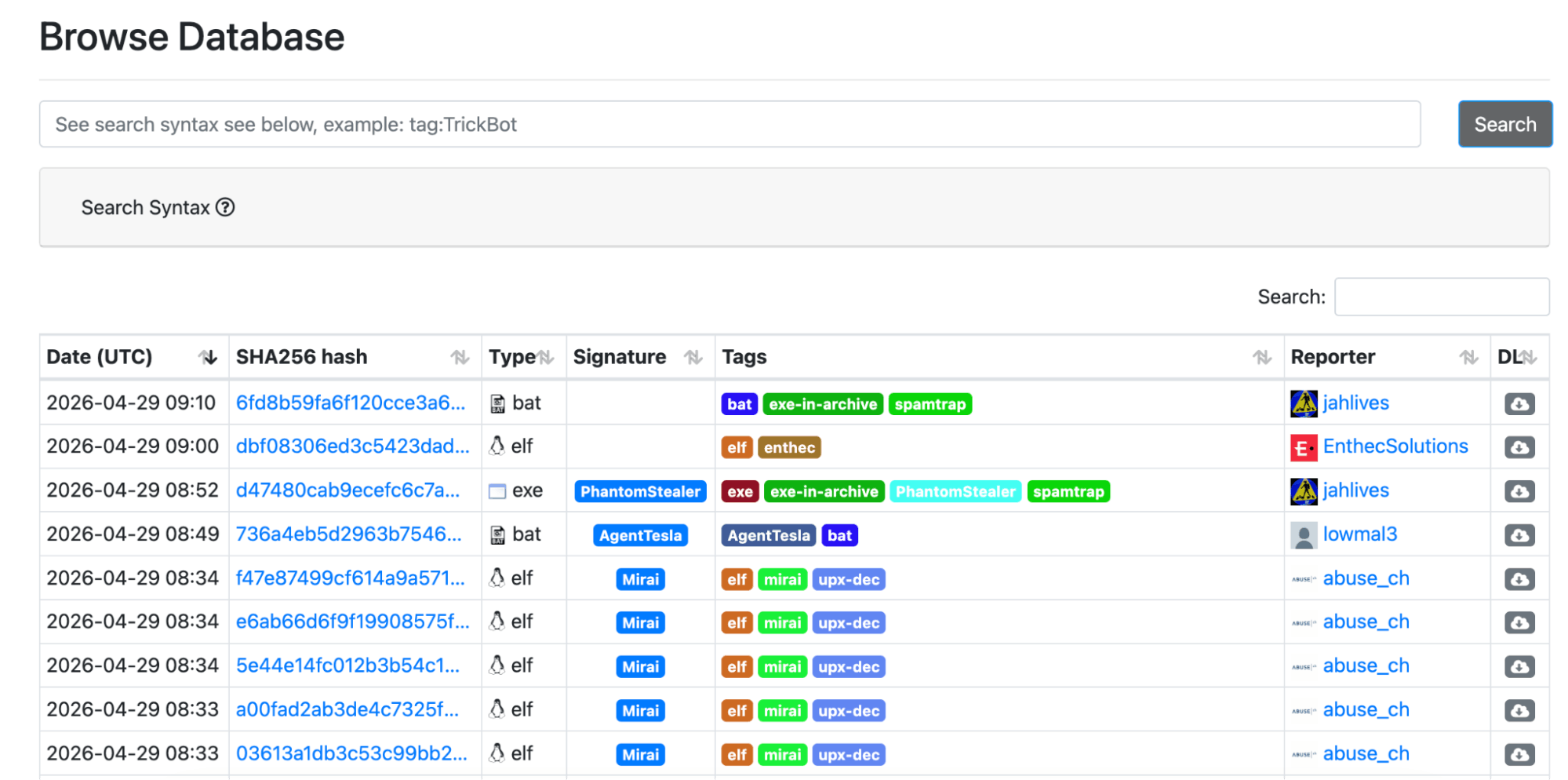
MalwareBazaar sample database
This focus matters because malware remains a major part of intrusion activity. ENISA’s 2025 Threat Landscape found that ransomware, banking trojans, and infostealers accounted for 87.3% of the intrusions in its analyzed dataset. For enterprise teams, this supports the value of malware-focused sources that help track samples, hashes, families, and delivery URLs.
MalwareBazaar focuses on malware samples and related file indicators, such as hashes, tags, malware families, and submitter context. It is especially useful for malware analysts, detection engineers, and SOC teams that need to enrich alerts, compare suspicious files, or track newly observed malware families.
URLhaus, on the other hand, focuses on malicious URLs used to distribute malware. This makes it useful for email security, web proxy monitoring, DNS filtering, and incident investigations involving suspicious links. In simple terms, MalwareBazaar helps identify the malware itself, while URLhaus helps identify where that malware is being hosted or delivered from.
Best for: Malware hashes, malicious URLs, malware delivery tracking, detection enrichment, malware analysis, and web/email security workflows.
9. Have I Been Pwned Enterprise API
Have I Been Pwned Enterprise API helps organizations monitor breached accounts and domain exposure through API-based queries. It is not a traditional CTI feed, but it gives security teams useful visibility into compromised email addresses, exposed credentials, stealer log appearances, pastes, and breach-related identity risks that may affect employees, customers, or business domains.
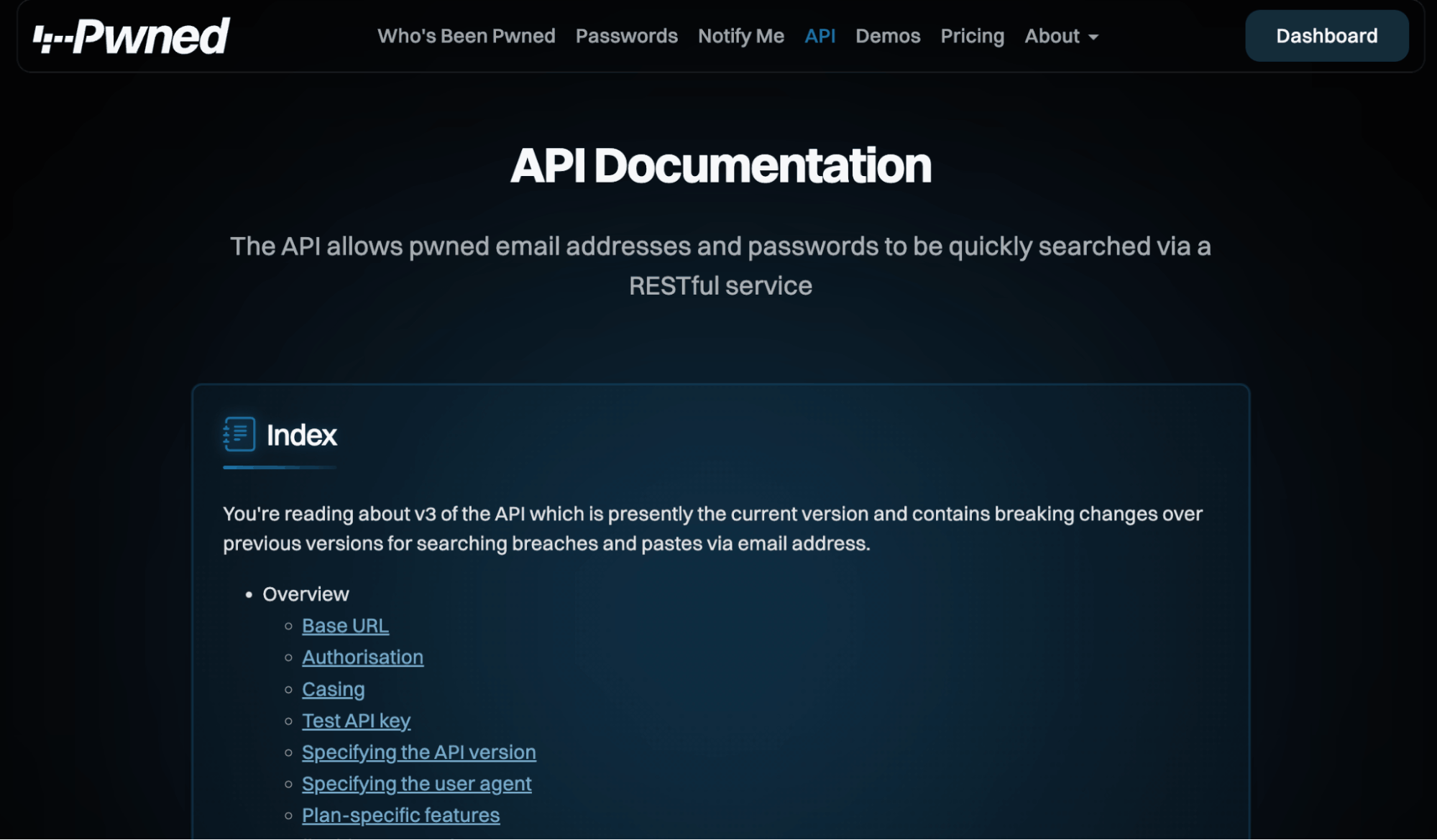
Have I Been Pwned API documentation for checking breached email addresses and passwords through a RESTful service.
The API supports practical enterprise workflows such as retrieving all breached accounts for a verified domain, checking individual accounts against known breaches, and pulling breach details that can help teams understand where exposure came from.
For enterprises, this makes HIBP useful for automated identity exposure monitoring, password reset workflows, access reviews, onboarding checks, and security awareness programs. Instead of manually checking accounts one by one, teams can connect the API to internal identity, IAM, or security operations workflows.
Best for: API-based breached account lookups, verified domain monitoring, credential exposure tracking, stealer log visibility, Pwned Passwords checks, identity risk, and automated security workflows.
10. CrowdSec CTI / Blocklists
CrowdSec CTI and blocklists provide community-powered intelligence on malicious IP behavior, including brute-force attempts, scanning, exploitation attempts, and other abusive activity observed across participating environments. This makes it useful for teams that want practical IP reputation data for blocking and enrichment.
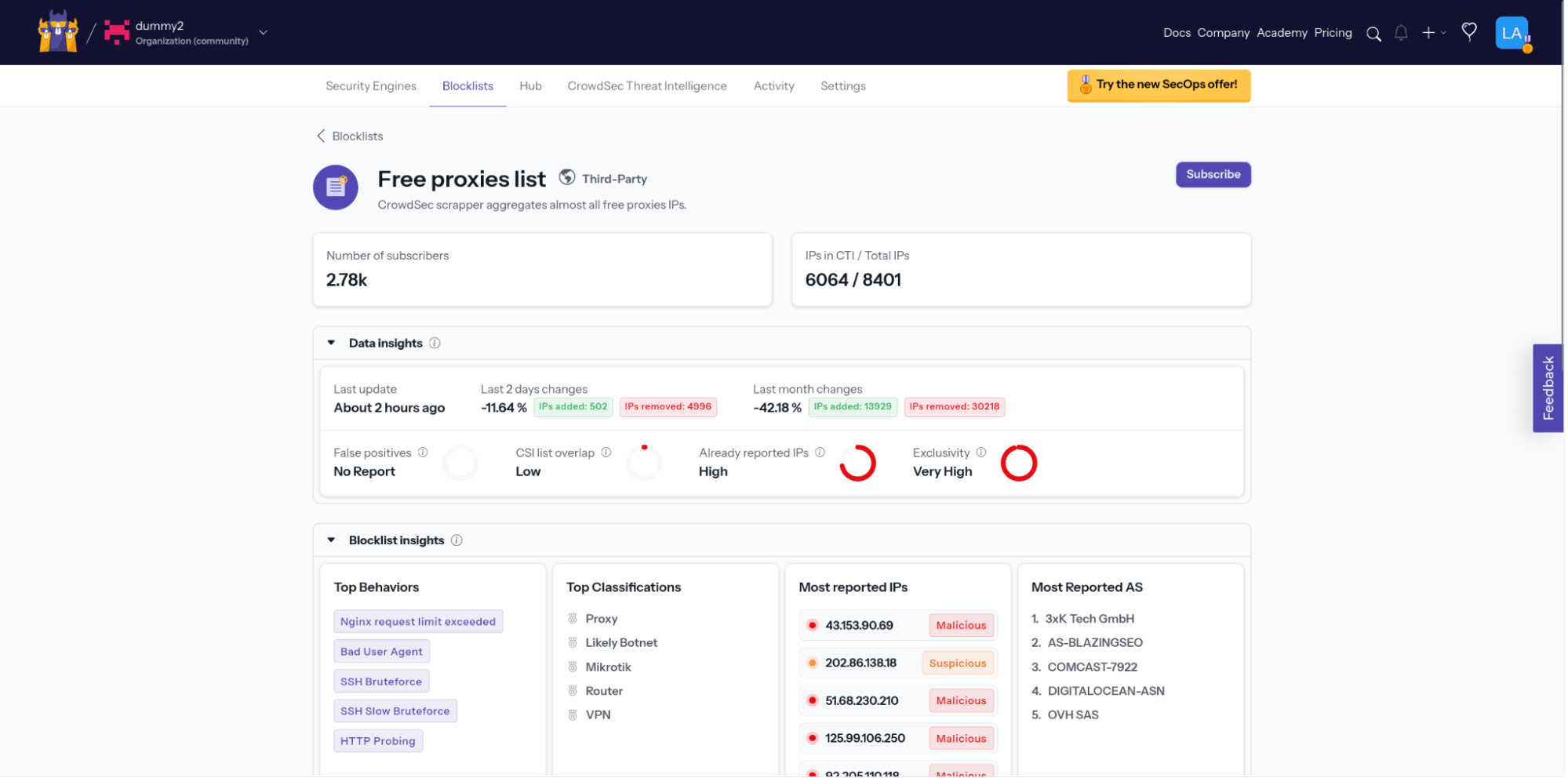
CrowdSec blocklist insights (Source)
Compared with traditional curated feeds, CrowdSec benefits from community-scale telemetry. However, enterprises should still apply context before blocking, especially in sensitive environments. It works best as a defensive layer for firewalls, WAFs, SIEM enrichment, and infrastructure protection.
Best for: Malicious IP reputation, community blocklists, brute-force activity, scanning behavior, and defensive blocking.



